64
Editing
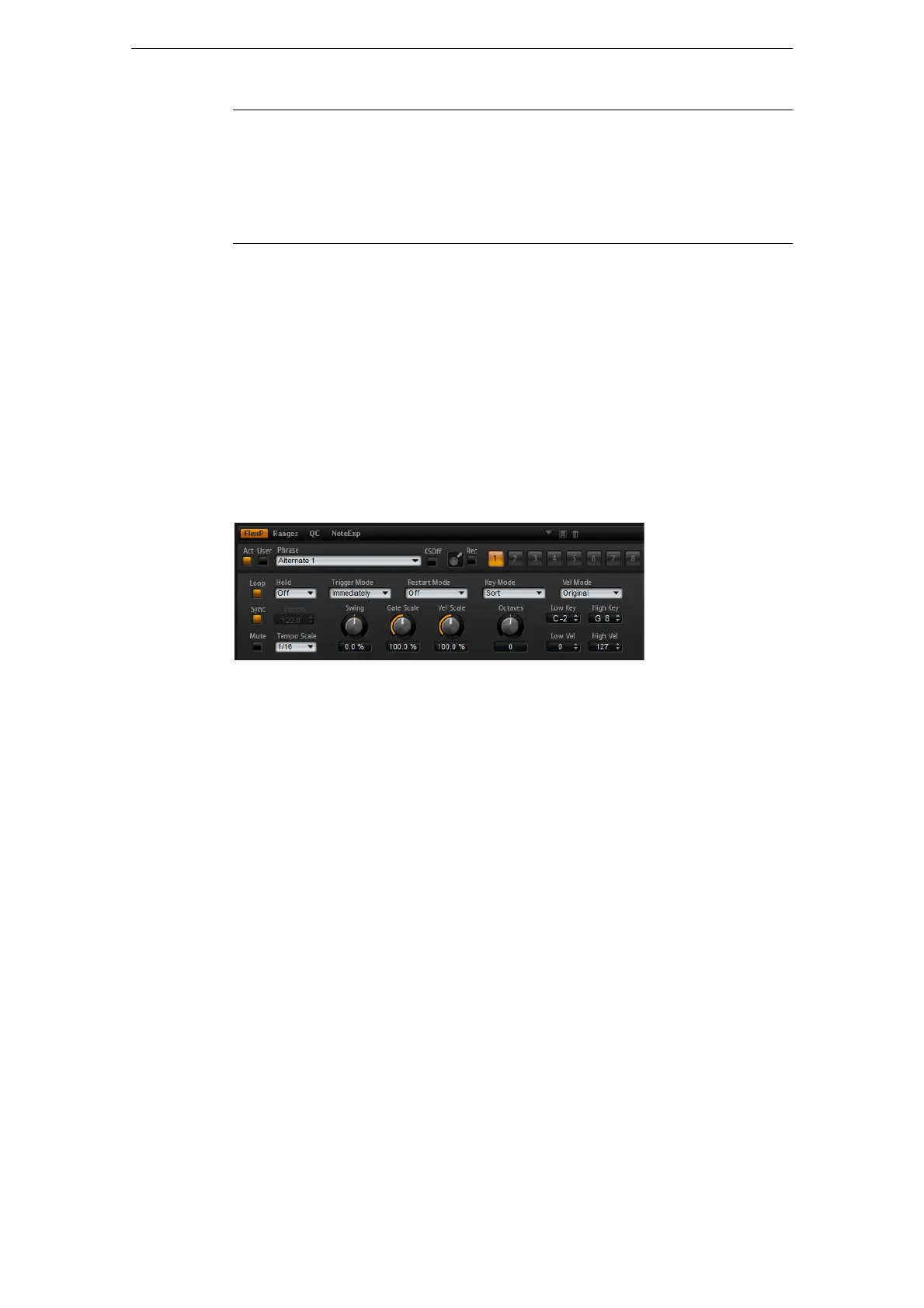
The FlexPhraser
Mod Matrix Presets
At the top right of the Matrix subpage, you can load and save presets for the
modulation matrix.
• To load a preset, click in the Select Preset field and select the preset from the
pop-up menu.
• To delete a preset from your system, click the trash bin button.
You are asked to confirm the deletion.
• To save a new preset, click the floppy disk button.
A file dialog opens where you can name and save your preset file.
The FlexPhraser
Each program features up to five arpeggio and phrase players: the so-called
FlexPhrasers. There is one FlexPhraser for each layer and one for the program. While
the program FlexPhrasers always work with phrases, the layer FlexPhrasers
functionality changes with the layer type.
For synth, sample, instrument or drum layers, a FlexPhraser can play back anything
from basic synth arpeggios over dynamic drum phrases to realistic accompaniment
phrases for guitar, bass, piano, etc. You can select from over 1400 phrases that suit a
wide range of musical instruments and styles. Depending on the selected phrase, the
FlexPhraser uses your live playing to modify the phrase in real-time. This allows you,
for instance, to re-harmonize phrases by playing different chords.
In the case of loop layers, the FlexPhraser triggers the slices of the loop with their
original timing and order. You can trigger a transposed version of the loop, playing
higher or lower in pitch. In addition, you can vary the order with a random function and
export the slice sequence to your host sequencer via drag and drop.
Ö When working with loops you can play the individual slices and the entire loop. For
this purpose the key range is divided into two halves. The lower half triggers the loop;
the top half can be used to play single slices. This different functionality is indicated by
keys shaded in green for the loop keys and normal black/white keys for the slices.
Keys that do not trigger anything appear in gray.
To edit the program FlexPhraser, proceed as follows:
1. Go to the Edit page.
2. At the top of the Edit page, click the Program button.
3. Go to the bottom section of the Edit page and click the FlexP button.
4. Click the Active button at the top left to activate the phrase.
Trigger on Sustain Select this to trigger the sample & hold manually: Each time you
press the sustain pedal, the sample & hold takes a sample.
Sample until
Release
Select this to trigger the sample & hold through releasing a key: The
sample & hold takes constantly samples. It holds the last sample
when receiving a note-off.
Option Description



 To Next Page