116
B-Box
The Mix Page
Ö The parameters Loop, Sync, Hold, Trigger Mode, Restart Mode, and Input Mode are
not part of the variations.
Switching Variations With the Trigger Pads
Variations can be assigned to the trigger pads, allowing you to switch variations on
the fly, see
“The Trigger Pads” on page 174.
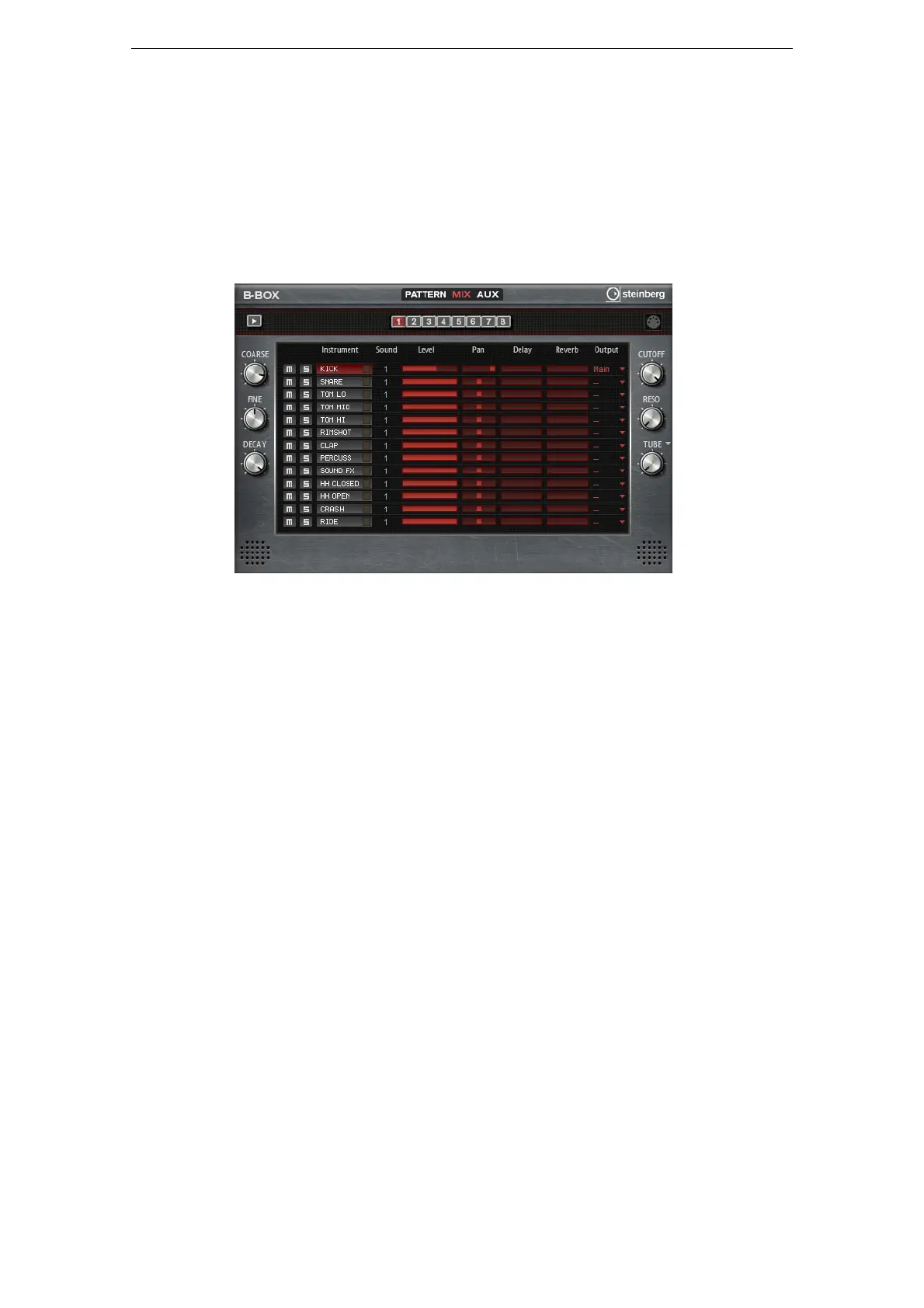
The Mix Page
On the Mix page, you can add effects to the patterns. This page contains the following
settings:
Level
Adjusts the level of the instrument.
Pan
Adjusts the panorama position of the instrument.
Delay
Here, you can specify how much of the signal is sent to the delay effect.
Reverb
Here, you can specify how much of the signal is sent to the reverb effect.
Output
Here, you can select one of the available plug-in outputs.



 To Next Page