69
Editing
User Phrases
Play Range
You can use the Play Range parameters to determine which keys and velocities
trigger the phrase playback.
Low Key
This defines the lowest key on which the phrase is triggered.
High Key
This defines the highest key on which the phrase is triggered.
Low Vel
This defines the lowest velocity on which the phrase is triggered.
High Vel
This defines the highest velocity on which the phrase is triggered.
User Phrases
The user pattern of the FlexPhraser has up to 32 steps. Each step has an adjustable
velocity, gate length, and transpose value. By setting the steps, adjusting their length,
or leaving pauses, you define the rhythm of the user pattern. Consecutive steps can
be combined to create longer notes. By selecting the mode, you define how the notes
play back. In addition, there are two MIDI control sequences, that is, each step can
send two modulation signals.
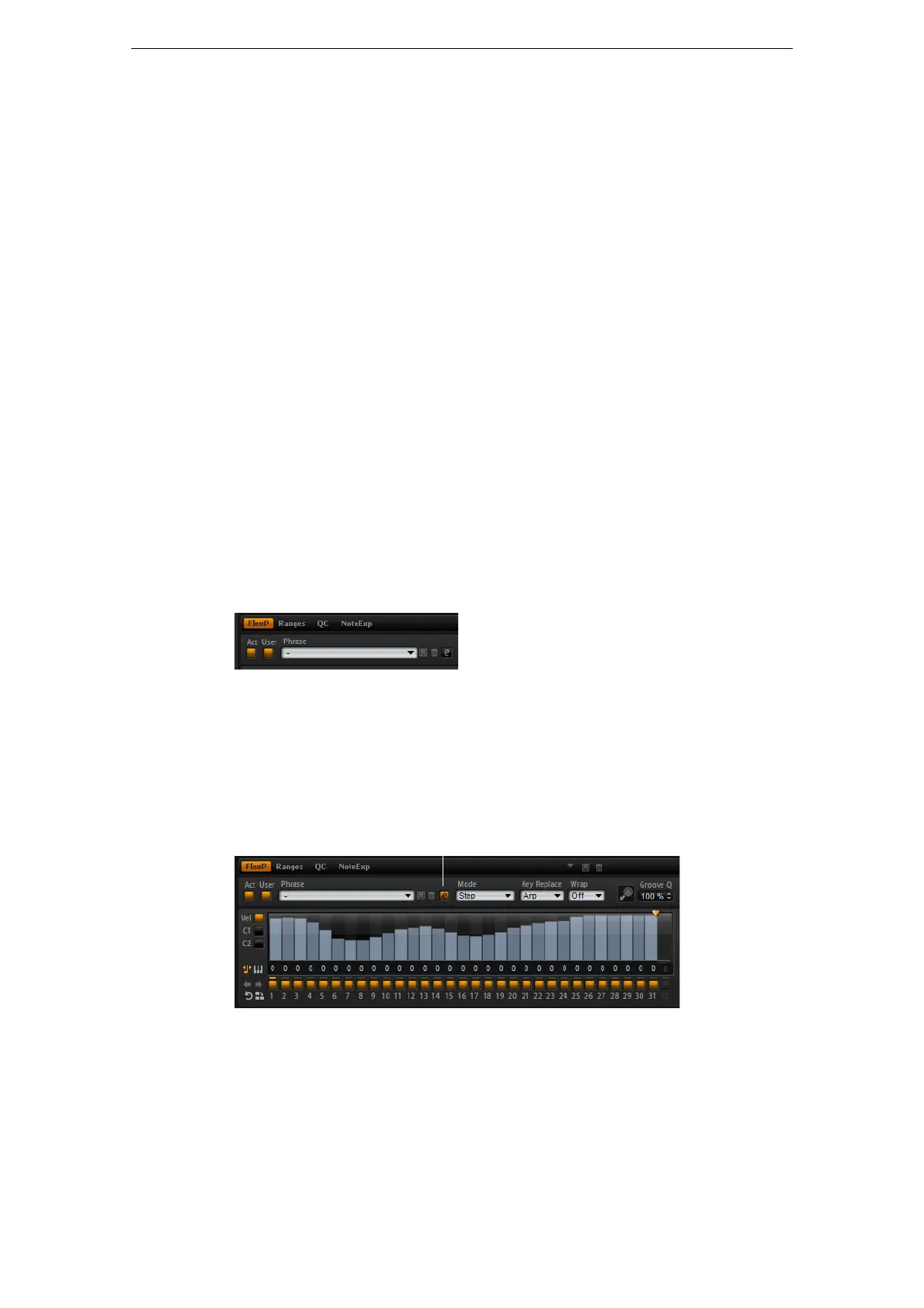
• To create your own phrases, activate the User button.
For user phrases, the regular FlexPhraser parameters are available, except for the
KSOff button.
Editing User Phrases
In the editor for the user phrases, you can make detailed settings for the user phrase.
• To open the editor, click the “Show Editor Page” button.
About the Curves
In the editor, you can display the velocity curve or two MIDI controller sequences for
the phrase.
• To select a curve, click the corresponding button to the left of the display.
Click here to show or hide the editor.



 To Next Page