70
Editing
User Phrases
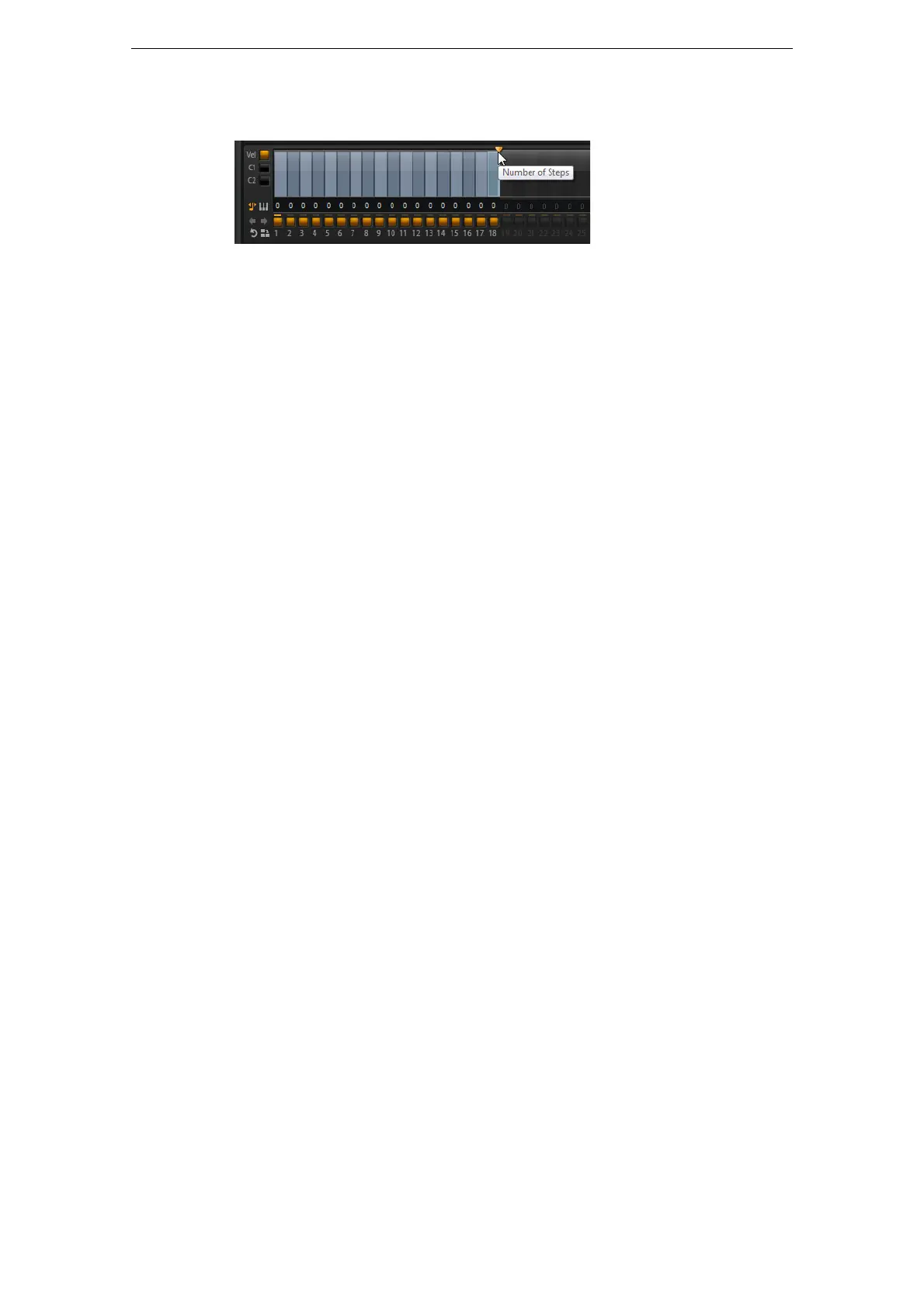
Defining the Pattern Length
• To specify the number of steps for the pattern, drag the pattern length handle to
the right or left.
Adding and Adjusting Steps
The height of a step represents its value. You can edit the steps in the following way:
• To activate all steps, select “Enable All Steps” from the context menu.
• To adjust a value, click a step and drag up or down.
• To adjust multiple steps, click and draw a curve.
• To adjust the velocity of all steps relatively, [Shift]-click and drag.
• To draw a ramp with steps, hold down [Alt]/[Option] and draw a line.
• To draw symmetric ramps at the beginning and the end of the sequence, hold
down [Shift]-[Alt]/[Option] and draw a line.
• To reset the velocity of a step to 127, [Ctrl]/[Command]-click the step.
• To reset the velocity of all steps to 127, hold [Shift]-[Ctrl]/[Command] and click a
step.
• To introduce a legato between two steps, click the number below the first of these
two steps, so that a small arrow is shown.
When legato is activated, the gate scale parameter is not taken into account.
For velocity steps, the width of a step represents its gate length. You can edit the
length in the following way:
• To adjust the gate length of a step, drag the right border of a step.
• To adjust the gate length of all steps, hold down [Shift] and drag the right border.
You can only adjust the length this way until a step reaches the next step.
Ö If you increase the gate length of a step so that it overlaps the following steps, these
are deactivated.
• To reset the length of a step to 1, [Ctrl]/[Command]-click its highlighted right
border.
• To reset the length of all steps, hold down [Shift]-[Ctrl]/[Command] and click on a
highlighted right border.
• To fill the gaps between consecutive steps, select “Fill Gap” or “Fill All Gaps” from
the context menu.
Each MIDI controller lane can send a MIDI controller. By selecting the same MIDI
controller as source in the Modulation Matrix, you can modulate any of the
destinations with the MIDI controller sequence.
• To assign a controller, open the MIDI controller pop-up menu and select the
controller or use the corresponding control on your hardware.



 To Next Page