145
Global Effects
Effects Reference
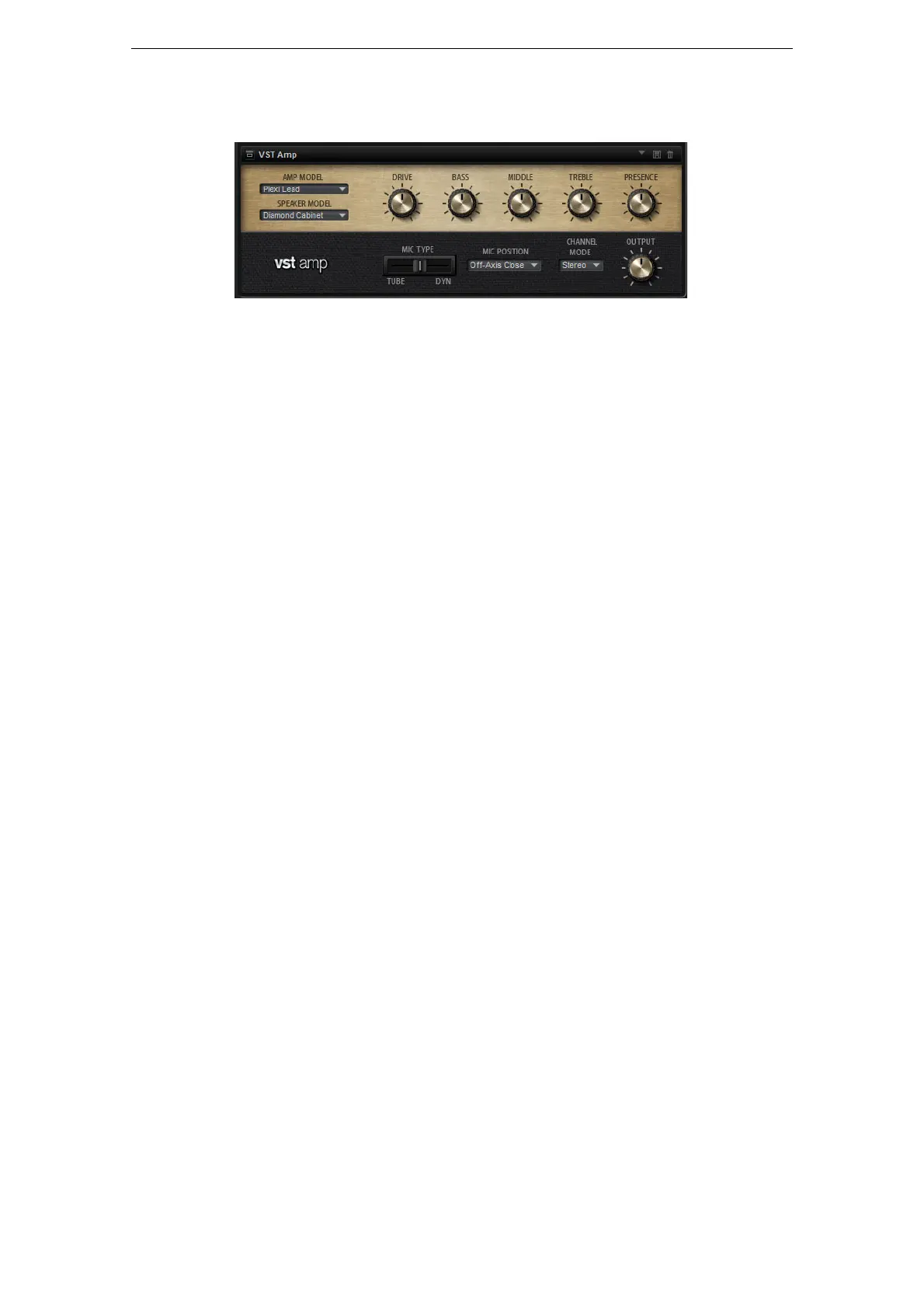
VST Amp
This effect emulates the sound of an amplifier with speakers. There are different
amplifiers and speaker models you can combine.
Amp Model
Here you can select the type of amplifier. The sound character of the overdrive
changes with the amplifier you select. To bypass the amplifier, select “No Amp”.
Speaker Model
Here you select the type of Speaker model. Each model colors the sound uniquely. To
bypass the model, select “No Speaker”.
Drive
This adjusts the amount of overdrive.
Bass
Use this to adjust the tone color of the low frequencies.
Middle
Use this to adjust the tone color of the mid frequencies.
Treble
Use this to adjust the tone color of the high frequencies.
Presence
Use this to add brightness.
Microphone Position
Here, you can choose between 7 positions to place the microphone. These positions
result from two different angles (center and edge) and three different distances from
the speaker, as well as an additional center position at an even greater distance from
the speaker.
Mic 1/2
You can choose between two microphone types. When this control is set to 0 %, a
large-diaphragm condenser microphone is used. At 100
%, you get a dynamic
microphone. Settings in between allow you to fade between the characteristics of
these two microphones.
Channel Mode
Here you can define which output channels of the amplifier delivers a distorted signal.
You can set it to L (Left), R (Right) or L/R (Both). When set to L or R, the other
channel provides a clean, bypassed signal.
Output
This controls the output level of the amplifier.



 To Next Page