158
Global Effects
Effects Reference
Auto
Activate this to set the Release time automatically. The Gate analyzes the input sound
continuously to find the optimal Release time. The Release knob is disabled when
Auto Release is active.
Peak – RMS
Determines whether the input signal is analyzed according to peak or RMS values (or
a mixture of both). At a setting of 0
%, the Gate uses Peak sensing only and at 100 %,
RMS sensing only. Peak means that the Gate directly senses the peak level of the
sound. RMS means that the Gate senses the average power of the sound. Peak
sensing responds faster than RMS sensing. Typically, Peak sensing is used for
transient and RMS sensing for sustained sounds.
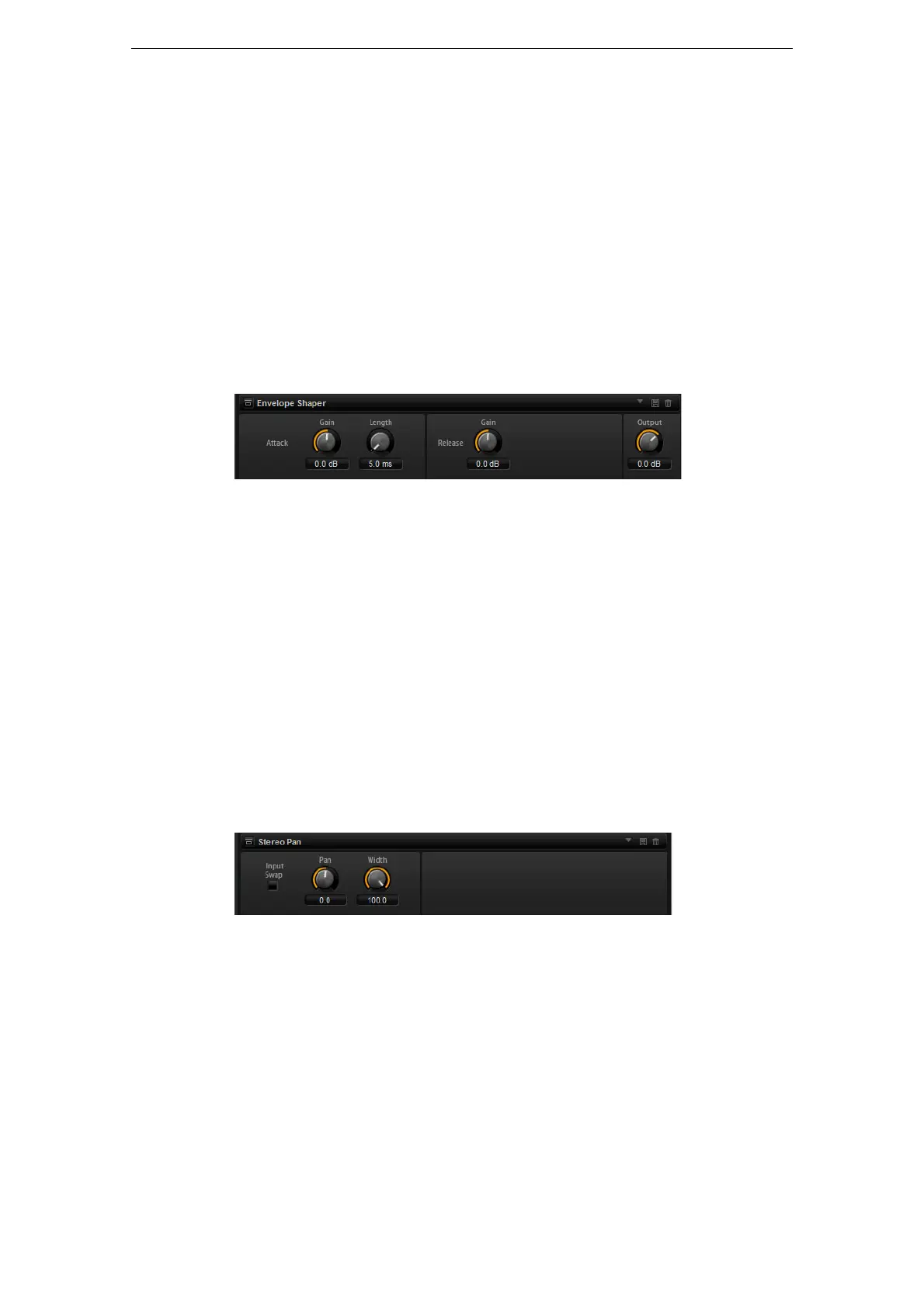
Envelope Shaper
This effect can be used to attenuate or boost the gain of the attack and release phase
of audio material. Be careful with levels when boosting the gain and, if needed, reduce
the output level to avoid clipping.
Attack – Gain
Changes the gain of the attack phase of the signal.
Attack - Length
Determines the length of the attack phase of the signal.
Release - Gain
Changes the gain of the release phase of the signal.
Output
Sets the output level.
Stereo Pan
This effect allows you to set the stereo position and width of the signal.
Input Swap
Activate the Input Swap option if you want to swap the stereo channels.
Pan
Here you can set the pan position of the signal. The panning is available for mono and
stereo input signals.
Width
This parameter allows you to adjust the stereo width of the signal from stereo to mono.



 To Next Page