170
The Performance Section
The Quick Controls
Unassigning Quick Controls
You can unassign quick controls directly from the quick controls section or on the QC
section on the Edit page.
• To unassign a quick control on the quick controls section, right-click the control
and select “Forget Quick Control”.
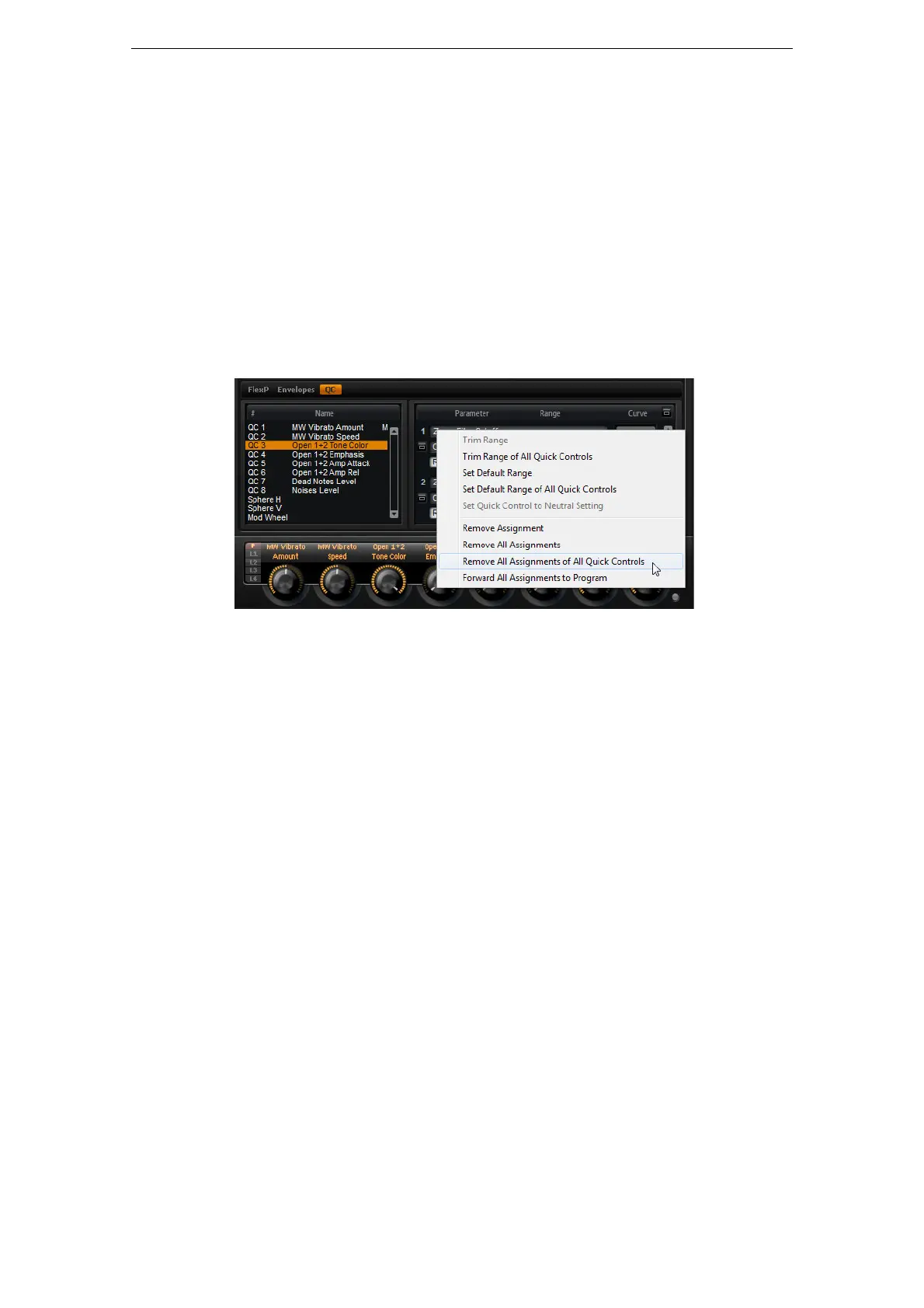
In the QC section of the Edit page, the context menu offers the following options:
• To unassign the selected quick control, select “Remove Assignment”.
• To remove all assignments of the selected quick control, select “Remove All
Assignments”.
• To remove all assignments of all quick controls that belong to the selected layer in
the program tree, select “Remove All Assignments of All Quick Controls”.
Changing the Order of Quick Control Assignments
To change the order of the existing quick control assignments in the list, proceed as
follows:
• Drag an assignment in between two other quick controls to insert it there. The
order of the list changes accordingly.
• Drag an assignment to another quick control to replace it. The order of the list
does not change.
Setting the Behavior of Quick Control Assignments
A quick control behaves either as a continuous control or as a switch. In addition, you
can choose to change parameter values either in Relative or Absolute mode.
In Relative mode the values of the parameter and the quick control add to each other.
If you touch a parameter that has a quick control assigned in Relative mode,
parameter changes can still be heard.
In Absolute mode the values of the parameter will be overwritten by the values sent by
the quick control. If you touch a parameter that has a quick control assigned in
Absolute mode, parameter changes cannot be heard.
When set to Switch Relative or Switch Absolute, the remotely controlled parameter
switches between the minimum and maximum value when you turn the quick control.
With Switch Relative, parameter changes can still be heard.
With Switch Absolute, parameter changes will be overwritten and cannot be heard.
You can select which mode will be used per assignment.



 To Next Page