8
Using the MOVE/ENTER keys
Bring the cursor on the screen with the arrow keys to the desired position. Press the
Enter key in the middle of the arrow keys to confirm your selection and open menus.
Using the BACK ( ) and HOME ( ) buttons
The back button takes you back one step.
The Home button returns you to the main screen. In recording, music or piano assist
mode, you will be taken to the respective main screen of the selected function.
Operation
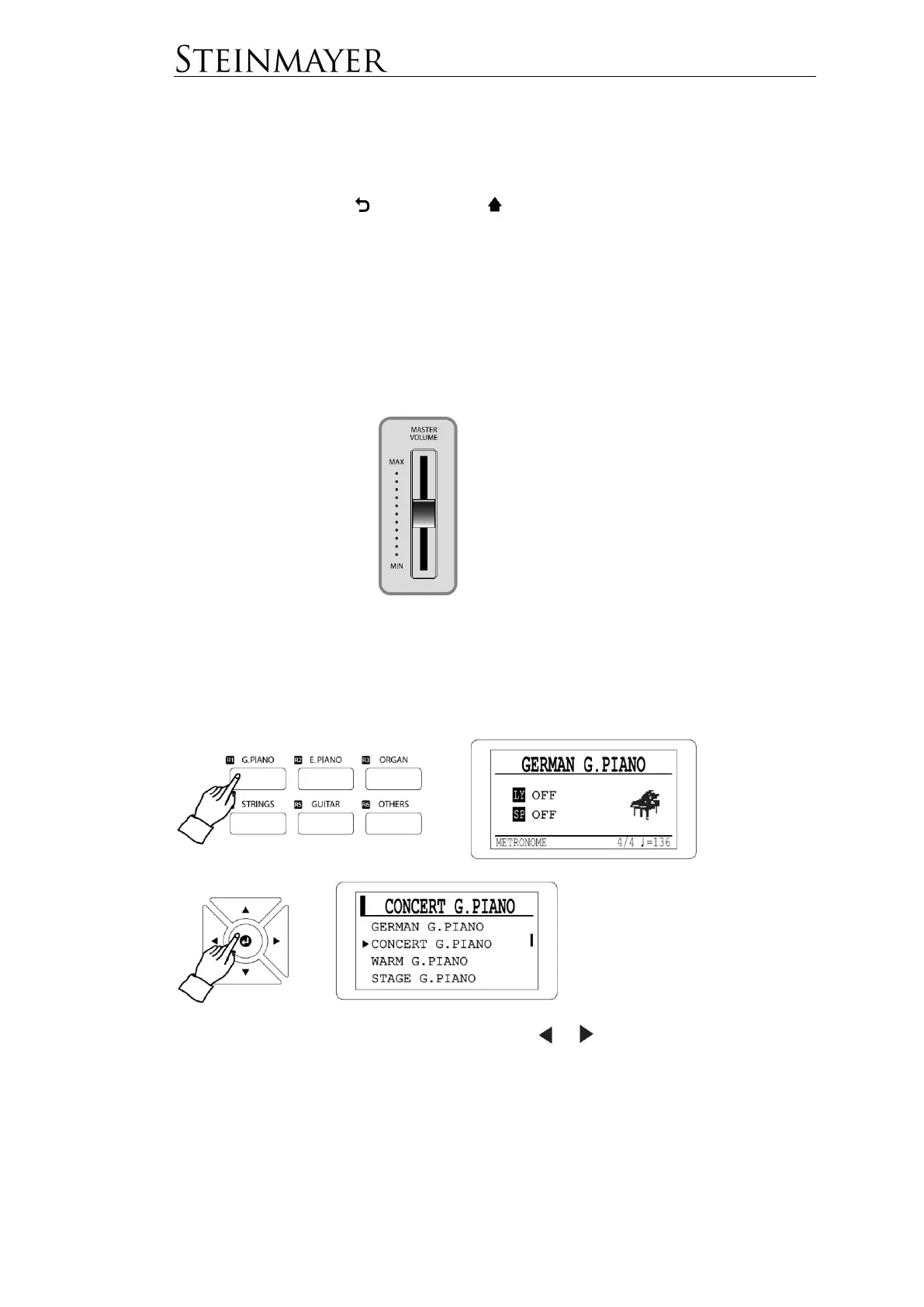
Adjusting the volume
Choosing a Tone (Voice)
Press the key of the desired voice group. Now press the ENTER button (b) to
display the voice list of this group. Select the desired tone using the arrow keys.
You can also scroll through the tones using the or keys without selecting a
group.


 To Next Page