18
Further settings
You can select additional settings in the Piano Assist screen. Press PIANO ASSIST
and then select Piano Player. Move the cursor to the desired menu dialog and use
the or keys to change the tempo or volume of the Piano Player.
“Record” Function
Recording and playback
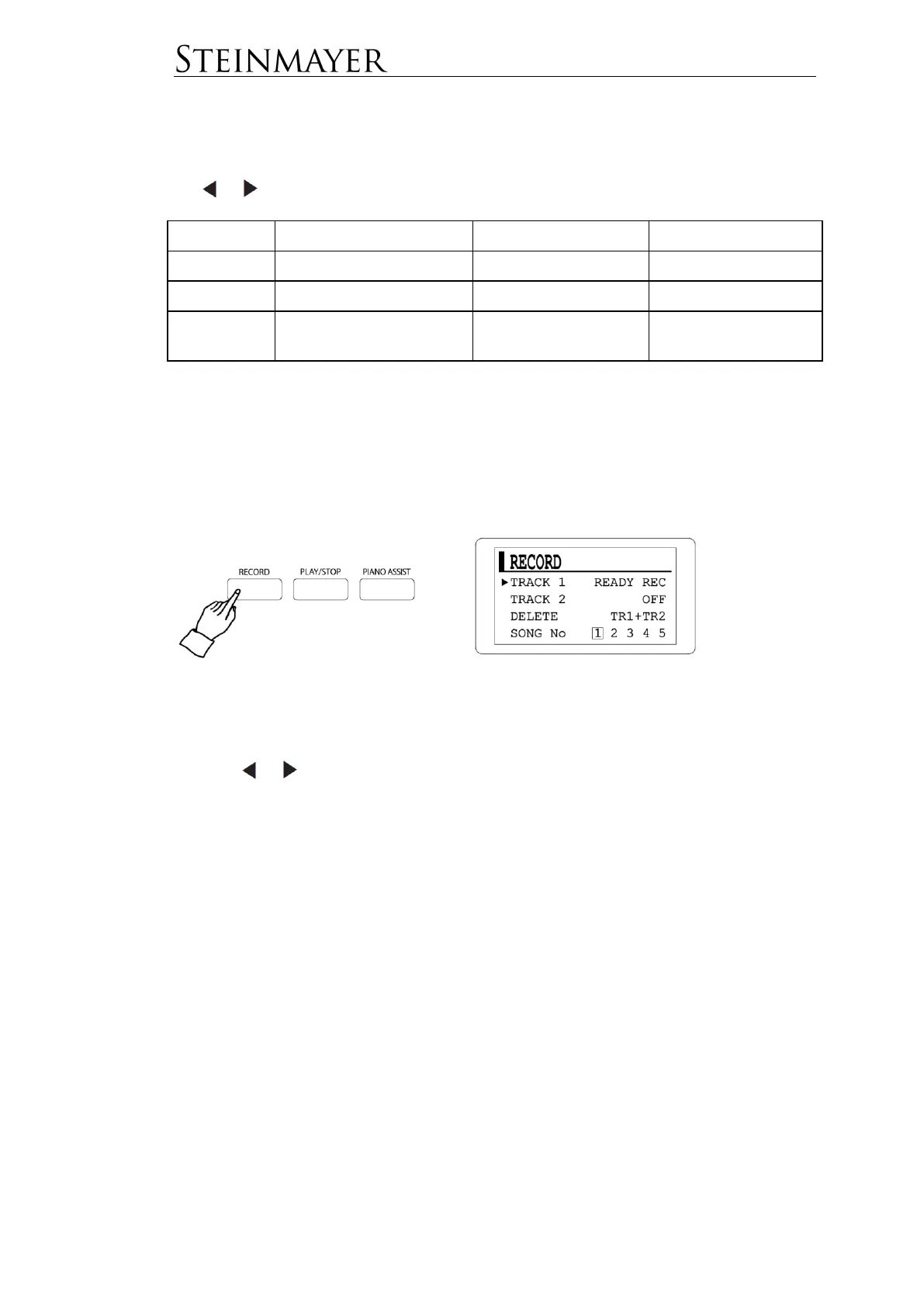
Press the RECORD button to go to the screen for recording.
Track 1 is now ready for recording.
Use the or keys to toggle the status of the track between READY REC
(record-ready) and OFF (inactive). If Track 1 is inactive, the status of track 2 is
automatically changed to READY REC.
Press START / STOP or play the keyboard to start recording.
To stop recording, press the START / STOP button again. The status of the track
will now change to PLAY.
To play the recorded track, press the START / STOP button again.
To record a second track simultaneously with playback, use the cursor to change
the status of Track 2 to READY REC. Start recording by pressing the START /
STOP button or playing on the keyboard.


 To Next Page