13
Metronome
Start / Stop
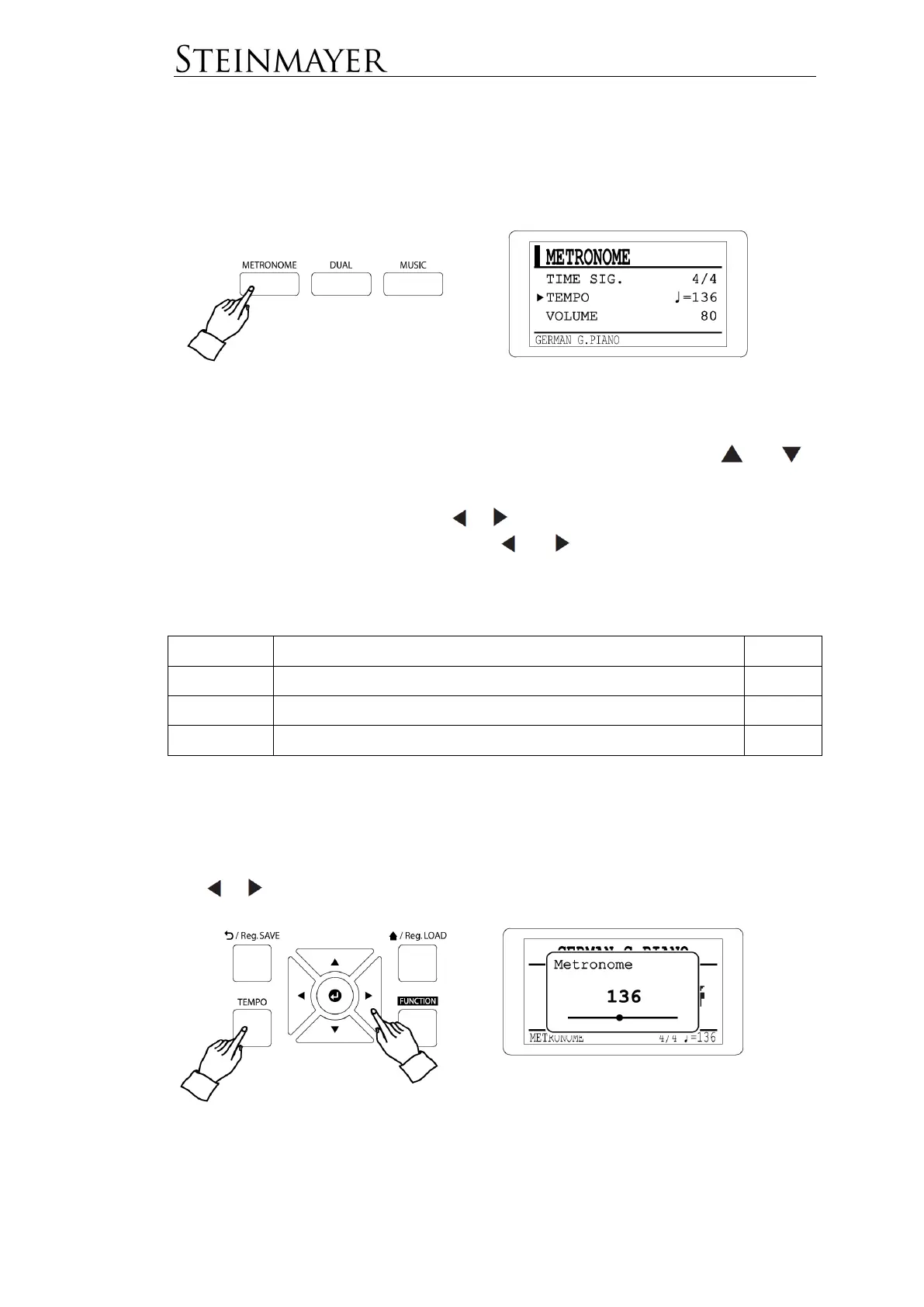
Press the METRONOME button to start the metronome.
Press the METRONOME button again to stop the metronome.
Metronome Settings
Press the METRONOME button to enter the metronome menu. Use the and
keys to select the desired value.
Change the desired value using the or keys. Holding the key down for a longer
time makes the change quicker. Press the and keys simultaneously to return
to the default value.
The following values can be changed:
2/2, ¼, 2/4, ¾, 4/4, 5/4, 6/4, 7/4, 6/8, 9/8, 12/8, 3/8, 7/8
TEMPO
The TEMPO button makes it easy to set the metronome speed.
Press the TEMPO button to access the speed display. Now change the value using
the or keys.


 To Next Page