17
Fingered
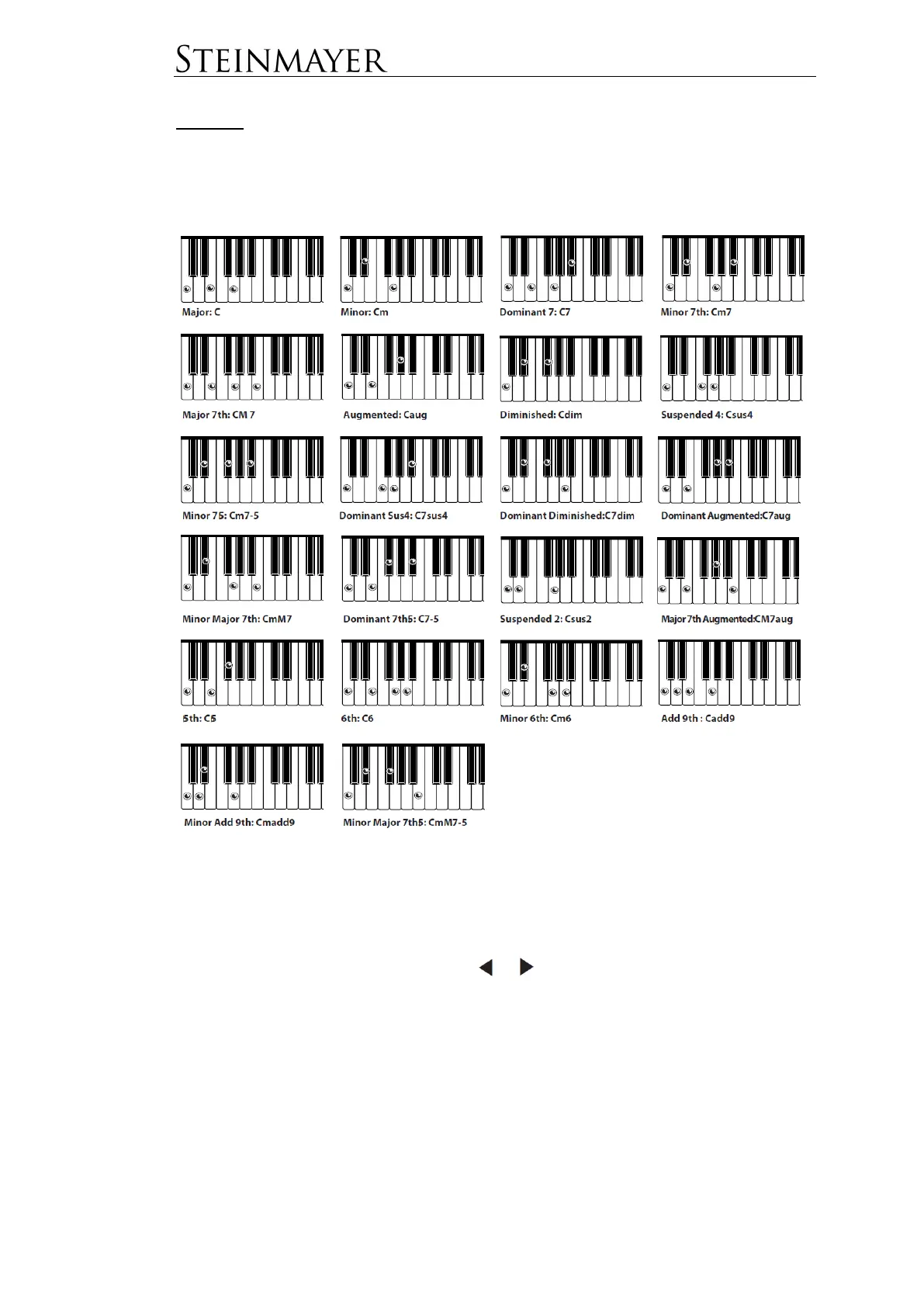
With the fingered method, it is possible to specify a chord by all chord tones
involved. The advanced player can use this method to reproduce more complicated
chords.
Select the Method
In the Piano Assist window, you can choose between two settings for chord
recognition. Press PIANO ASSIST and then select Piano Player. Move the cursor to
the ACCOMP menu dialog and use the or keys to select between MULTI.F
and FINGERED. In MULTI.F mode, the piano recognizes both chord input methods
(Single Finger + Fingered). This setting is the default setting.


 To Next Page