24
Function menu
Numerous settings can be made on the instrument with the function menu. This
menu is divided into six subgroups. The operation within the groups takes place in
the same way.
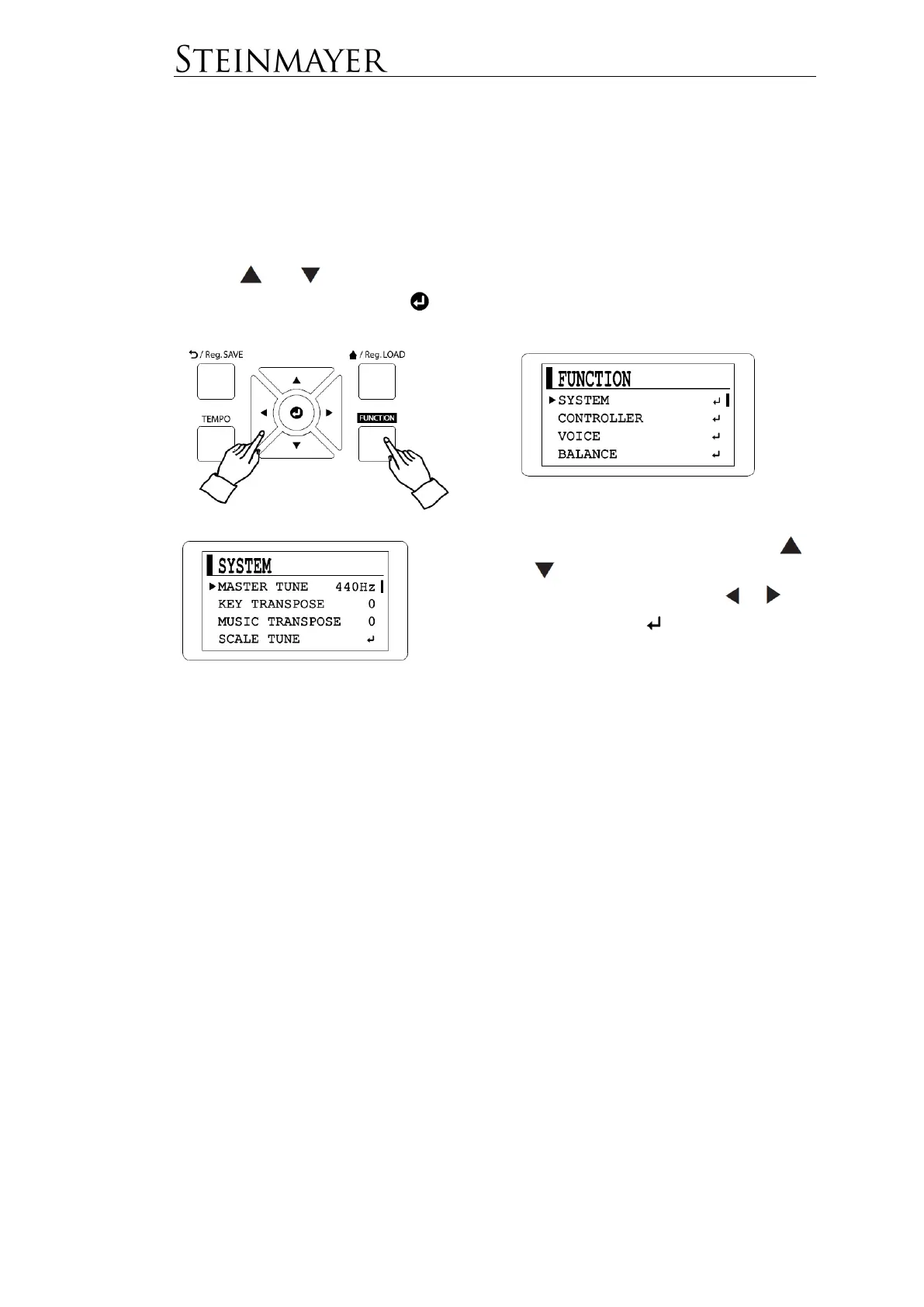
Press the FUNCTION button to enter the function menu.
Use the and keys to select the desired menu dialog and confirm your
selection with the Enter button .
In the selected menu dialog, use the
and keys to navigate to the desired
value and change it using the or
keys. If the symbol is displayed
instead of a value, you must enter
another submenu before you can
change the value by pressing the Enter
button.
The six subgroups are:
SYSTEM for basic system settings page 25
CONTROLLER for settings for the keyboard or pedals page 27
VOICE for the settings for timbres and effects page 28
BALANCE for volume settings page 30
MIDI for all MIDI-related settings page 31
BLUETOOTH for using Bluetooth page 31
The various setting options can be found in the following lists.


 To Next Page