Page 8 | Stellar
®
Heavy-Duty Telescopic Crane Owner’s Manual
Operation Mode Continued...
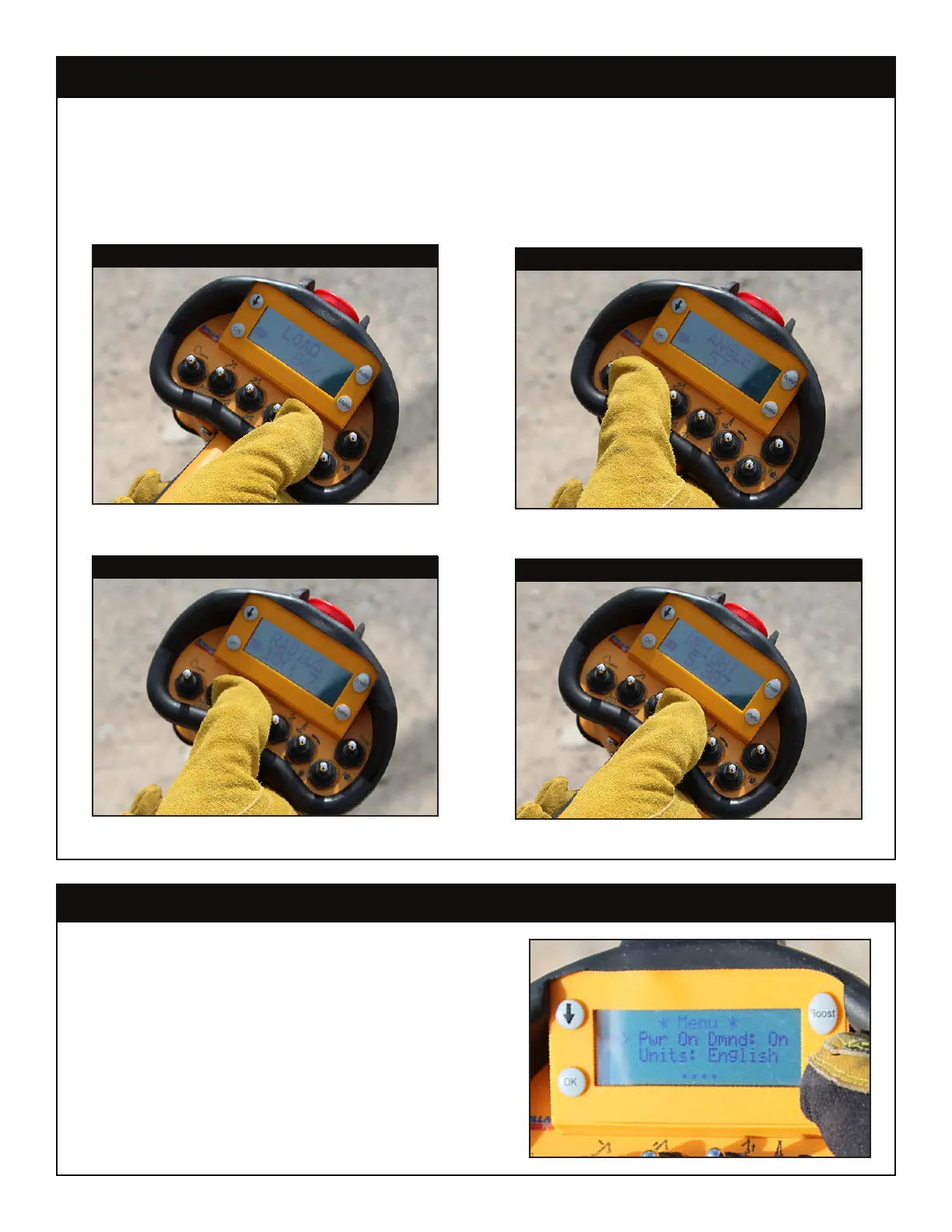
During standard Operation mode, the LED feedback screen will return a number of key
statistical readouts. To cycle through the different readout screens, use the Scroll button.
Using a toggle function will also switch to the default statistical readout associated with
that function:
Menu Mode
Press the Menu button to enter Menu Mode.
While in Menu Mode, use the Scroll button to
select the desired option and press the OK button
to toggle between the different settings.
Menu Mode Option/Settings
Power on Demand: On/Off (See Radio Remote
Control Features later in this chapter for details)
Units: English/Metric
Diagnostics: On/Off (This setting should be set to
‘off’ - For use with customer service only.)
Default No Toggle/Rotate Toggle - Load Percentage
Boom Up/Down Toggle - Boom Angle
Extension In/Out Toggle - Radius
Winch Up/Down Toggle - Load Weight




 To Next Page