4 EC3200 Owner’s Manual - PN 44024
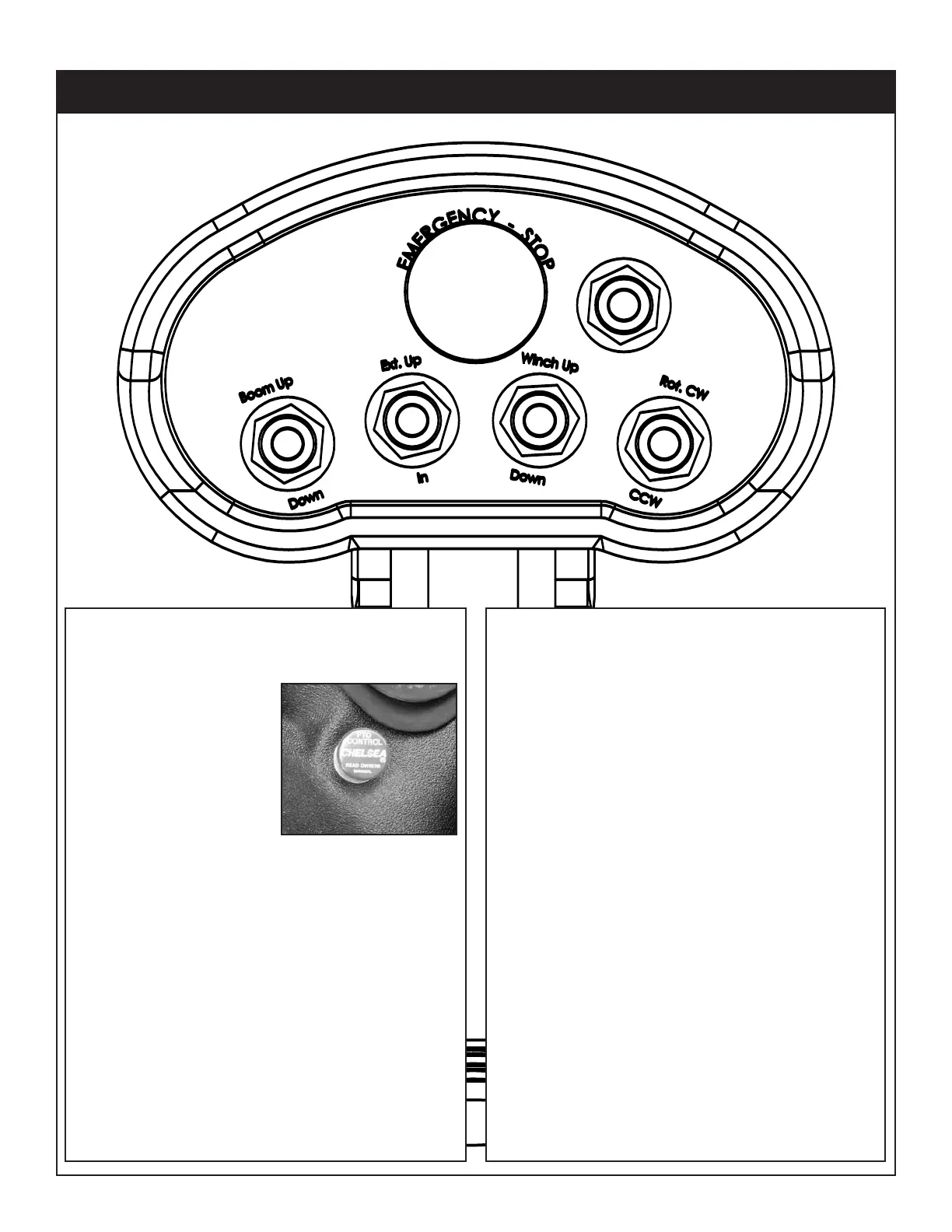
5 Function Hetronic Remote
3. Position Outriggers
Once the PTO is engaged, extend the outriggers
using the contr
ol levers or switches marked
‘outrigger’. These may be located on the crane
base or in the compartment under the crane.
4.Operate Crane
A. Turn on necessary power to the crane.
B.
Activate toggle switch for desired crane
function.
C. When operation is complete, store remote
handle in a safe, dry location.
5. Store Outriggers
Retract outriggers using the control levers or
switches marked ‘outrigger’.
6. Turn Off Power to Crane
Deactivate power to crane and outriggers.
7. Disengage the PTO
A. On manual transmission vehicles, depress the
clutch pedal completely.
B. Disengage the PTO switch.
C. If vehicle is a manual transmission, r
elease the
clutch pedal gradually.
1. Engage the PTO (If applicable)
A. Engage the parking brake.
B.
Place the transmission
in the Neutral position.
C. Make certain the PTO
switch is in the ‘off’
position.
D. Start the vehicle
engine.
E. Depress the clutch on
manual transmission
vehicles.
F. Engage the PTO switch for
cable and air type shifters. Turn on the dash
switch for electrical operated style. Consult
vehicle owner’s manual for location and
operation of OEM style in-dash PTO switch.
G. Slowly release the clutch on a manual
transmission vehicle.
H. Allow a few moments to warm the hydraulic
system oil. In cold weather, it is especially
important to let the system run for a few minutes
before operating.
2. Turn on Power to Crane
Activate power to the crane and outriggers. The
power switch is located on the contr
ol panel in the
vehicle cab.
PTO Switch




 To Next Page