EasyManua.ls Logo

stellar labs EC4000 - User Manual

stellar labs EC4000
35 pages
Print Icon
To Next Page IconTo Next Page
Loading...
Installation • Assembly Drawings • Parts
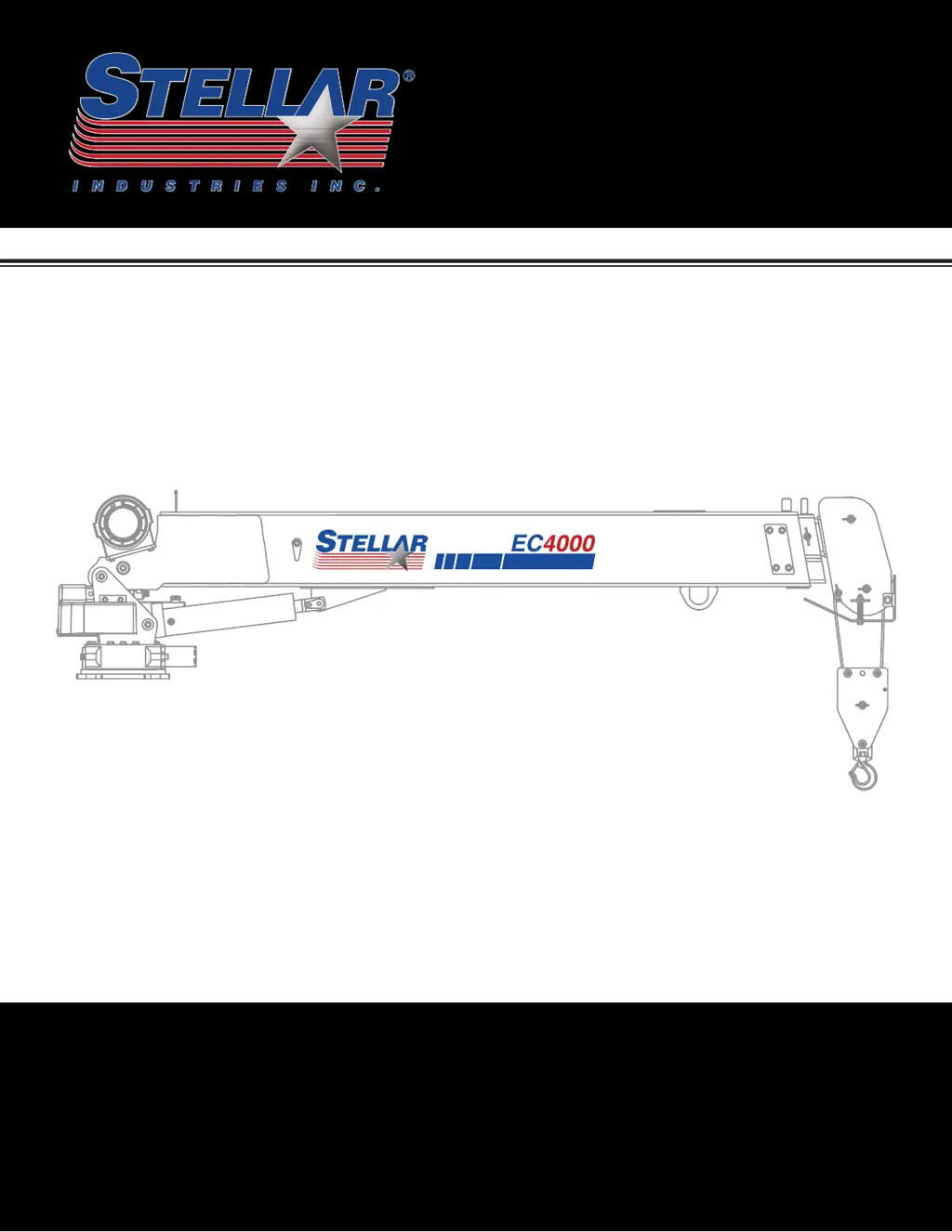
Telescopic Crane
Owners’ Manual
Model EC4000
Stellar Industries, Inc.
190 State Street
PO Box 169
Garner, IA 50438
800-321-3741
Fax: 641-923-2811
www.stellarindustries.com
Rev 1
PN 65777
Subject to Change without Notification.
© 2023 Stellar Industries, Inc.
20 Ft Version
Notice: A copy of this manual must remain with the equipment at all times.
For a printable download copy, please visit: www.stellarindustries.com

Questions and Answers

  • M
    Michael HansenAug 13, 2025
    How to troubleshoot a Stellar Labs Construction Equipment crane that will not operate?
    • H
      Haley RodriguezAug 13, 2025
      If your Stellar Labs Construction Equipment crane isn't operating, first ensure the parking brake is engaged. Also, verify that the radio receiver is receiving electrical power. If there's no power, trace back to the source, checking for blown fuses or loose ground connections. Finally, confirm the transmitter batteries are fully charged.
  • J
    Jody HarrisonAug 16, 2025
    What to do if Stellar Labs Construction Equipment crane operates manually but not by radio remote?
    • M
      Matthew ScottAug 16, 2025
      If your Stellar Labs Construction Equipment crane operates manually but not via radio remote, start by checking for electrical power to the radio receiver. If there's no power, trace back to the source, looking for blown fuses or loose ground connections. Next, ensure the parking brake is engaged and that the parking brake switch functions correctly. You can test the switch with a continuity test; replace it if defective.
  • M
    Michael CantuAug 20, 2025
    Why does stellar labs EC4000 crane operate slowly?
    • G
      grobertsAug 20, 2025
      If your Stellar Labs Construction Equipment crane operates slowly, check the hydraulic fluid level in the reservoir and add fluid if needed. Also, check the hydraulic fluid temperature.
  • A
    Anthony HernandezAug 25, 2025
    How to fix Stellar Labs Construction Equipment crane functions not operating via radio remote?
    • J
      Joseph CowanAug 25, 2025
      If not all functions of your Stellar Labs Construction Equipment crane operate via the radio remote, or if the crane operates intermittently, ensure the toggle switch on the transmitter is working correctly; replace it if defective. Also, check for power going to the valve bank coil solenoid of the non-operating function. If there's no power, inspect wiring connections on the wire harness plug connector for broken wires, loose connections, or poor crimps. If power is present, the solenoid valve may be blocked. Remove the stem valve, thoroughly clean, lubricate, and reinstall it, being careful not to overtighten. Replace the valve if it won't close.
  • D
    Dr. Andrew Mccarthy IIIAug 28, 2025
    What causes cylinder drift in Stellar Labs Construction Equipment?
    • C
      Cheryl StephensAug 28, 2025
      If the cylinder in your Stellar Labs Construction Equipment drifts outward or downward, first check for air in the hydraulic system by operating all cylinders. Start with the extension cylinder, then the main boom, winch, rotation, and hydraulic stabilizers (if installed). Extend each cylinder halfway, retract fully, and then extend to the end of its stroke, repeating 2-3 times slowly. Also, ensure the holding valves are operating correctly by removing, cleaning, and inspecting them after relieving hydraulic pressure. Check the cylinder rod for scratches, and replace the rod or cylinder if scratches are found. Finally, inspect the piston seals for damage and install a new cylinder seal kit if needed.
  • J
    Jordan JeffersonAug 31, 2025
    Why are two functions operating at the same time on stellar labs EC4000?
    • K
      Kristin PerezAug 31, 2025
      If two functions of your Stellar Labs Construction Equipment operate simultaneously when only one is toggled, first ensure all solenoid valves are latched in the center position. Then, identify the function operating on its own and check for power going to its solenoid valve when it shouldn't be operating. If voltage is present, the toggle switch has likely failed and is stuck 'on'. If no voltage is present, the solenoid valve may be partially open. Remove the stem valve, thoroughly clean, lubricate, and reinstall it, being careful not to overtighten. Replace the valve if it doesn't close.
  • B
    Blake BurchSep 4, 2025
    What to do if Winch 'Up', Main Cylinder 'Down', and Extension Cylinder 'Out' don't operate on stellar labs EC4000?
    • J
      Joseph CrawfordSep 4, 2025
      If the Winch 'Up', Main Cylinder 'Down', and Extension Cylinder 'Out' are the only functions not operating on your Stellar Labs Construction Equipment, first ensure the anti-two block limit switch on the boom end is properly adjusted. Next, test the limit switch by disconnecting and tying together the two wires connected to it; replace the switch if all functions then operate. Finally, inspect the cord for the cord reel for damage and check its continuity. Disconnect the cord reel from the crane harness and bypass the harness connection; replace the cord reel if the crane then operates properly.
  • M
    Michael MartinSep 8, 2025
    How to troubleshoot a Stellar Labs Construction Equipment winch that will not lift load?
    • F
      Frank DavidsonSep 8, 2025
      If the winch on your Stellar Labs Construction Equipment won't lift a load, ensure the object's weight doesn't exceed the winch's rated capacity. If the object is within capacity, try repositioning the truck and lifting without using the crane boom extensions.

Summary

Chapter 1: Specifications for EC4000 Crane

EC4000-20 Crane Dimensions

Detailed diagrams and measurements for the EC4000-20 telescopic crane.

EC4000 Capacity Chart

Load capacity chart for the EC4000 crane, showing limits by reach and angle.

Chapter 2: Crane Installation Procedures

General Crane Installation Guidelines

Overview and general steps for installing the EC4000 crane onto a suitable platform.

Torque Data Chart for Fasteners

Specifications for fastener torque values based on grade and size.

Installation Overview Steps

Step-by-step guide for the overall process of mounting the crane.

EC4000 Wiring Diagram

Schematic showing the electrical connections for the EC4000 crane.

Electrical Circuit Grounding

Instructions for proper grounding of the crane's electrical circuit.

Crane Stability Testing Procedure

Methodology for testing and determining the crane's load capacity.

Chapter 3: Crane Assembly Drawings

stellar labs EC4000 Specifications

General IconGeneral
Brandstellar labs
ModelEC4000
CategoryConstruction Equipment
LanguageEnglish

Related product manuals