14
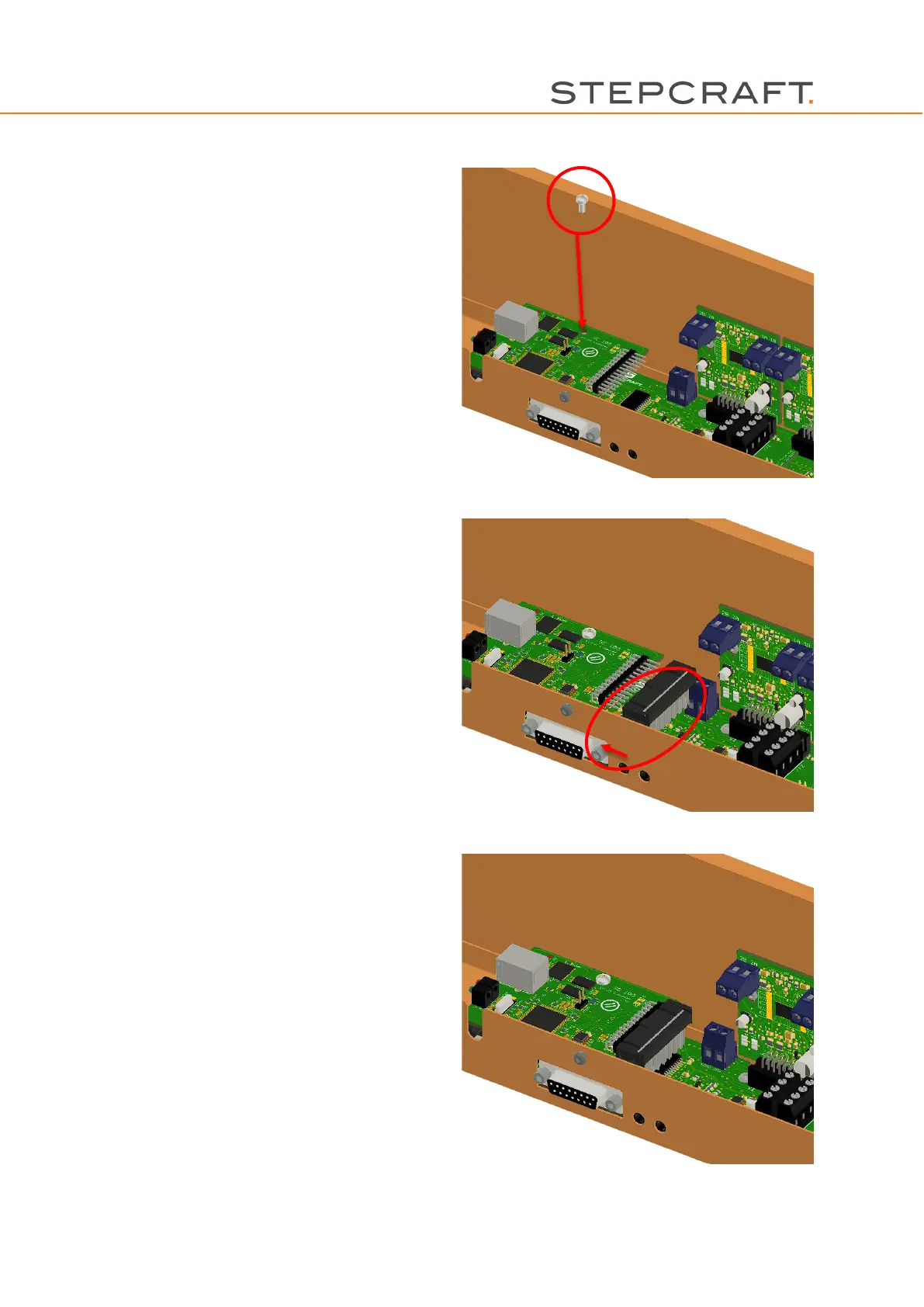
Place the internal D-Series WinPC-NC module,
as illustrated in the picture, and reinstall the
screw removed in step 1.
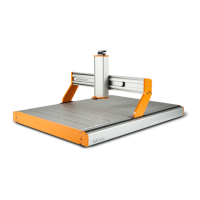
Connect the free end of the 26-pin flat ribbon ca-
ble with the connector on the WinPC-NC mod-
ule.
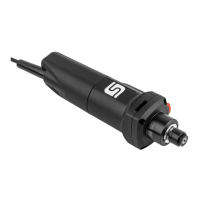
Connect the USB cable with the module and
guide it through the guide noses in the control
box towards the outside.
The status displays of the internal D-Series
WinPC-NC module can be seen through the vi-
sion panel in the control cover.



 To Next Page