13
Installation Motor Driver Board 4
th
axis (optional)
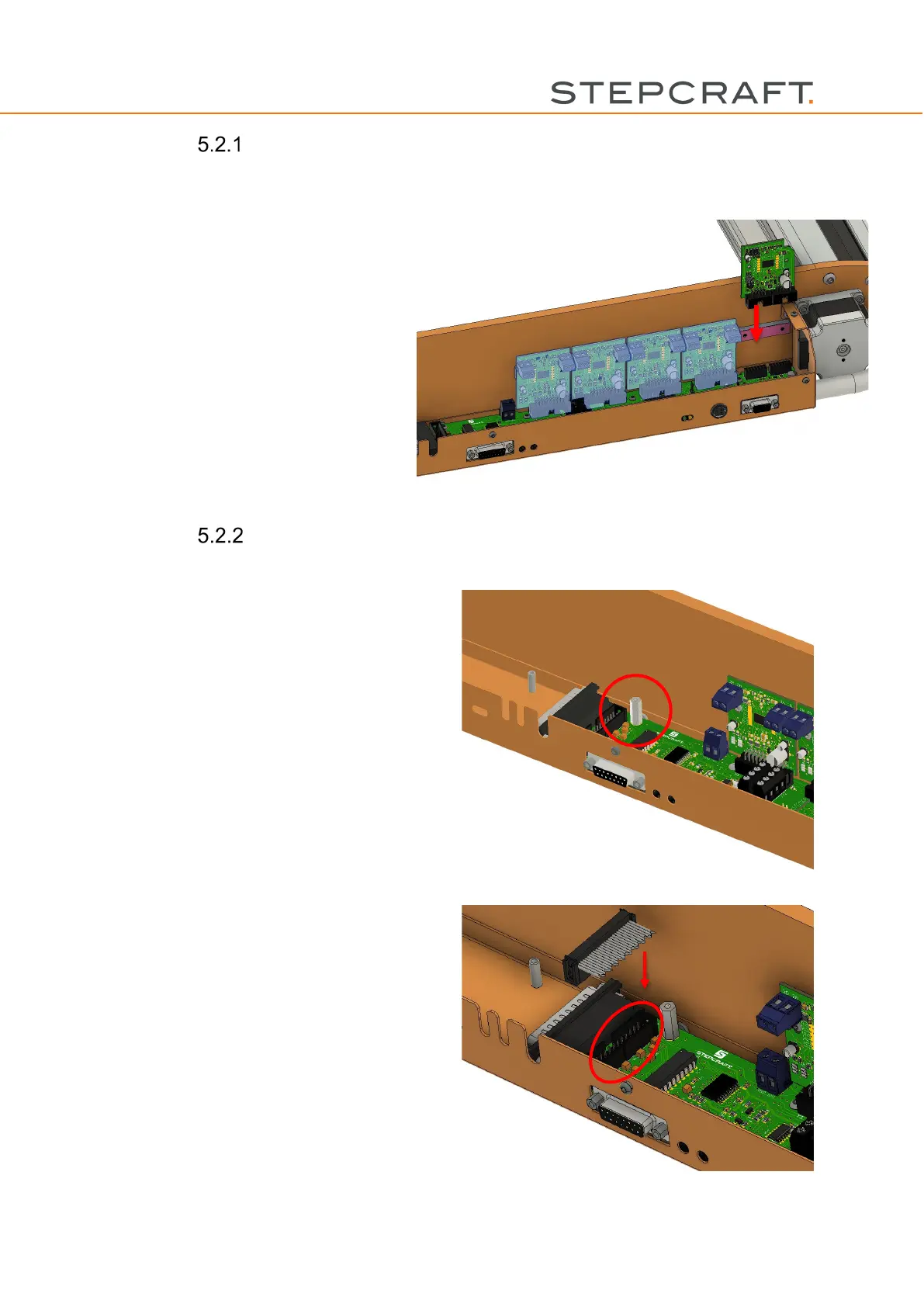
Remove the control cover (part no. 10)
and put it aside.
Insert the driver board into the designated
slot.
Afterwards, reinstall the control cover.
The 4
th
axis can now be operated on the
respective slot. Please take into consider-
ation that you may adjust your machine
profile.
Installation and Operation of the internal D-Series WinPC-
NC module (optional item no. 12088 required)
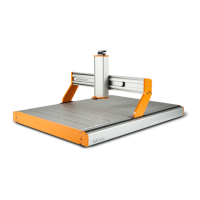
Remove the screw at the spot illustrated in the
picture and replace it with the distance bolt M3 I-
A x 18.
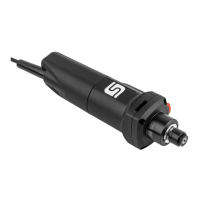
Connect the 26-pin flat ribbon cable with the
socket on the mainboard.



 To Next Page