SatLink VSAT User Guide
Publication no. 101557
Copyright © 2009 – STM Group, Inc.
Page 14 (160)
4. Connecting a PC to the SatLink VSAT
After installation as described in Chapter 3 is carried out, the VSAT IDU is ready to be powered on.
4.1 Windows TCP/IP Configuration
Verify that the TCP/IP configuration is correct for PCs connected to the LAN you plan to use for your
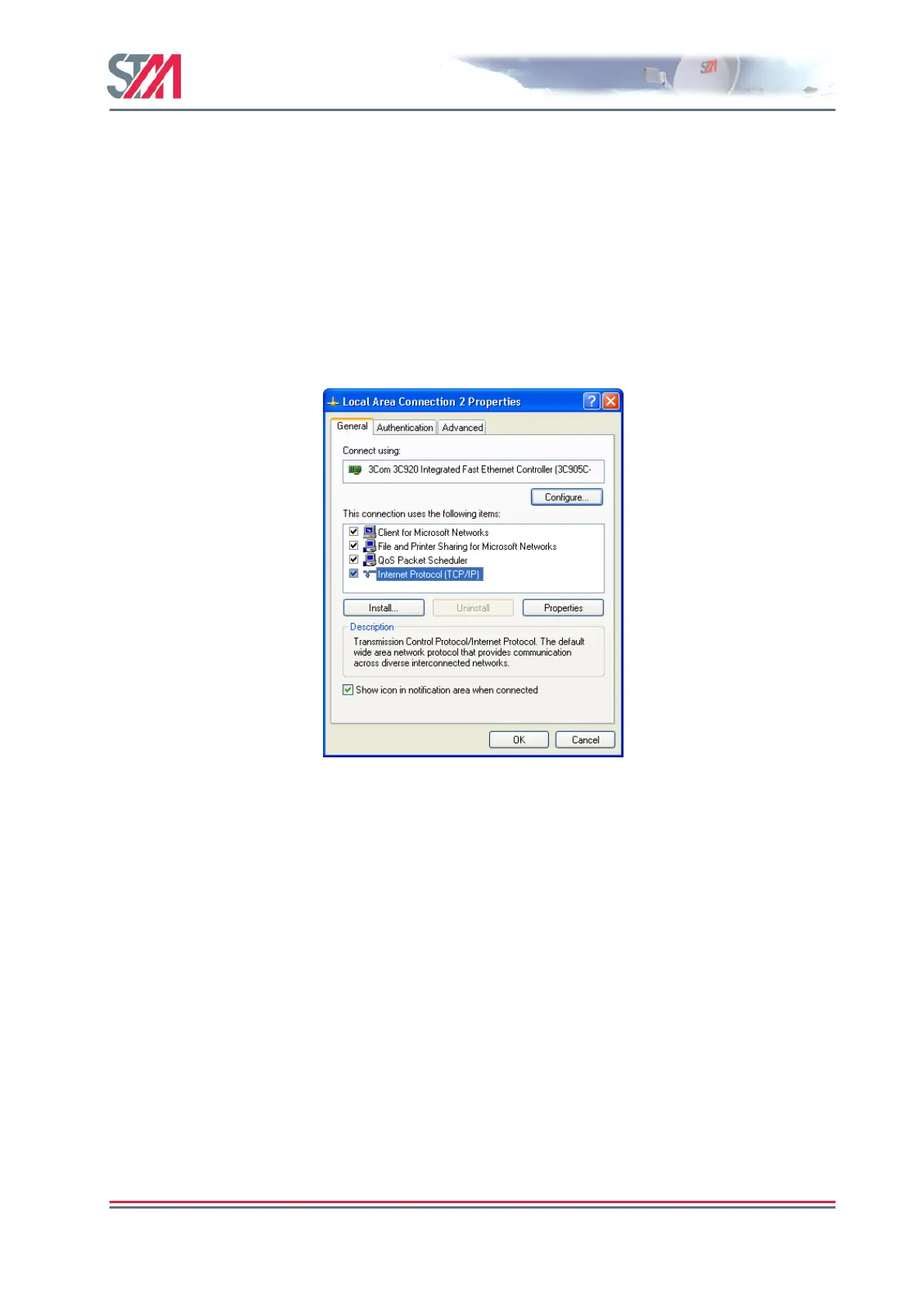
SatLink VSAT. Push the start-button in Windows, select the Control Panel and then open Network
Connections. Right-click on the relevant Local Area Connection and select Properties. A new window
showing the Network Connection Properties will pop up. In the General submenu of this window, scroll
down, select Internet Protocol (TCP/IP) and then push the Properties button shown in Figure 10. Then
configure the PC client to obtain the IP address automatically from the VSAT IDU (section 4.1.1) or
configure the PC with a static IP address (section 4.1.2).
Figure 10: Windows XP Menu for Configuring the Client TCP/IP Configuration.



 To Next Page