SatLink VSAT User Guide
Publication no. 101557
Copyright © 2009 – STM Group, Inc.
Page 22 (160)
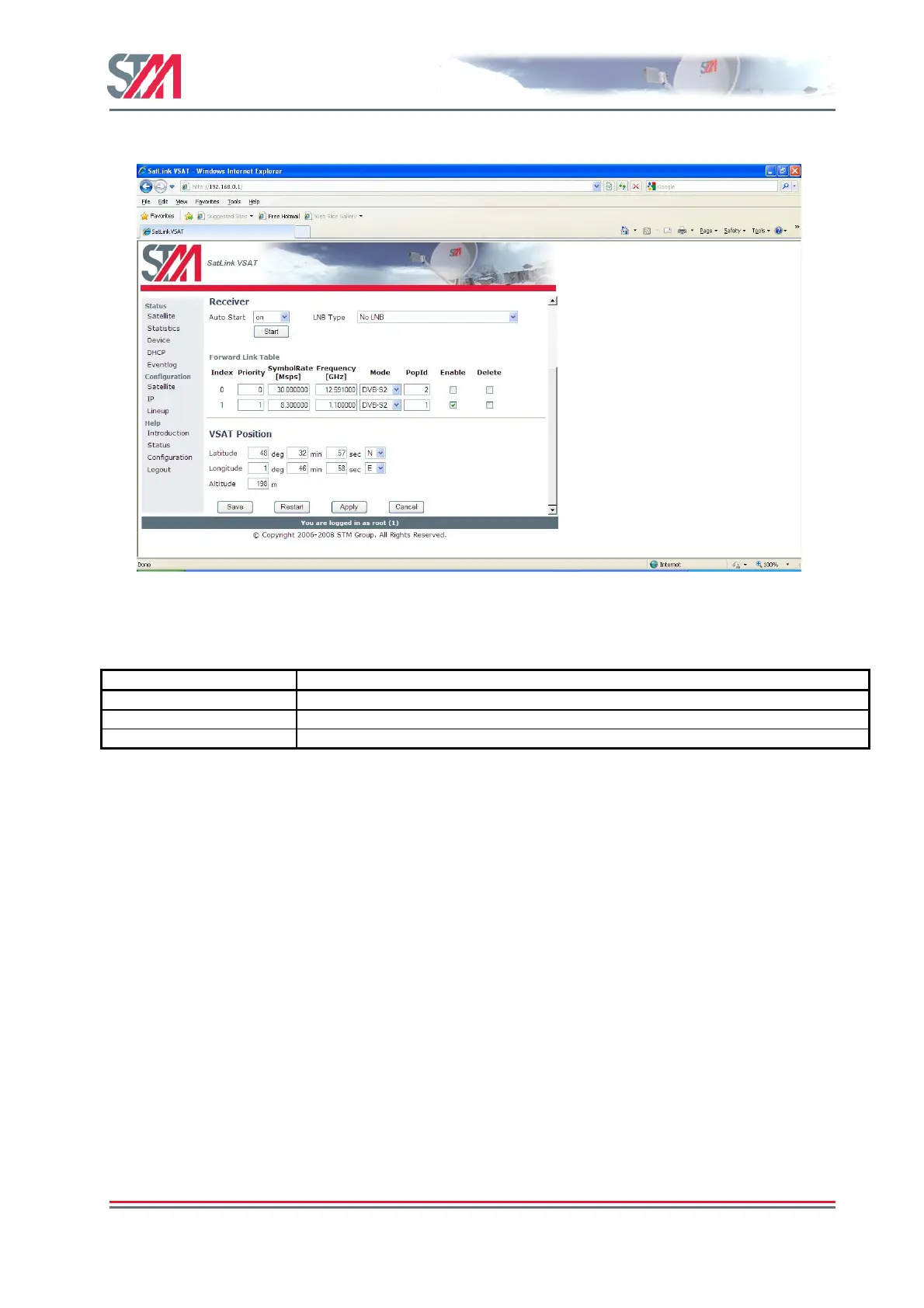
1) Click on the Satellite option in the SatLink VSAT home page.
Figure 18 : VAT Positioning
2) Configure the VSAT positioning parameters as shown in the following table.
Parameter Description
Latitude Enter the latitude (deg, min, sec and direction).
Longitude Enter the longitude (deg, min, sec and direction)
Altitude Eneter the altitude (meters)
3) Click Save button to save the configuration.
6.2.4 IP Address Configuration
The VSAT Web interface is used to configure the IP addresses and netmasks of the VSATs LAN and
DVB interfaces and the LAN DHCP server. The Web interface is also used for DNS, NAT and PEP
configuration.



 To Next Page