Stonex R60 – User Manual 23
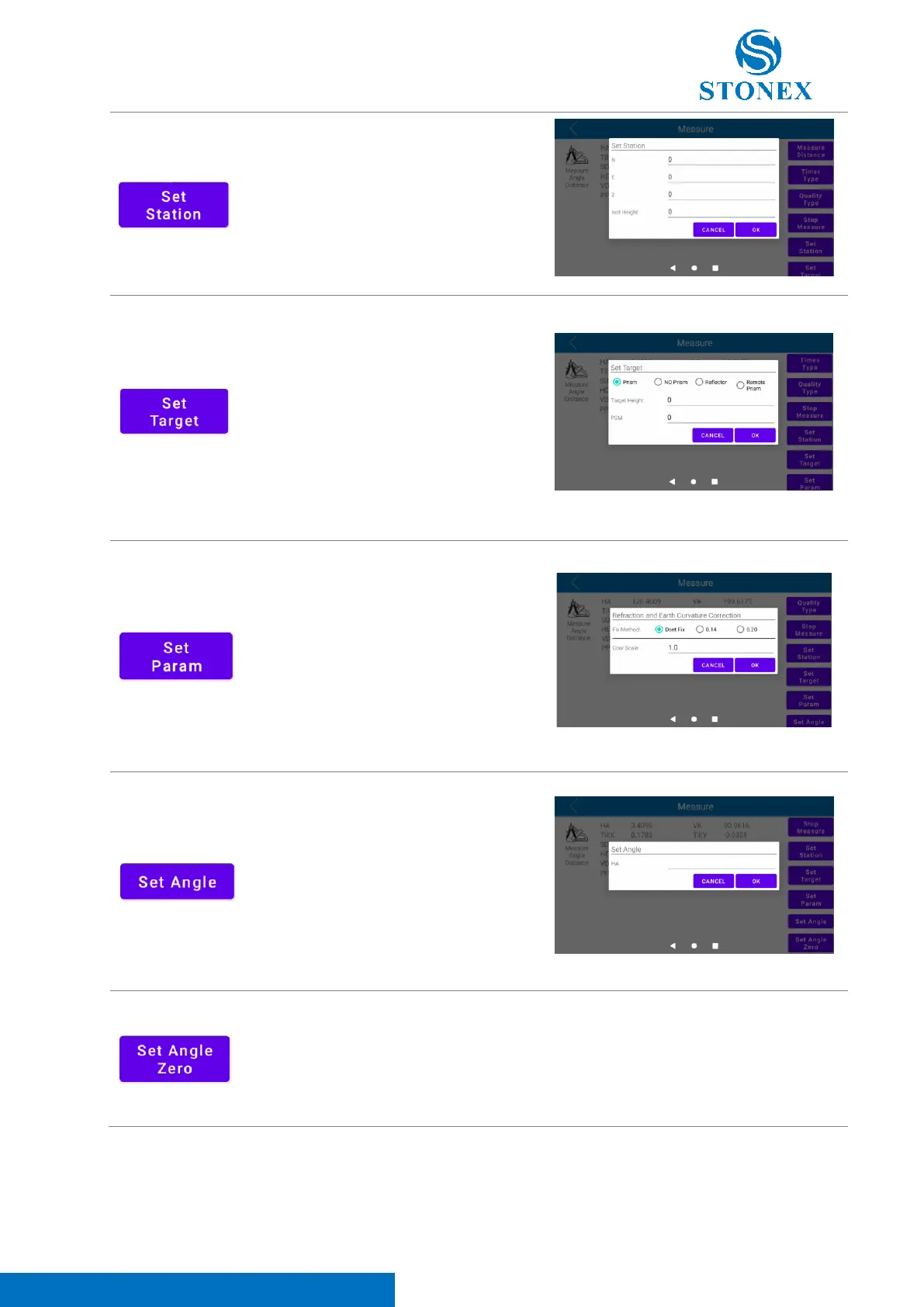
Click on this icon to set station
point coordinates and instrument
height.
Click on this icon to select the
target typology. It’s possible to
choose between “Prism”, “No
Prism”, “Reflector” and “Remote
Prism”. In this section, it’s also
possible to set the target height
and introduce the prism constant
(PSM).
Click on this icon to select the
correction method. It’s possible to
choose between “Don’t Fix” (),
“0.14” () and “0.20” () to set the
refraction and Earth curvature
correction (11.2 Refraction and
Earth Curvature Correction). In this
section, it’s also possible to set the
scale factor (“Coor Scale”).
Click on this icon to set the HA
angle to a specific value.
Click on this icon to set the HA
angle value to 0.



 To Next Page