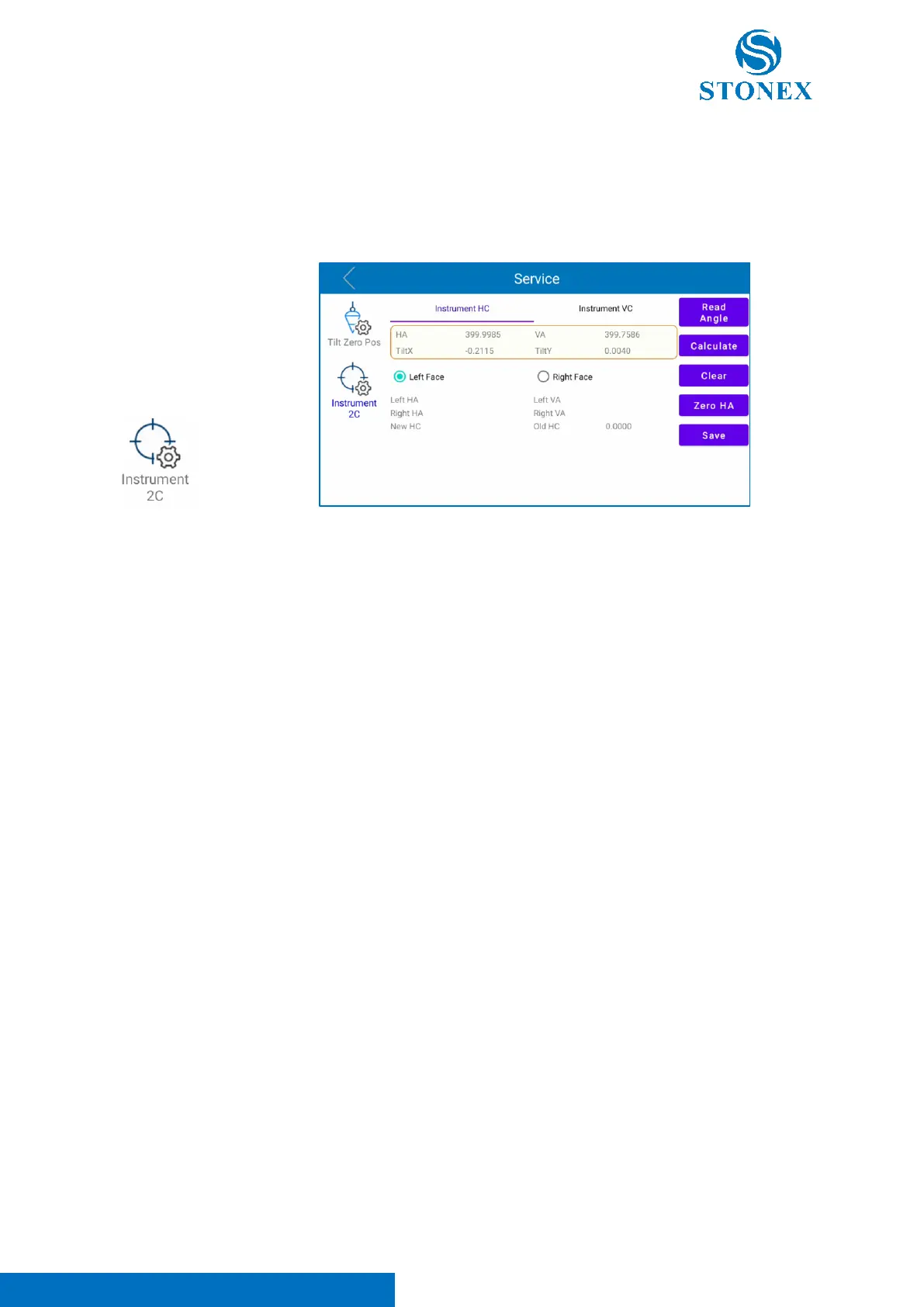
Choose “Instrument 2C” to enter in angles calibration page. In this menu it’s possible
to calibrate HA and VA angles. This menu is divided in two parts: “Instrument HC”
and “Instrument VC”.
Follow the procedure below to calibrate HA and VA angles using “Instrument HC”
menu for HA calibration and “Instrument VC” menu for VA calibration:
- Aim at the crosshair of collimator at telescope in “Left Face” (Face 1 -> face with
the display and the plate bubble) and click on “Read Angle”.
- Select “Right Face”, rotate the instrument 180°/200 gon and aim at the crosshair
of collimator at telescope in “Right Face” (Face 2 -> face with instrument serial
number) and click on “Read Angle”.
- Click “Calculate”.
- Click “Save” to save the performed calibration.
Note 1. “Clear” icon deletes the calibration stored. Be careful to use this option. If a user deletes the
calibration, it’s necessary to re-calibrate the instrument.
Note 2. It’s suggested to calibrate the instrument after long trip in order to guarantee its quality and
reliability.
Note 3. This operation must be performed following the guidelines include in this user manual to
guarantee instrument quality and reliability.
Note 4. For any service questions, doubts or problems please contact your local dealer.



 To Next Page