Stonex S850
+
GNSS Receiver – User Manual 16
Connection Settings
S850
+
uses the NTRIP protocol to receive corrections from the network.
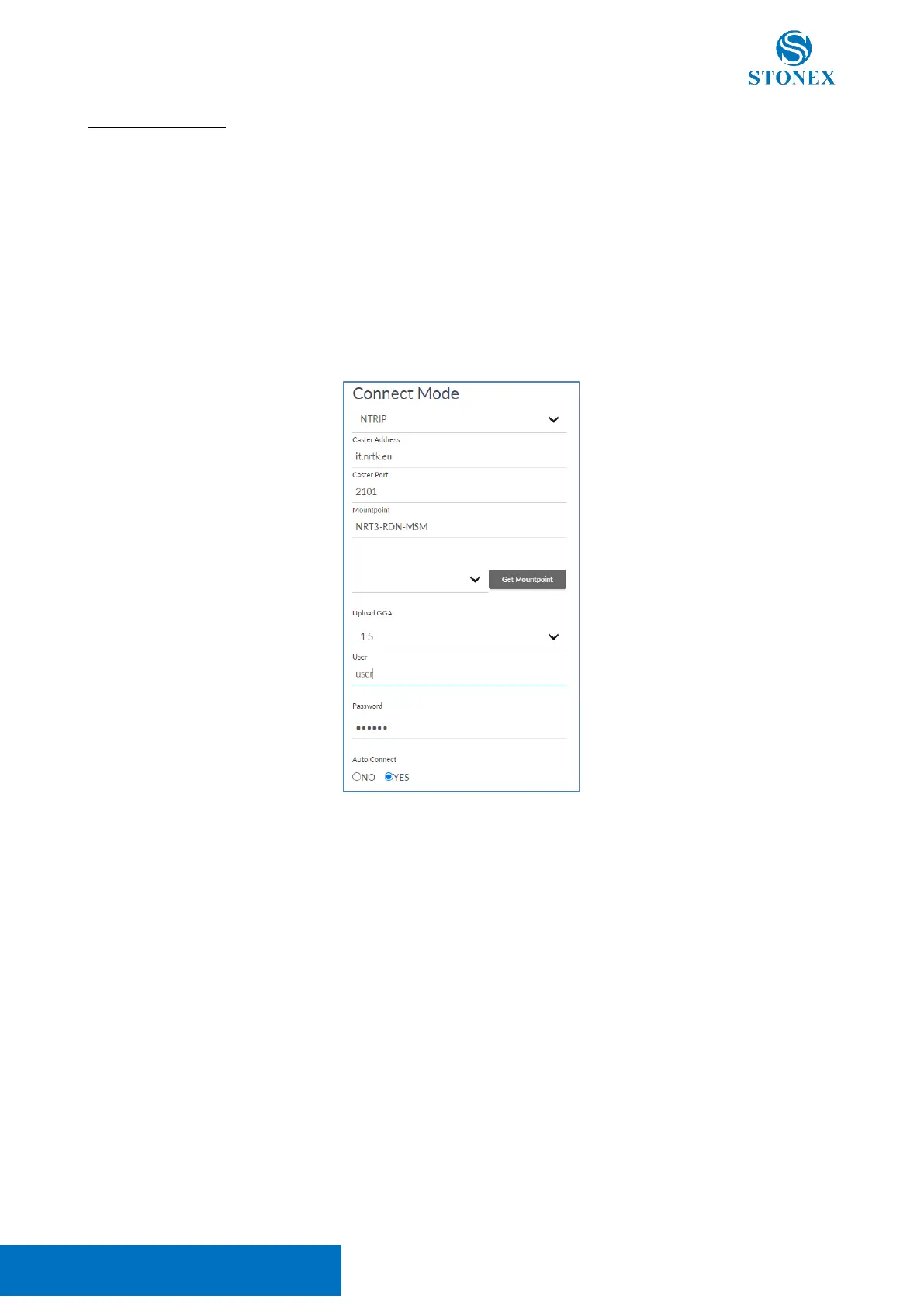
To connect to an NTRIP caster it’s necessary to set its IP address and port. The mount point can be written
manually or selected from the list obtained by pressing Get Mountpoint, internet connection and caster IP
address and port must be already set.
NTRIP Network often needs to know the position of the rover to provide the corrections, in these cases the
GGA upload must be set at 1 second at least.
The user and Password are the ones necessary to access the Caster if needed.
If the “Auto connect” option is enabled, at start-up the S850
+
will use the last settings to connect automatically
to the NTRIP caster.
CSD connect mode, allow receiving RTK corrections using a phone call, so it’s necessary to have a SIM card
enabled to perform phone call (voice and data).



 To Next Page