Stonex S850
+
GNSS Receiver – User Manual 36
4.1.2 Calibration
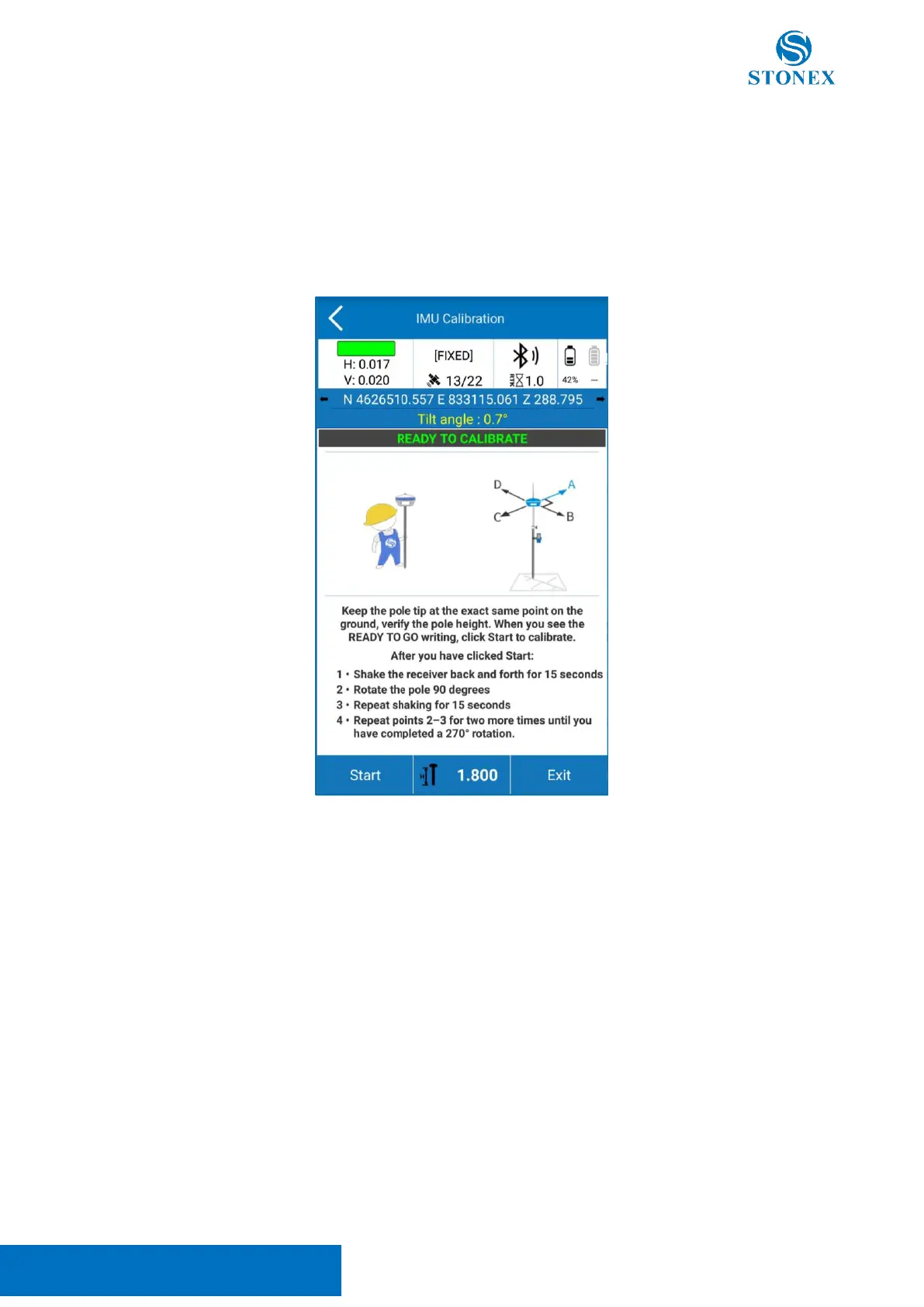
To calibrate the sensor, select the Calibrate page and then click on the Calibrate Sensor command.
A FIXED solution is mandatory. Set the pole to be high at 1.8m as well as the measured height set in Stonex
Cube-a.
Wait for the message Ready to Calibrate to appear then start the calibration by clicking on the Start button.
The calibration consists of the same movement repeated along the four orthogonal directions while keeping
the pole tip on the same point on the ground:
Slowly move the receiver back and forth along the current direction for about 15 seconds the inclination
should reach at least 45° but not more than 60° from the vertical position, the guided procedure on Stonex
Cube-a will show when to change direction.
When the calibration is completed the message Calibration Terminated appear.
Now the S850
+
is ready to work.



 To Next Page