Preparation
Instructions for use • S-PILOT
®
• PYB194_EN_V1.0_02-2021_IFU_CE-MDR 24
7. Switch on S-PILOT
®
and wait until the boot sequence is complete.
8. Set the first stage on the footswitch.
ð The tube squeeze valve remains open for as long as the activation signal is present.
5.9.2
S-PILOT
®
with CALCUSON
1. Connect the CALCUSON to the power supply.
2. Connect the footswitch (20016230) to the footswitch socket on the CALCUSON.
3. Connect the ultrasonic transducer.
4. Fasten the ultrasonic probe to the connector on the transducer.
5. Connect S-PILOT
®
to the power supply.
6. Connect the CALCUSON and S-PILOT
®
to the control cable (27610070).
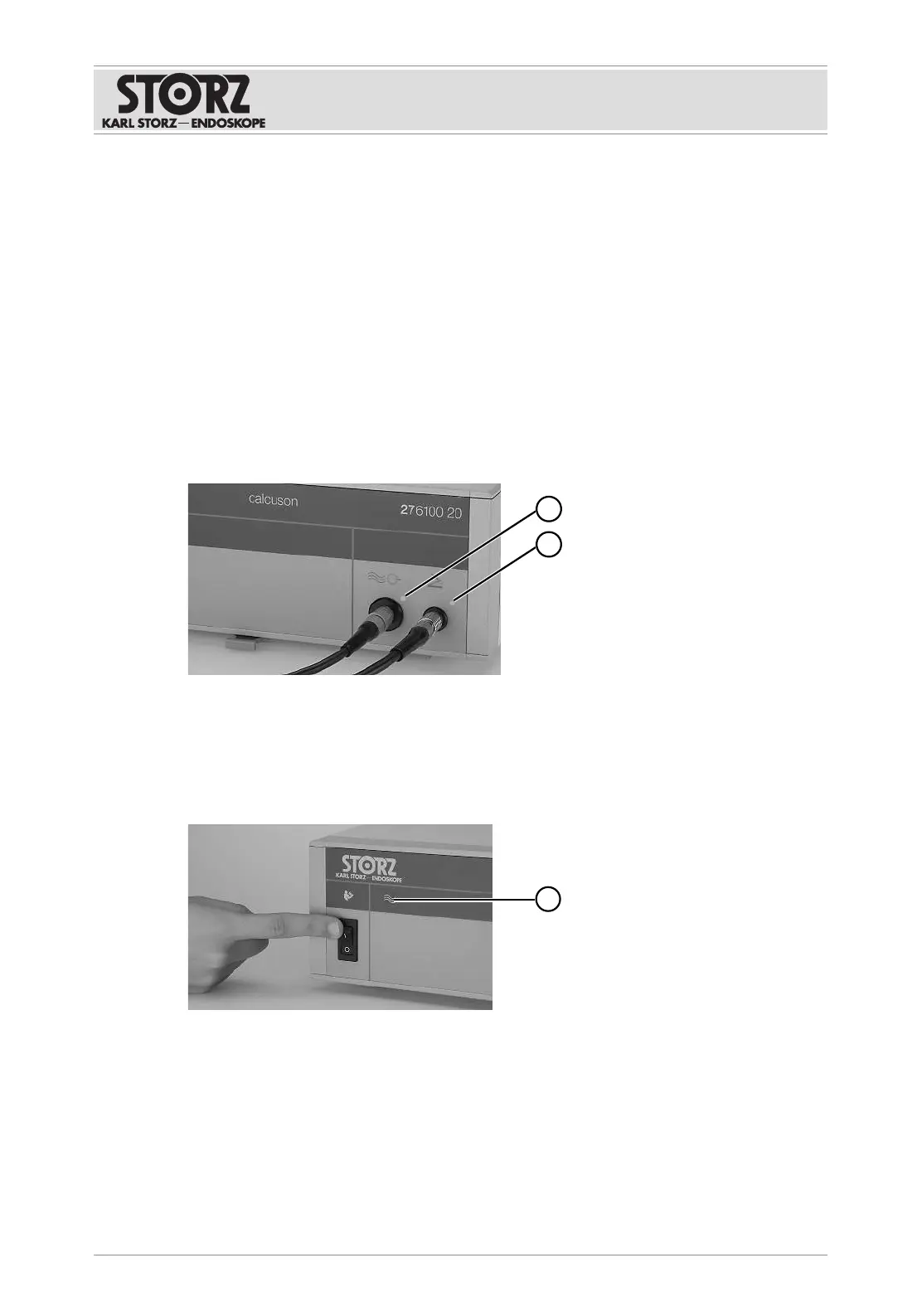
7. Switch on the CALCUSON and S-PILOT
®
.
ð The pilot lamps (1) and (2) on the CALCUSON light up green.
8. Set the first stage on the footswitch to start the suctioning process.
ð The tube squeeze valve opens.
9. Set the second stage on the footswitch to activate the CALCUSON.
ð The tube squeeze valve remains open for as long as the activation signal is present.
ð The green pilot lamp (1) on the CALCUSON lights up when ultrasonic energy is emitted.
The function is being performed correctly.
5.9.3
S-PILOT
®
with AUTOCON
®
II 400
1. Connect AUTOCON
®
II 400 to the power supply.
2. Switch on AUTOCON
®
II 400 and wait until the boot sequence is complete.
3. Connect S-PILOT
®
to the power supply.
4. Connect AUTOCON
®
II 400 and S-PILOT
®
to the SCB cable (20090170).
5. Switch on S-PILOT
®
and wait until the boot sequence is complete.
6. Activate the HF device.








 To Next Page