217-8080
Talon SRX - User’s Guide
crosstheroadelectronics.com vexpro.com
Copyright 2017, Cross The Road Electronics, VEX Robotics Inc.
Updated: 2017-02-03
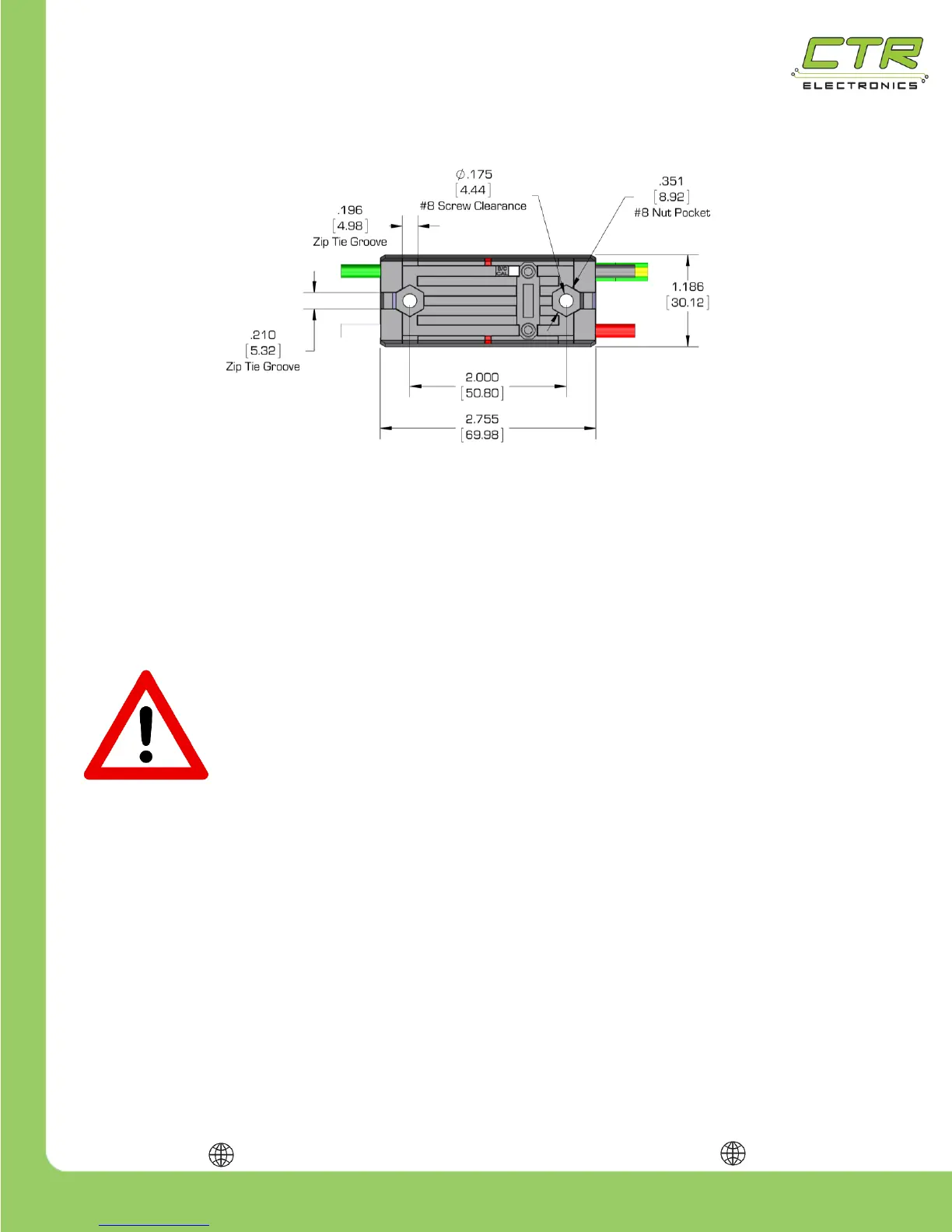
1.5. Mounting the Talon SRX
The Talon SRX can be mounted using either (2X) #8-32 screws or zip-ties. The Talon SRX’s
aluminum case is electrically isolated from the electronics, meaning it is safe to mount directly to a
robot’s frame!
The Talon SRX’s mounting location should be chosen to allow for adequate air flow around the heat
fins and sides of the case. For maximum heat dissipation it is recommended that the Talon SRX be
securely mounted to a robot’s metal frame – this allows the robot to be used as a giant heat sink to
aid in cooling.
CAUTION: IN RARE CIRCUMSTANCES, THE TALON SRX MAY BECOME
HOT DURING USE. USE CAUTION AROUND ANY TALON SRX THAT HAS
RECENTLY BEEN USED, ESPECIALLY ONES USED FOR HIGH CURRENT
APPLICATIONS. IF PROTECTED BY A 40A BREAKER, THE TALON SRX MAY
BECOME HOT BUT WILL NOT BECOME HOT ENOUGH TO DAMAGE ITSELF.
1.6. General Robot Wiring Guidelines
An important (yet frequently forgotten) aspect of wiring is strain relief. All electrical connections should
be isolated from any pulling or tugging that may result in a poor connection. Once the Talon SRX is
fully wired, zip ties should be used to ensure that all electrical connections are protected.
Note: When zip tying wires down, it is crucial to avoid sharp edges on the robot. Wires that are
anchored to sharp edges can become worn over time and cause a short.


 To Next Page