217-8080
Talon SRX - User’s Guide
crosstheroadelectronics.com vexpro.com
Copyright 2017, Cross The Road Electronics, VEX Robotics Inc.
Updated: 2017-02-03
2.2. PWM Calibration
The PWM calibration of a Talon SRX determines how to scale the PWM input signal to output voltage.
Different controllers may have different “max” and “min” PWM signals that may not correspond to the
same Talon SRX outputs. Calibrating the Talon SRX allows it to adjust for these differences so that a
“max” signal results in a “max” output. Calibrating can also correct issues caused by joysticks or
gamepads with off-center neutral outputs. The Talon SRX’s default calibration is compatible with the
NI roboRIO control system.
2.2.1. To Calibrate the Talon SRX:
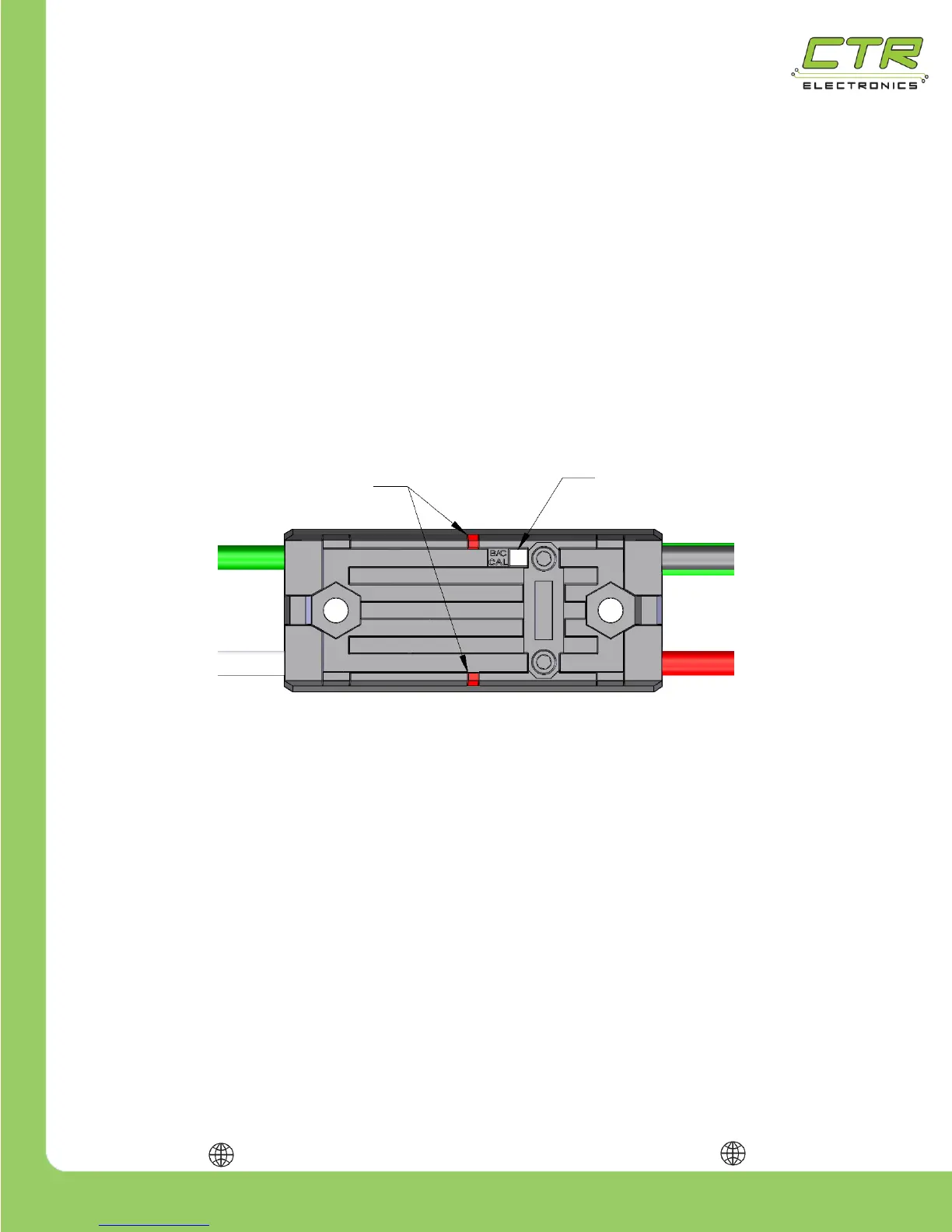
1) Press and hold the B/C CAL button until the Status LEDs begin to rapidly blink red & green.
2) While holding the button, move the joystick (or other input signal) to full forward then to full
reverse. This can be done multiple times. The Talon SRX is looking for max & min PWM
values during this step, so ensure that the joystick reaches its full max and full min.
3) Release the joystick and allow it to return to neutral. After the joystick is in the neutral
position, release the B/C CAL button.
4) If the Talon SRX was calibrated properly, the status LEDs will blink green several times.
If the calibration failed, the status LEDs will blink red and the previous calibration will be
kept.
Note: Calibration profiles are saved to persistent memory (persist across power cycles)


 To Next Page