Objet500 User Guide 5 Using Objet Studio
DOC-07027 Rev.E 5-90
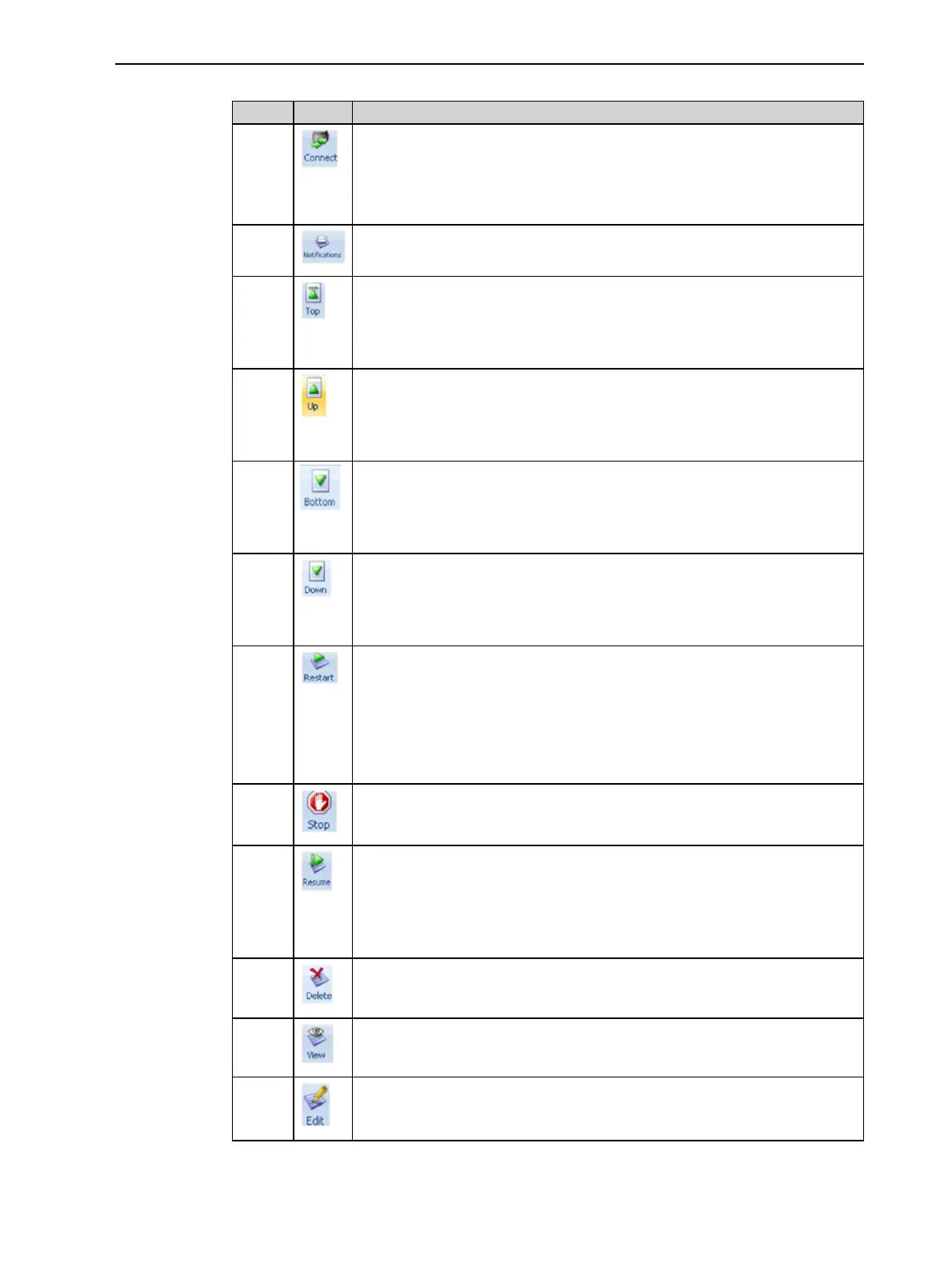
ThefollowingoperationsareavailableontheJob Managerribbon:
Group Icon Purpose
3D
Printer
Client:Setstheserverconnection.See"SettingtheRemotePrinterCon-
nection(ClientMode)"onthepreviouspage.
Server:Setstheprinterconnection.See"SettingthePrinterConnection"
onpage5-85.
Configuresoptionsforprinteralerts.See"ConfiguringUserAlerts"on
page5-92.
Queue Server:MovesajobtotheheadoftheJobsQueue.
Client:Disabled.
See"JobsQueue"onpage5-84.
Server:MovesajobtoahigherpositionintheJobs Queue.
Client:Disabled.
See"JobsQueue"onpage5-84
Server:MovesajobtothebottomoftheJobs Queue.
Client:Disabled.
See"JobsQueue"onpage5-84.
Server:MovesajobtoalowerpositionintheJobs Queue.
Client:Disabled.
See"JobsQueue"onpage5-84.
Job Server:
• ForajobintheJobs Queue—Printsitagain(fromthebeginning).
• ForajobintheHistorylist—MovesittotheJobs Queue forprinting.
Client:Disabled.
See"RestartingJobs"onpage5-96.
Server:Stopsajobinprogress.
Client:Disabled
Server:Continuesprintingthecurrentjobfromthepointwhereprinting
stopped.
Client:Disabled.
See"ResumingJobs"onpage5-96.
Removestheselectedjobfromthequeue.
RefreshestheimageoftheselectedjobintheTray Previewdisplay.
OpenstheTray Settingsscreenanddisplaysthetray.Fordeletedjobs,
thisenablesyoutomakechangesbeforeprinting.



 To Next Page