Objet500 User Guide 6 Operating and Maintaining the Objet500 3DPrinter
DOC-07027 Rev.E 6-83
Replacing the
Waste
Container
Printerwastecontainspartiallycuredpolymericmaterial,collectedduring
normaloperationandmaintenanceoftheprinter.Forsafetyand
environmentalreasons,thismaterialiskeptinaspecialleak-proof,disposable
container.
Thecontainerhasacapacityof10kilogramsofwastematerial—usually
enoughforseveralmonthsofprinteruse.Theprinterapplicationdisplaysa
warningmessagewhenthereare9kilogramsofmaterialinthecontainer,
andstopstheprintingwhenthenetweightreaches9.5kilograms.Above9
kilograms,thesoftwaredoesnotallowyoutostartaprintingjoboractivity
untilyoureplacethewastecontainer.Youcanmonitortheweightofthe
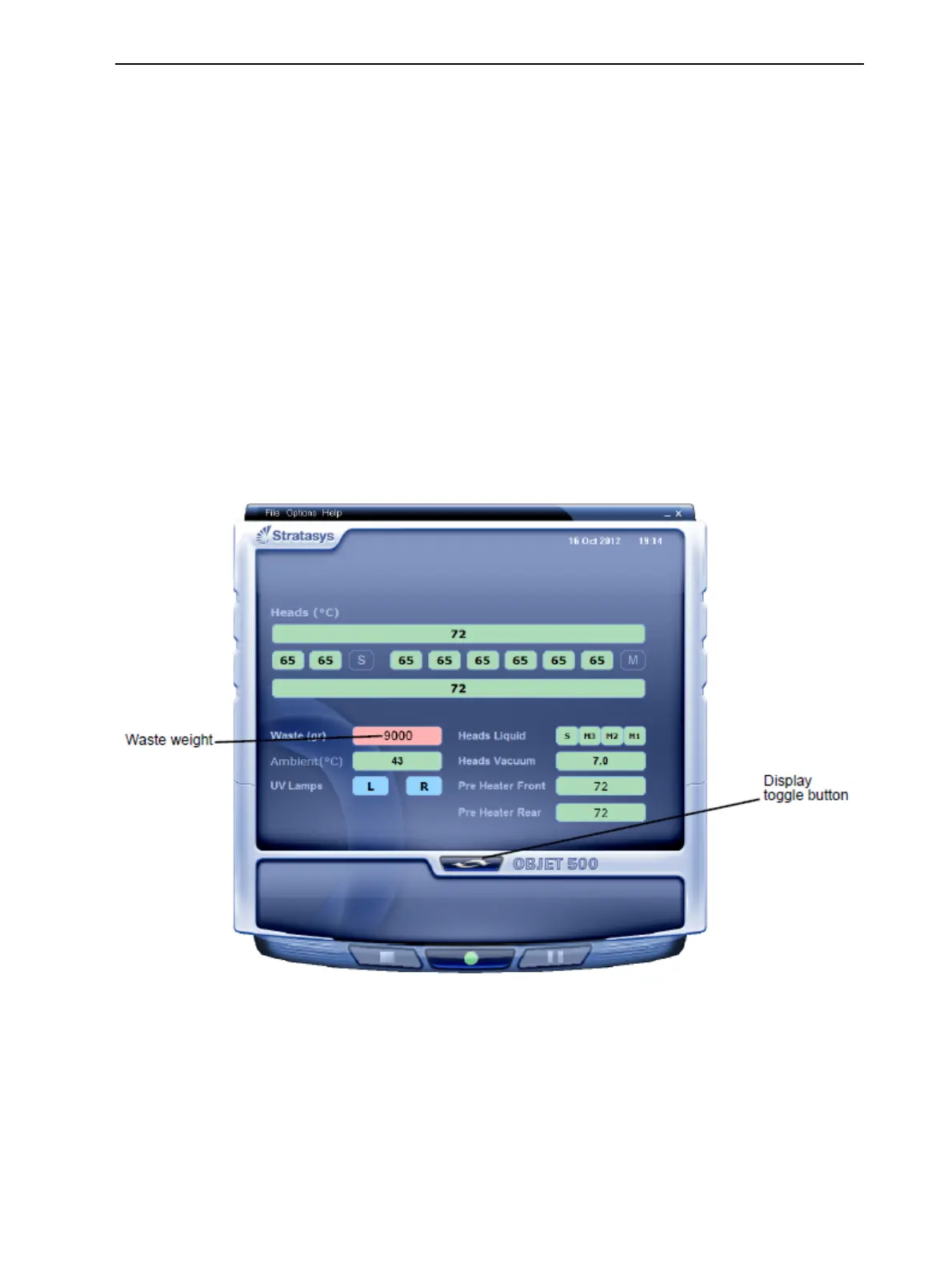
wastecontainerintheMaintenancescreenoftheprinterinterface.Youcan
alsovisuallyinspectthelevelofwasteinthecontainer.Toaccessit,seepage
6-84.
Tomonitorthewasteweight(andotherindicators)intheprinter:
➢ Inthemainprinterinterfacescreen,clickthedisplaytoggletoviewthe
printerindicators.
Figure6-119Printerinterface,showingwasteweight(redbackground
indicatesoperatoralert)



 To Next Page