Objet500 User Guide 6 Operating and Maintaining the Objet500 3DPrinter
DOC-07027 Rev.E 6-4
2. Aftertheprinter-controlcomputerboots,logintoWindowsandlaunch
theprinter-controlprogram:
❒ Ontheprinter-computerdesktop,double-clicktheObjet500printer
icon.
or—
❒ FromtheStartmenu,select(All)Programs>Objet>Objet500.
AHASPplugcontainingavalidproductactivationkeyisrequiredonthe
printercomputer.Thisisinstalledatthefactoryorduringprinterupgrade.
IftheapplicationdoesnotopenandaHASPmessageappears,contact
yourdealerorStratasysCustomerSupport.
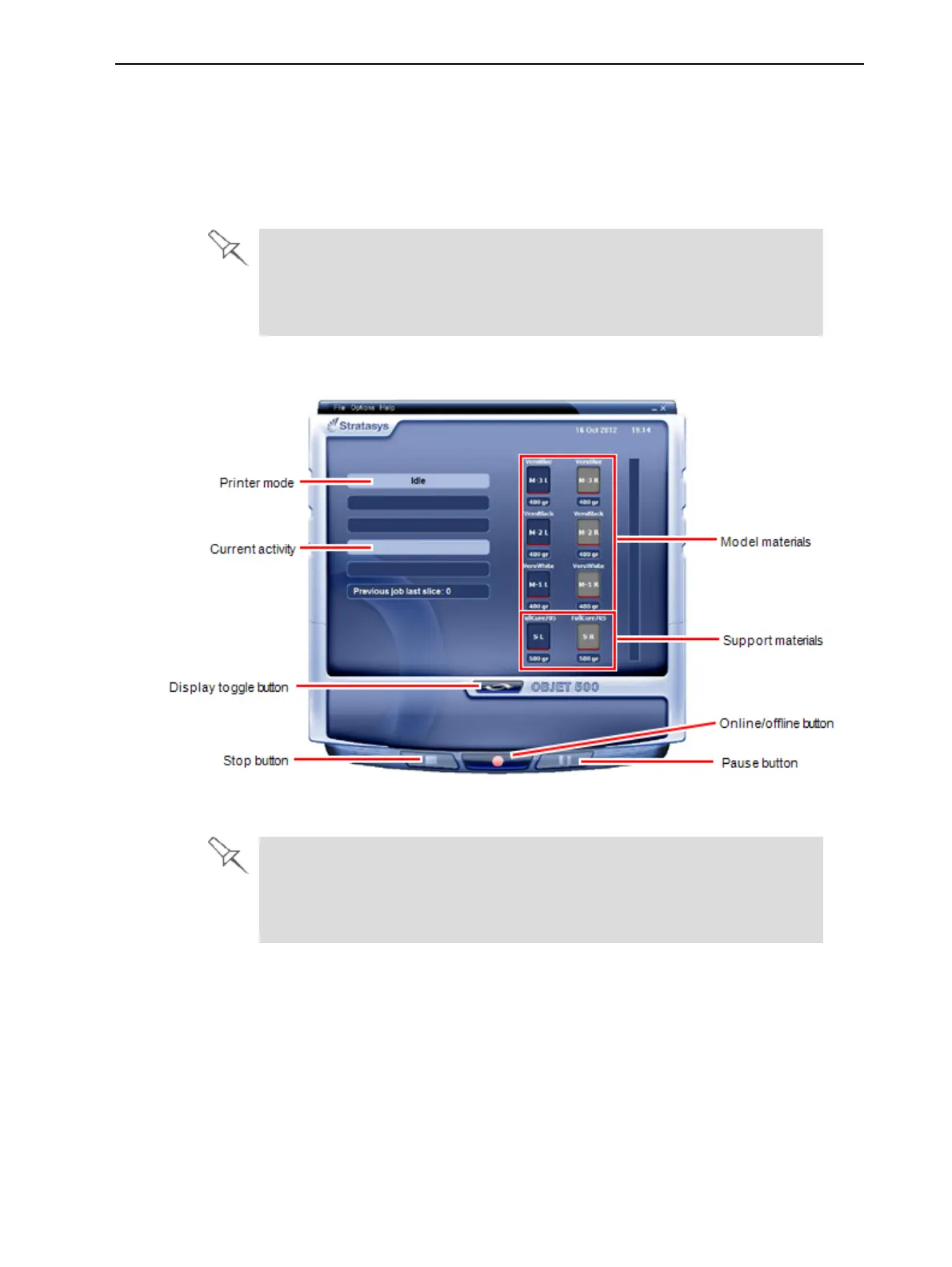
Allmonitoringandcontrollingoftheprinterisdonefromthisinterface.
Figure6-3Objet500interface
Objet500installationsuseonemonitorfordisplayingboththecomputer
runningObjetStudioandthecomputerinstalledinsidetheprinter.Make
surethattheKVM(keyboard-video-mouse)switchisinthecorrect
positionsothattheprinterinterfaceisdisplayed.



 To Next Page