Objet500 User Guide 4 Installing Objet Studio
DOC-07027 Rev.E 4-2
How to Install Objet Studio
ObjetStudiosoftwareisinstalledduringprinterinstallation.Thissectionis
providedincaseyouneedtoreinstallObjetStudio,orinstallitonaremote
(client)computer.
TheObjetStudiosetupwizardguidesyouwheninstallingthissoftware.Objet
Studioisinstalledontheprinter-server(“host”)computer,butitcanalsobe
installedonremote,“client”computersandoncomputersusedtoprepare
filesforprintingmodels,orfortraininganddemonstrationpurposes.During
installation,youchoosetoinstalleithertheprinter-server(“host”)application
ortheclientapplication.
ToinstallObjetStudiosoftware:
1. ConnecttheUSBflashdrive(suppliedwiththeprinter)toaUSBport.
2. OntheUSBflashdrivenavigatetotheObjetStudioinstallationfile,and
runit.
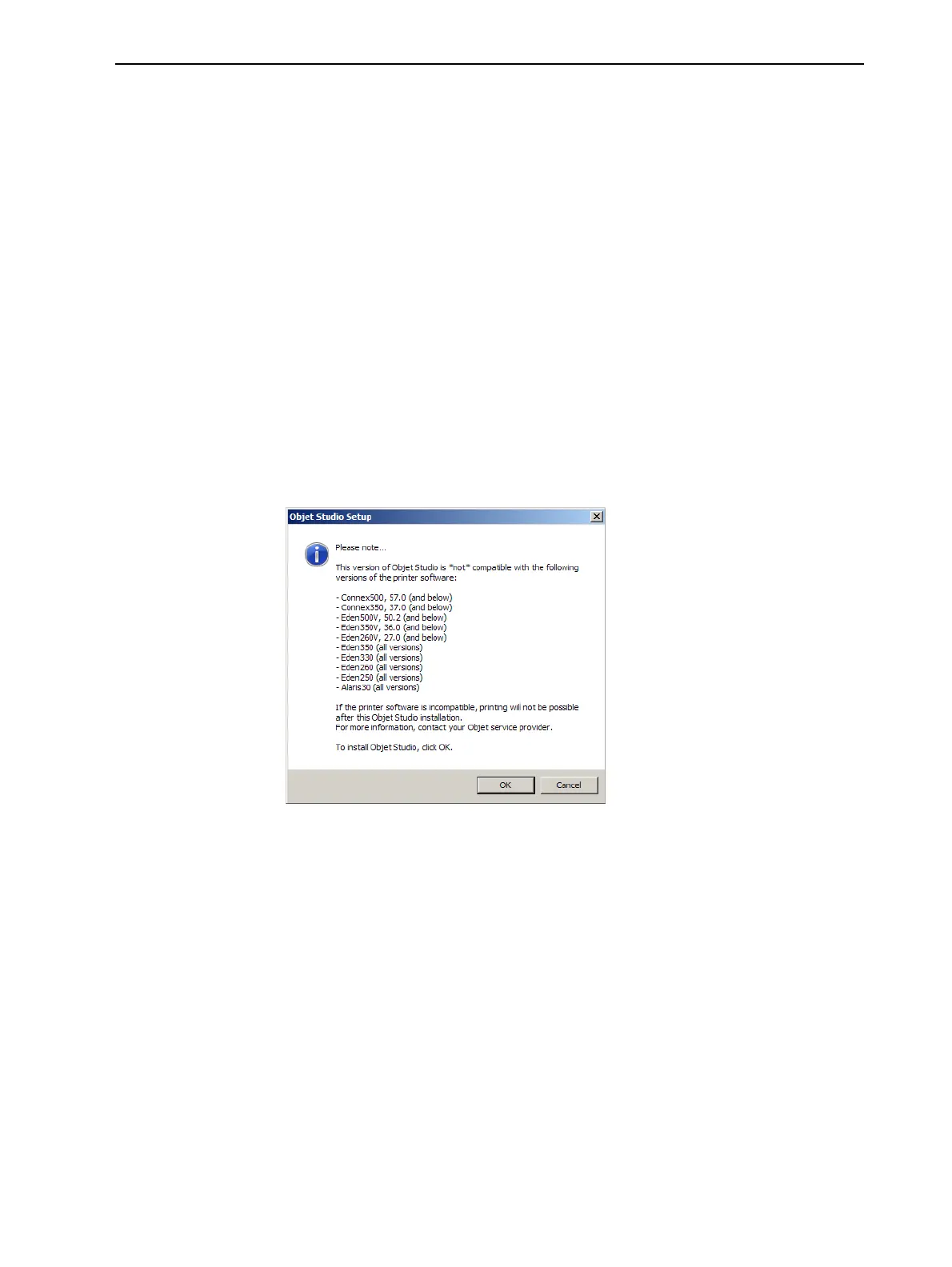
3. IfyouareinstallinganObjetStudioupgrade,makesurethatyourprinter
iscompatiblewithitbycheckingthelistdisplayed.
Figure4-1ObjetStudiocompatibilitycheck



 To Next Page