10
You get your smartcard either with your set-
top box or directly from
Premiere
.
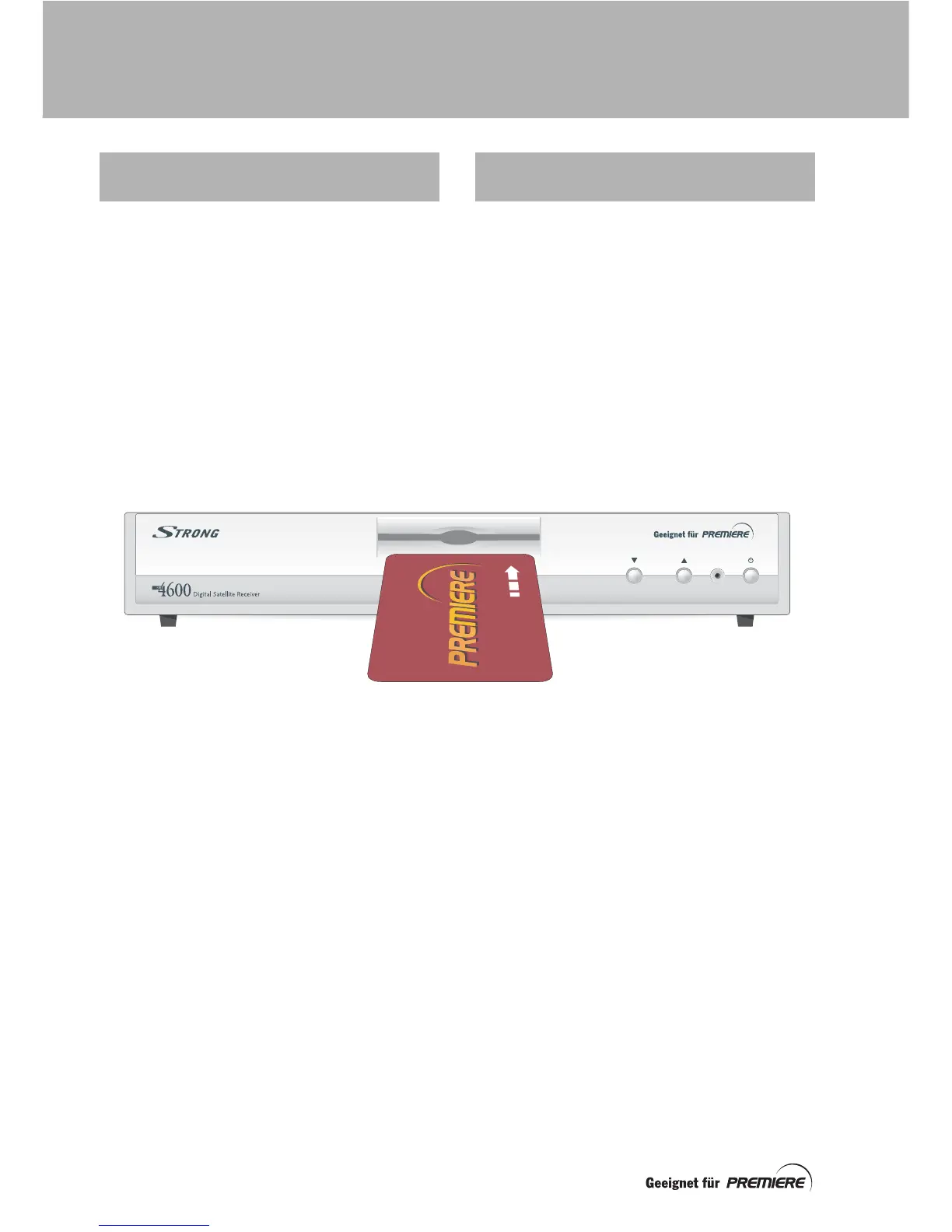
Hold your smartcard with the
Premiere
logo
facing upwards, and the arrow pointing
towards the slot in the front panel of your set-
top box (see the illustration below).
Insert your smartcard into the slot, as far as it
will go without forcing it.
Now you can enjoy digital television, but
please read the instructions in the rest of this
manual in order to get the most from your set-
top box.
Your set-top box comes with the latest digital
TV technology. To keep up with new
technology, new features may be developed
which may then be transmitted to your set-top
box as
software updates
.
For more information, see page 38.
INSERTING YOUR
SMARTCARD
YOUR SET-TOP BOX
TOMORROW
GETTING STARTED



 To Next Page