22
After your set-top box has scanned for
channels, all the channels it has found are
stored on the Channel list (described on
page 13). There is one list for TV channels and
one for radio channels.
The channels on the list are numbered from
100 upwards. You can adapt the list and use
channel numbers 0 to 99, to group together
the channels you watch most often. This
creates your own User list, so that you can
select your favourite channels quickly.
When your set-top box is new, you have the
choice of a German or an Austrian Pre-
programmed channel list (see page 25).
On the pre-programmed list, some of the
channel numbers from 0 upwards already
have Premiere channels assigned to them,
but you can change them if you wish, as
described below.
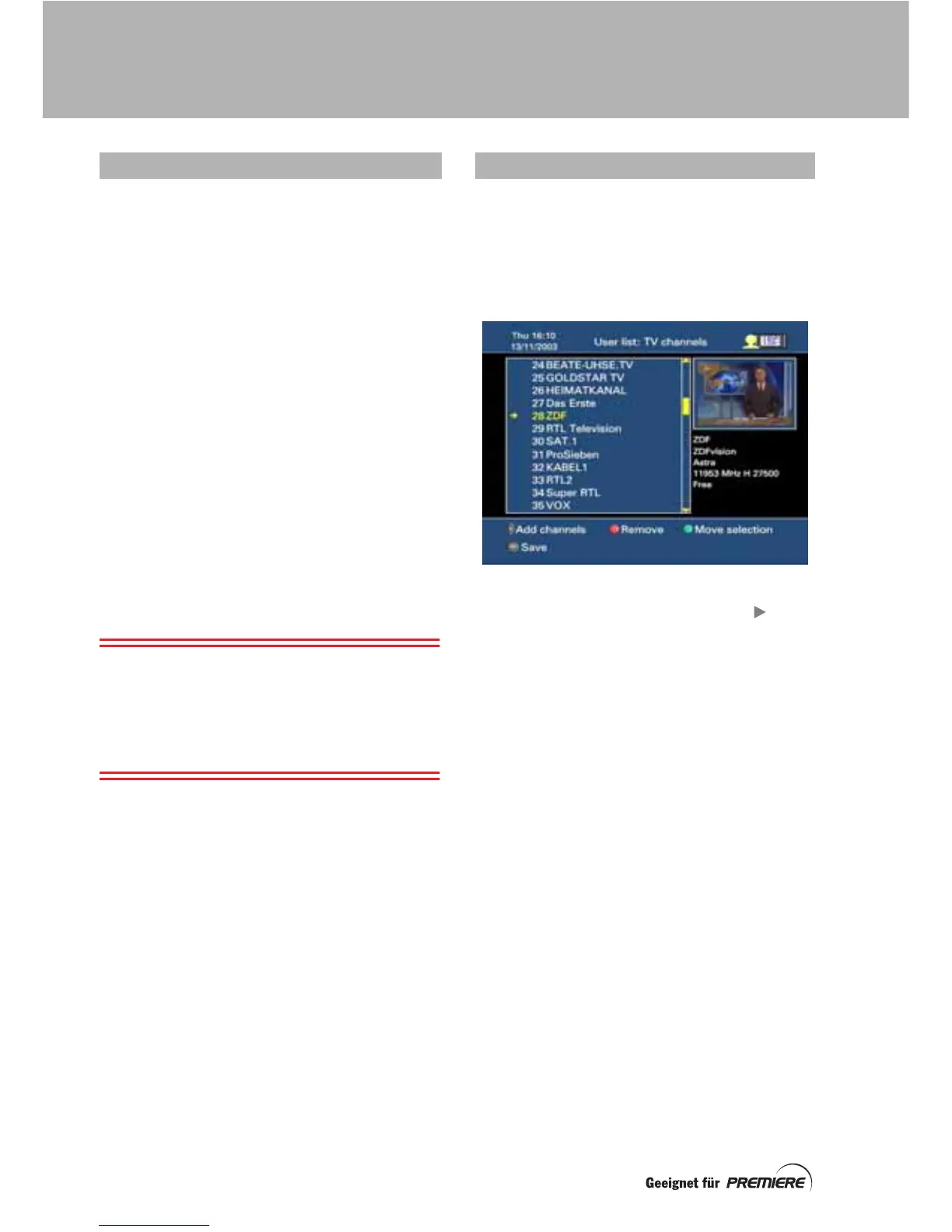
Setting up your User list of TV channels is
described here. You create your Radio User
list in the same way.
Note: The channel numbers from 100 to 199
are fixed and you cannot change them (unless
you choose a different pre-programmed list).
You can change the channels at numbers 0 to
99 at any time because they are all “copies” of
channels on the main list (100 and above).
Press Menü to display the Main menu.
Highlight Configuration then press OK to
display the Configuration menu.
Highlight Your TV list then press OK to display
the User list: TV channels.
Adding channels to the list
To add channels to the list, press the
button.
The Add channel screen appears, in which all
the available channels are listed
alphabetically. The channels that are already in
your TV user list have a cross after them.
The list of all the channels contains not only
those you can receive with your Premiere
subscription, but also free channels and
channels not included in your subscription.
ABOUT USER LISTS CREATING YOUR TV USER LIST
CREATING YOUR USER LISTS



 To Next Page