15
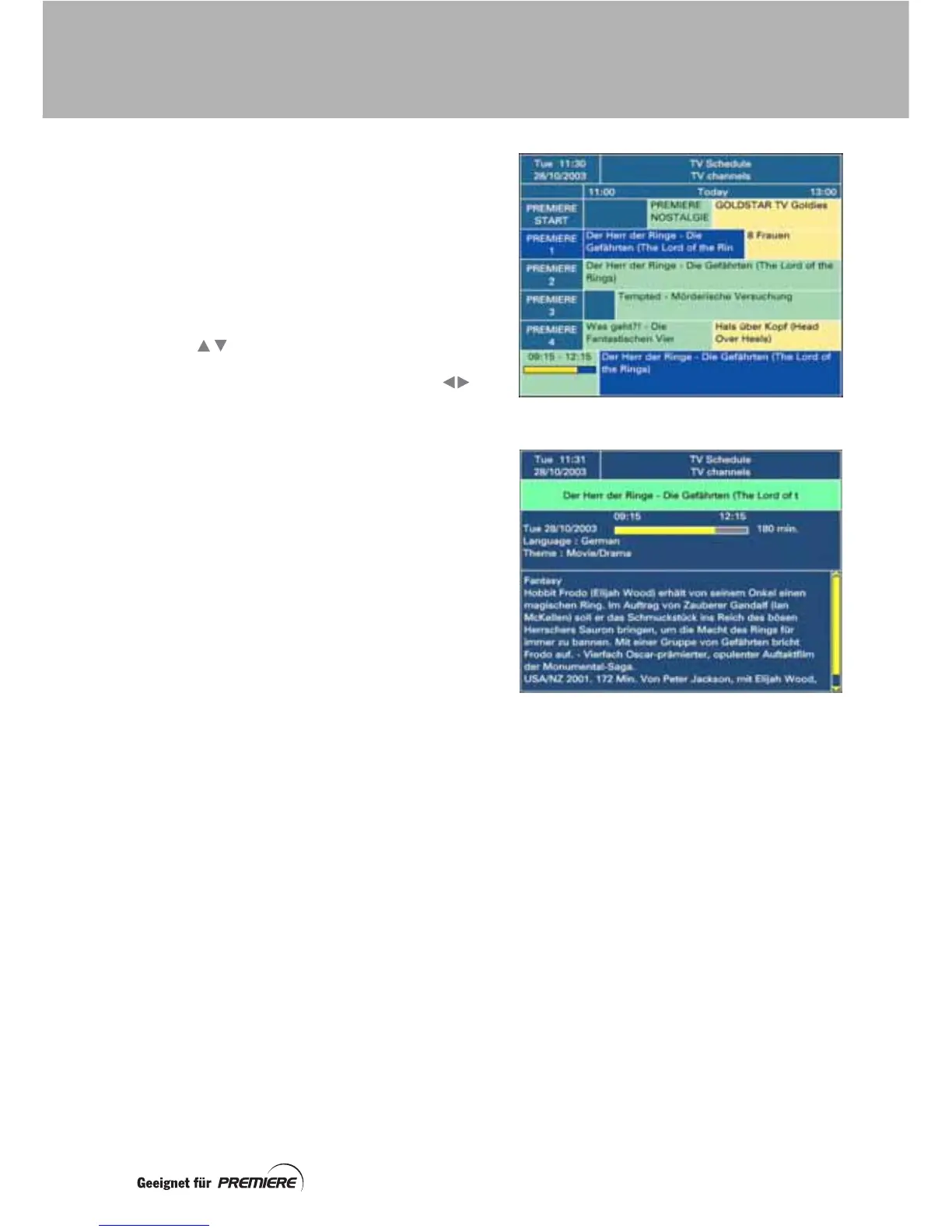
The TV Schedule is your electronic
programme guide to what’s on.
Press the EPG button to display the
TV Schedule. You may have to wait a few
seconds before the information appears.
The channels are listed on the left. When you
first display the TV Schedule, the channel and
programme you were watching is highlighted
in blue and shown at the top of the schedule.
Use the buttons to move the highlighting
line by line, and the page (Seite) + and –
buttons to move it page by page. Use the
buttons to display information for later times
(when available).
The programme backgrounds are coloured as
follows:
• blue = the highlighted programme;
• green = the programme is currently
being broadcast;
• yellow = the programme will be
broadcast later;
• orange = the programme has ended.
The following information about the
highlighted programme is displayed at the
bottom of the screen:
• the time the programme begins and
ends;
• a bar which fills in as the programme
progresses;
• the name of the programme;
• information about the programme’s
content (when available).
To display more detailed information about a
highlighted programme, press the EPG
button. To remove this information, press the
EPG button again, or press Exit.
To remove the TV Schedule and change
channel, highlight a programme and press the
OK button. Your set-top box tunes to the
channel that the highlighted programme is on.
To remove the TV Schedule from the screen
and return to the channel you were watching
before, press the Exit button.
TV SCHEDULE



 To Next Page