32
Display the Reception screen, as described
on page 29.
Use the buttons to cycle through the
various set-ups until DiSEqC motor is
displayed at the top of the screen.
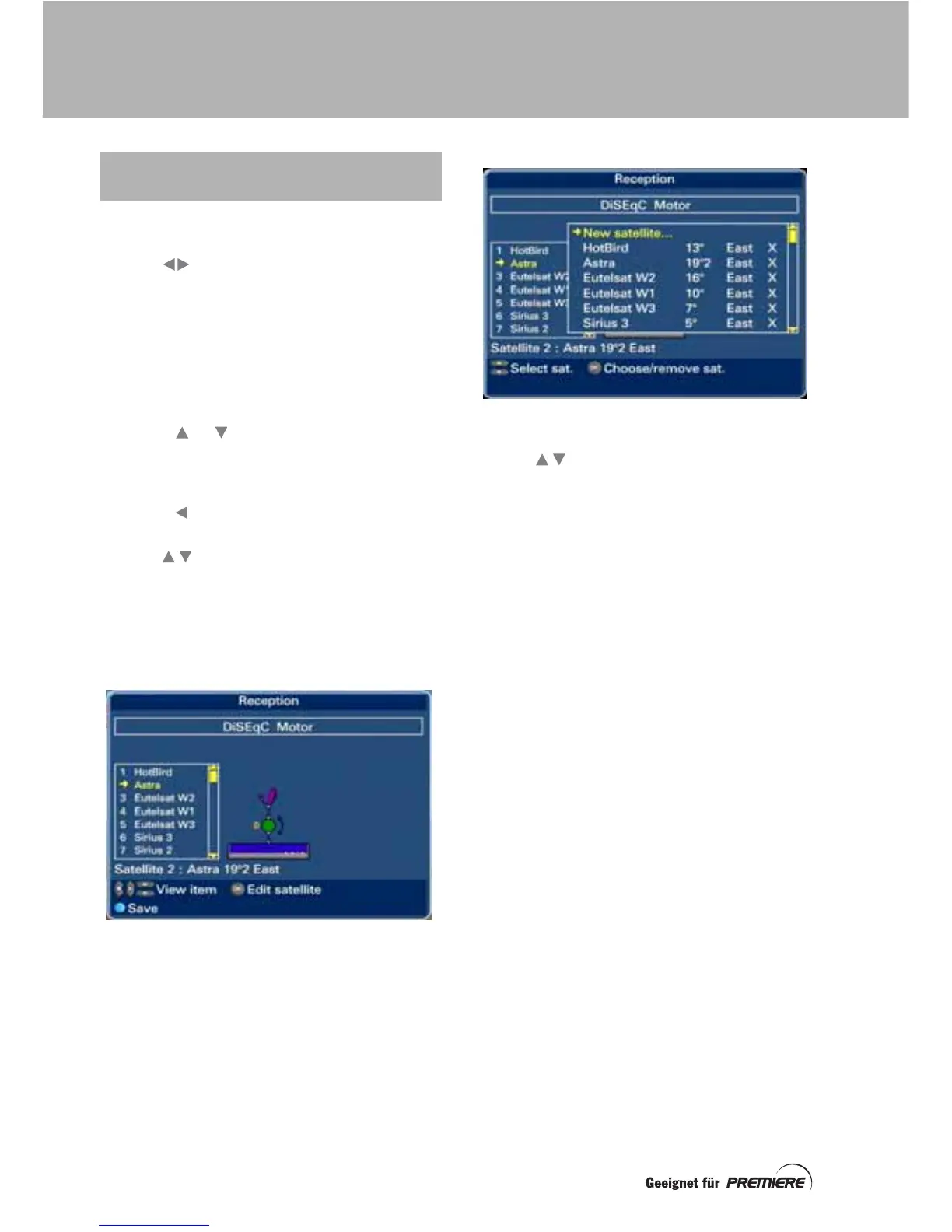
As well as a drawing of the set-up, a list of
satellites is displayed on the screen.
Make the master/slave setting and change the
L.O. values, if required, as described on
page 29 and page 30.
Press the or button until a small yellow
arrow appears alongside “D” in the centre of
the drawing and the words DiSEqC motor
appear below the list of satellites.
Press the button to move the highlighting
into the list of numbered satellites.
Use the buttons to move the highlighting
line by line, (or the page (Seite) + and –
buttons to move it page by page) though the
list.
As you do this, details about the highlighted
satellite appear below the list.
To change (edit) a satellite on the list, highlight
the satellite, then press OK.
A satellite pop-up screen appears, with
crosses against those satellites that are on the
main list.
To add or remove a satellite from the main list,
use the buttons (or the page (Seite) +
and – buttons) to highlight a satellite on the
pop-up list, then press OK.
If the satellite you want is not on the satellite
pop-up list (perhaps because it is a newly
launched one), you can create your own (see
page 31).
When you have selected the appropriate
settings for all parts of your DiSEqC-motor
dish set-up, press the blue button to save all
your settings.
USING THE RECEPTION SCREEN
TO SELECT THE SATELLITES
SETTING UP A MOTORISED DISH



 To Next Page