33
This procedure is intended for an experienced
satellite-TV installer. If you are unfamiliar with
DiSEqC motor configuration settings, do not
proceed any further.
You can use the Setting antenna screen only
when you have a motorised satellite dish, and
you have chosen the DiSEqC motor
configuration on the Reception screen. You
can set up to 49 preset satellite positions on
this Reception screen (see page 32).
To view the Setting antenna screen, first
press the Menü button to display the Main
menu, then select Configuration.
From the Configuration menu, select Setting
antenna. The Setting antenna screen
appears.
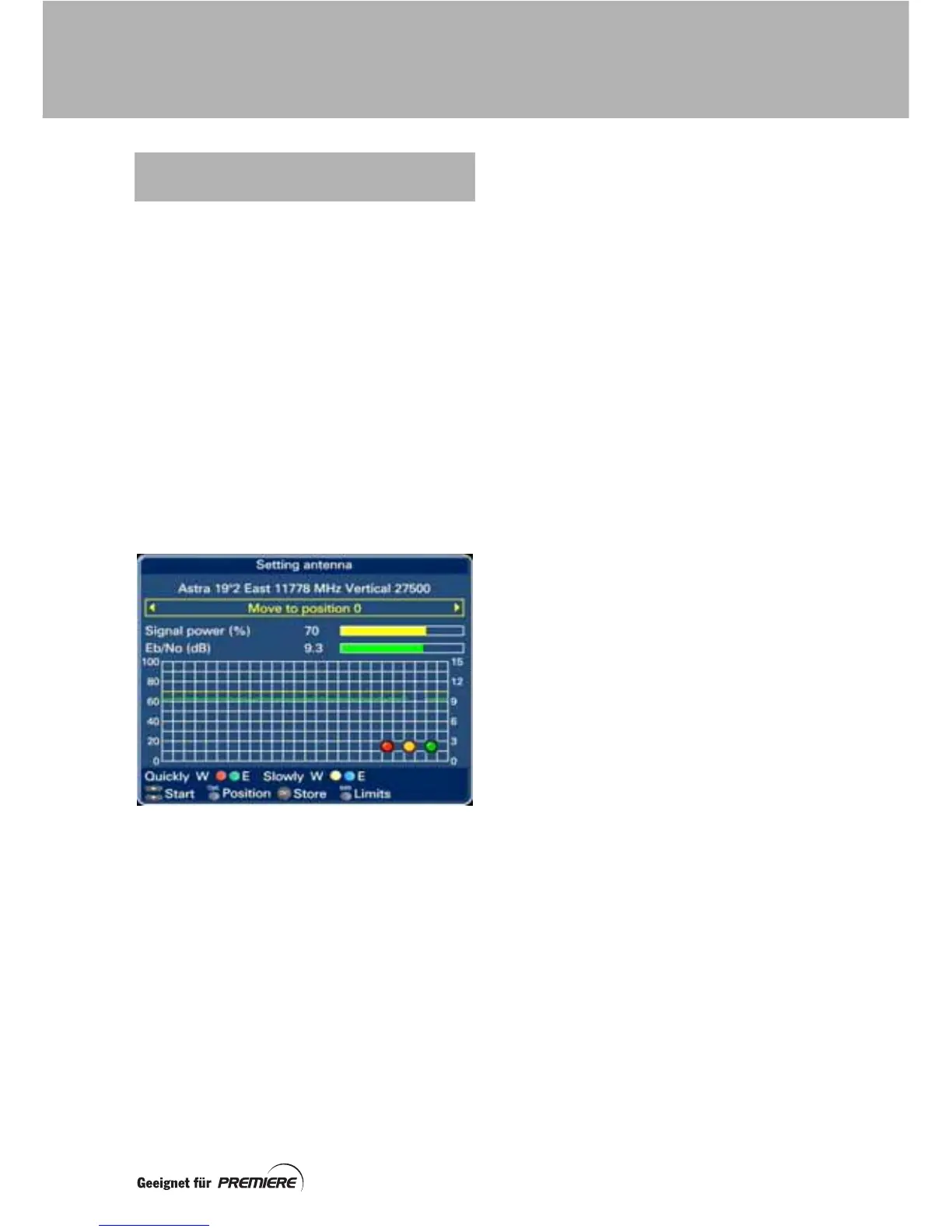
The top line on the screen shows the currently
selected satellite, for example:
Astra 19º2 East 11778 MHz Vertical 27500
When tuning to a transponder on a particular
satellite, the set-top box uses this information
to configure the DiSEqC motor.
The current signal power (%) and signal quality
(dB) are displayed as bar graphs. The values
are also shown on the grid using colour-coded
traces, which update as time goes by.
In the lower right-hand corner of the grid are
three circles; when coloured in, these indicate
the lock status of the tuner:
• Red – Carrier lock
• Yellow – Viterbi lock
• Green – FEC lock
Shown below the grid are various buttons you
can use when adjusting the motor position,
and making other settings. The buttons that
appear depend on the type of adjustment you
want to make.
USING THE ‘SETTING ANTENNA’
SCREEN
SETTING UP A MOTORISED DISH



 To Next Page