29
When you first switch on your set-top box (see
page 9), you use the Reception screen to
inform your set-top box of the kind of satellite-
dish installation you have. This section
describes that screen in detail and explains
how to change settings if your set-up changes.
Note: It is beyond the scope of this manual to
explain the meanings of the different types of
dish and LNB and the control mechanisms for
them. You may find background information
about them in a relevant book or magazine.
If you are uncertain about any of the settings
you wish to make, consult a competent
installer of satellite dishes.
Displaying the Reception screen
Press Menü to display the Main menu.
Highlight Configuration then press OK to
display the Configuration menu.
Highlight Reception then press OK to display
the Reception screen.
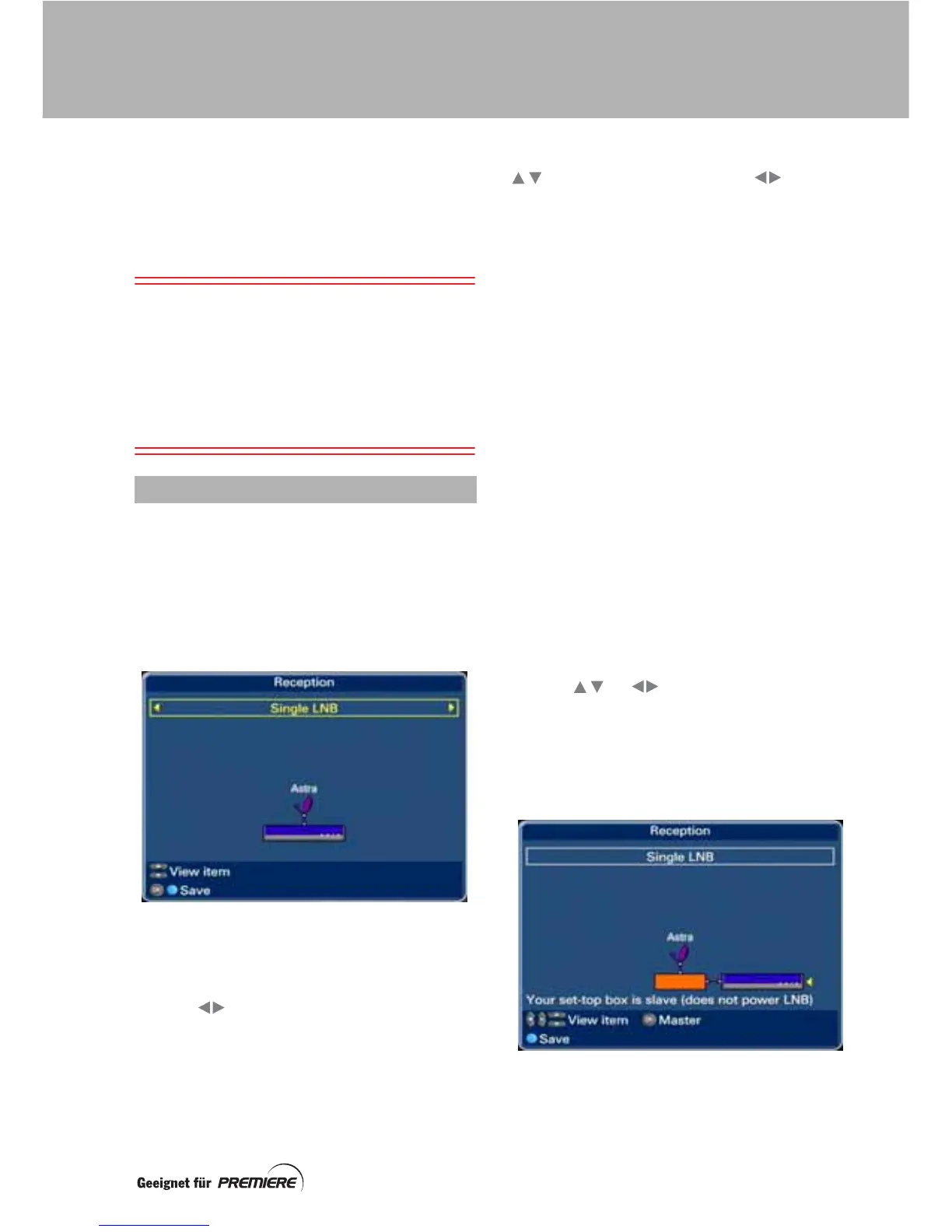
The type of dish set-up is shown highlighted at
the top of the screen. Underneath it is a
drawing of that type of set-up.
Use the buttons to cycle through the
various set-ups until the one that you are using
is displayed.
On the Reception screen, you can use the
buttons (and sometimes the buttons)
to highlight various parts of the drawing. As
you do this, additional information appears on
the screen to help you. At the bottom of the
screen there is information about which
remote-control buttons you can use to change
the settings.
Setting your set-top box as a master or
slave.
You must set your STRONG SRT 4600 set-top
box to be a master or a slave, depending on
your set-up.
It is a master if it is connected directly to your
dish and therefore supplies power to its LNB.
It must be a slave if there is some other
equipment (such as another set-top box or a
non-DiSEqC dish positioner) connected
between your STRONG SRT 4600 and your
dish. In this case, the other equipment must be
the master and provide power to the LNB.
If your STRONG SRT 4600 is set as a slave,
then an orange box is also in the diagram. This
represents your other equipment that is
connected between the STRONG SRT 4600
and the dish.
Use the or buttons to highlight the
STRONG SRT 4600 set-top box (or the orange
box) in the drawing (a little yellow arrow is next
to it when it is highlighted).
Press the OK button to switch between the
Master (only) and Master/slave set-ups.
USING THE RECEPTION SCREEN
CUSTOMISING YOUR SATELLITE DISH



 To Next Page