12
Opt
TV/Radio
S
9
0
Seite
+
–
P
+
–
+
–
Liste
Exit
EPG
Menü
Info
c
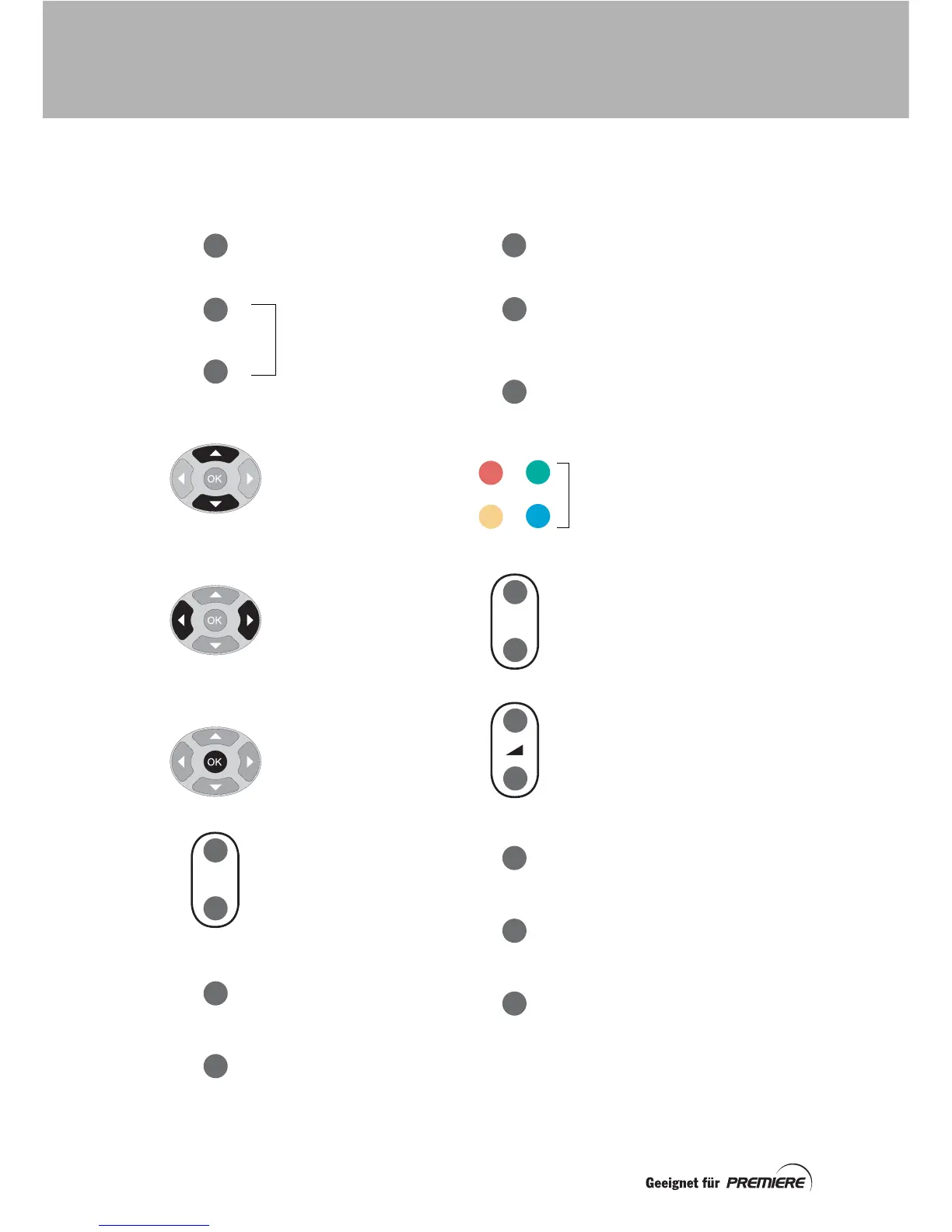
To put your set-top box
into, or take it out of
standby
To change channel
To enter on-screen
numbers, such as the
Premiere parental control
PIN-code
To highlight the previous or
next item in a list or on-
screen menu
To move to the left and the
right through on-screen
menus, lists or items
To change settings on the
screens
To save settings
To change channel up or
down
To highlight channels in the
Channel list
To increase or decrease the
volume
To switch the sound off/on
To display (or hide) the on-
screen Channel list
To display the on-screen TV
Schedule
To display (or hide) information
about the currently highlighted
programme in the TV Schedule
Colour buttons:
To perform special functions.
These will be explained on
the screen when they are
required
To return to the previous
selection or screen (without
saving any changes)
To change to the channel you
last watched
To display the Main menu
To display information about
the current programme (while
you are watching TV)
To display the Now/Next
information banner
To display the previous or
next page of a list
To change to the TV Channel list
(or to the Radio Channel list)
To change from a TV channel to
a radio channel
To display options screen(s),
if any are available, that are
associated with the current
programme
YOUR REMOTE CONTROL



 To Next Page