10
4. Controls/Functions
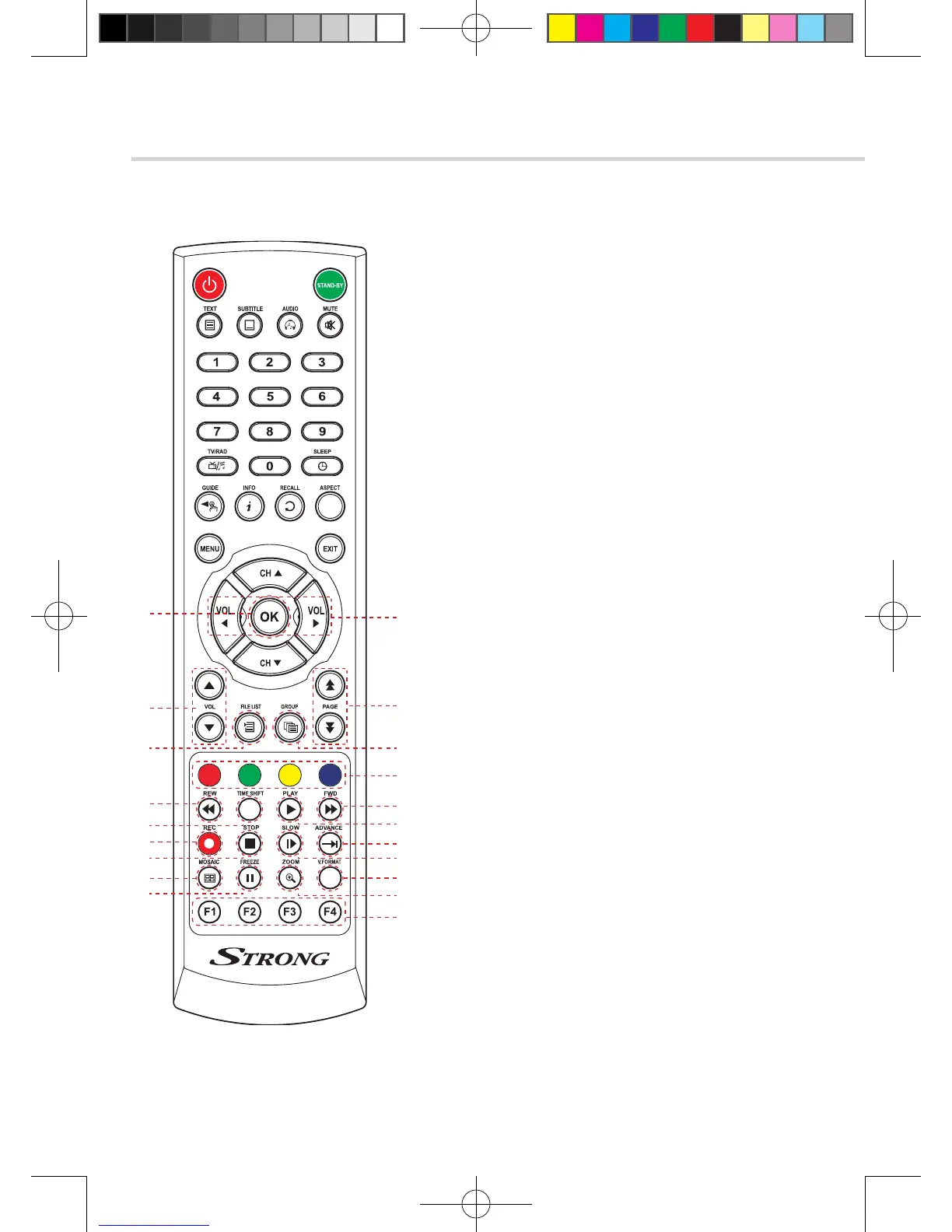
4.3 Remote Controller
❶ Vol Up & Down: To change the volume level
in non-menu mode
❷ OK: To show the Channel List in nonmenu
mode and select an item or confirm in menu mode
❸ Vol Up & Down: To change the volume level
in non-menu mode
❹ Double arrow Up/Down: To move to the next
or previous page when many pages are available
❺ FILELIST: To display the filelist
❻ GROUP: To change the channel groups
(Satellites or favorite groups)
❼ Color Key: Select the option such as View List,
Select Disk, Rename
❽ REW: Playback in rewind mode
❾ Time Shift: Play Content
❿ PLAY: Play Content
⓫ FWD: Playback in forward mode
⓬ REC: Start recording
⓭ STOP: Stop Playback
⓮ SLOW: Playback in slow mode
⓯ ADVANCE: Go to live channel
⓰ MOSAIC: To display multiple pictures
⓱ FREEZE: To pause the video.
Press again to resume the video
⓲ ZOOM: To zoom In/Out
⓳ V.FORMAT: To switch the resolution of
video output
⓴ F1~F4: Reserved button for new function
❶
❸
❹
❼
❿
⓯
⓰
⓱
⓭
❺
❷
❻
❽
❾
⓫
⓬
⓮
⓳
⓲
⓴
[2013.01.04]SRT4922A 매뉴얼_english_AUS.indd 10 2013-01-04 오후 4:49:43



 To Next Page