55
English
6.9 DVR
6. Operation
➌
Instant Recording
1. You can record a current channel by using .
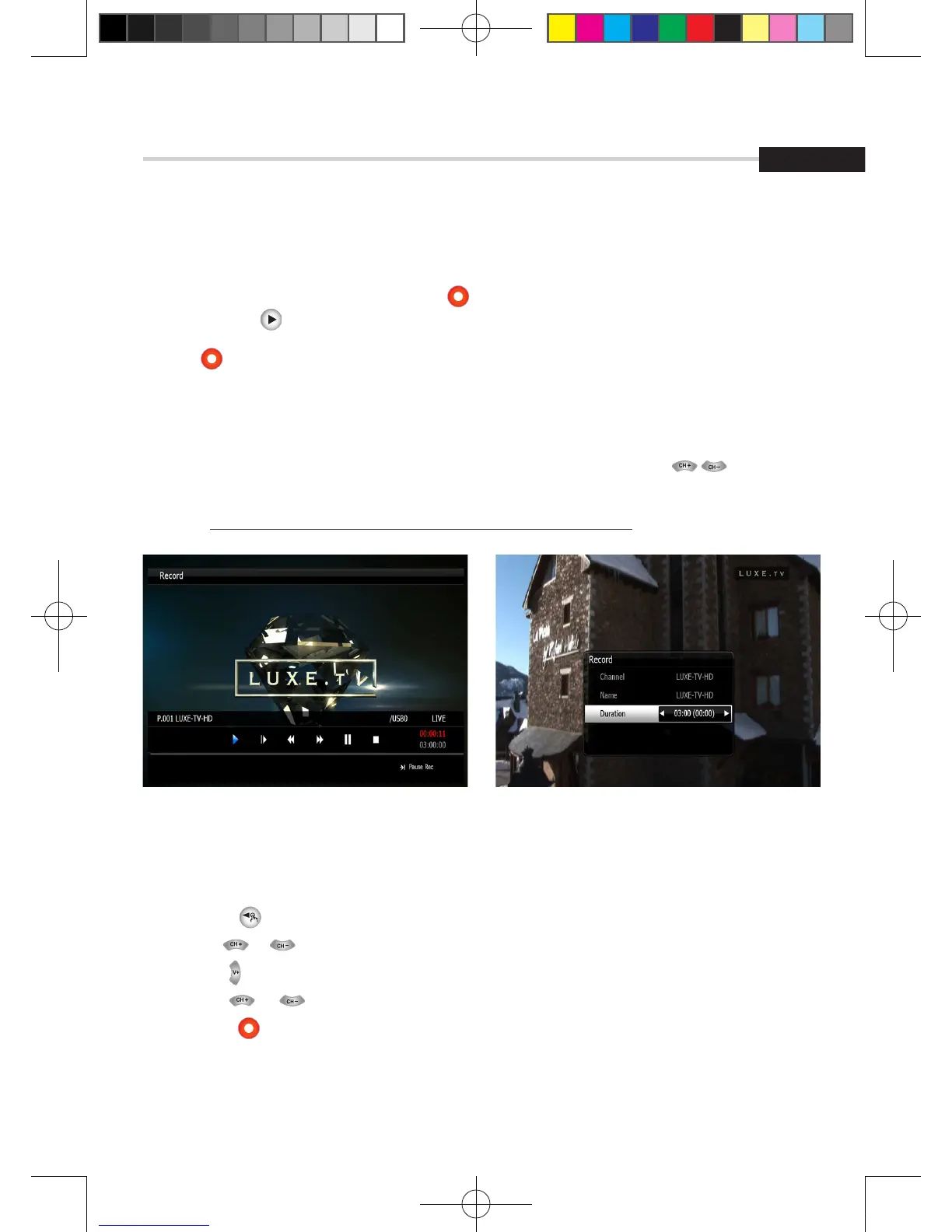
If you then press , a time-banner will be displayed. <Figure 6.9.9>
2. Press once more. The following picture shows that you can select item when you
record a current channel. <Figure 6.9.10>
▪ Channel: It shows a current channel.
▪ Name: It shows a current recording name.
▪ Duration: You can change the duration of recording time by using the .
And current recorded time appear.
✽ Note: 1. Do not remove the USB device while recording a program.
Figure 6.9.10Figure 6.9.9
➍
EPG (Electronic Program Guide) Recording
This method can be used if the program you wish to record is on within the next 7 days.
▪ Press the button on your Strong remote.
▪ Use the or buttons to highlight the channel for the program you wish to record. Press OK.
▪ Use the button to highlight the program name section of the EPG menu.
▪ Use the or buttons to highlight the program you wish to record.
▪ Press the button while this program is highlighted.
The selected program will then appear in red.
▪ Press the EXIT key to return to normal viewing.
This program will automatically be recorded by the STRONG DVR.
[2013.01.04]SRT4922A 매뉴얼_english_AUS.indd 55 2013-01-04 오후 4:50:08



 To Next Page