24
➋
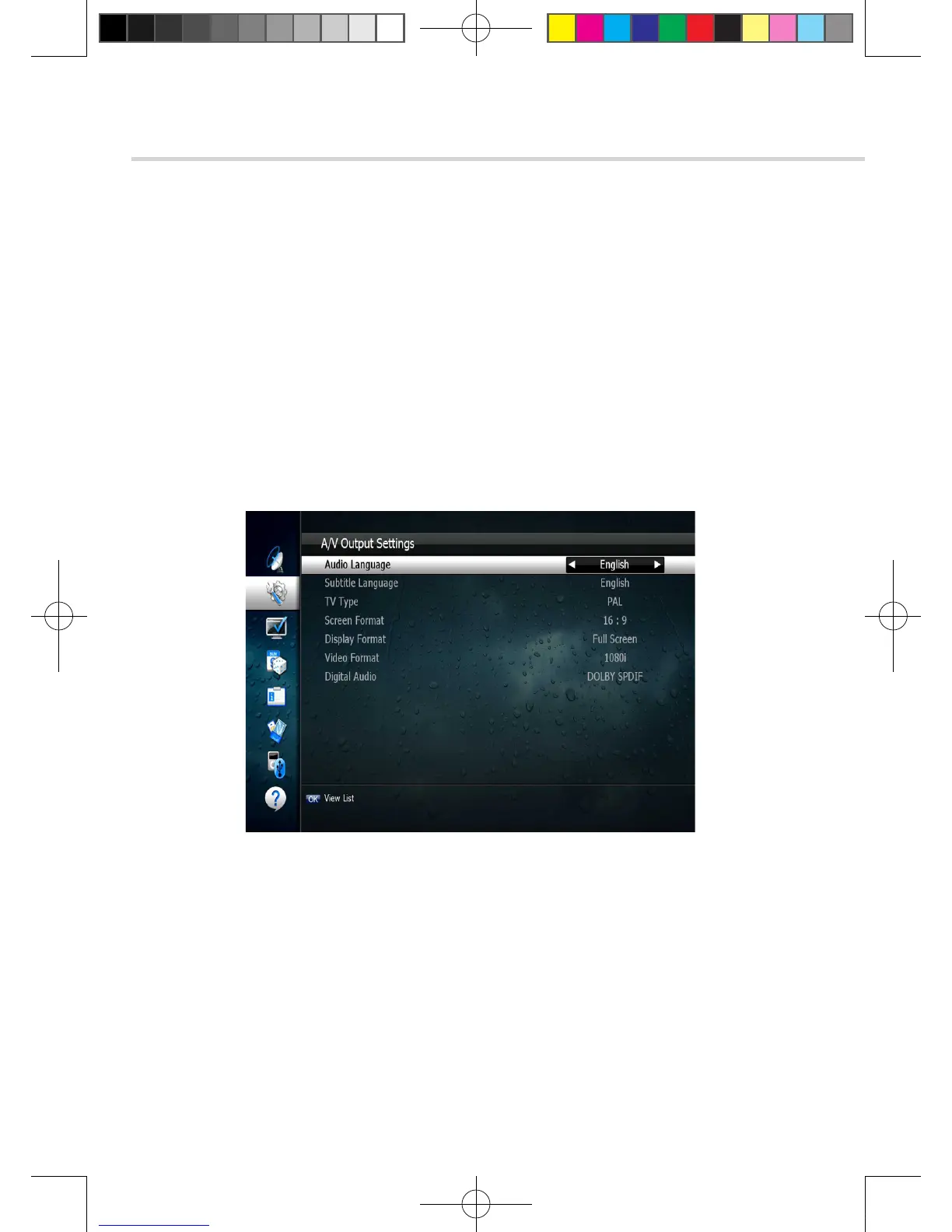
A/V Output Settings
This submenu allows you to specify the audio/video output. <Figure 6.2.2>
▪ Audio Language: Set the default audio language when selecting a channel.
▪ Subtitle Language: Set the default subtitle language.
▪ Screen Format: Select the screen format. (16:9 / 4:3)
▪ Display Format: Select the TV aspect ratio(Full Screen/Pillar-Box)
▪ Video Format: Select the Video format.(1080p, 1080i, 720p, 576p, 576i)
▪ Digital Audio: Select the Audio output type.(DOLBY SPDIF/PCM/DOLBY HDMI)
6. Operation
6.2 System Setting
Figure 6.2.2
➌
OSD Settings
This submenu allows you to set the menu language, OSD transparency and Information
and Volume timeouts. <Figure 6.2.3>
▪ Menu Language: Select the desired language for the menu.
▪ Information Timeout: Select the display duration of the information banner.
(1, 2, 3, 5 or 10 seconds)
▪ Volume Timeout: Select the display duration of the volume box. (1, 2, 3, 5 or 10 seconds)
▪ Recall List: Set ON to display previous channel list.
[2013.01.04]SRT4922A 매뉴얼_english_AUS.indd 24 2013-01-04 오후 4:49:50



 To Next Page