9
English
4. Controls/Functions
4.3 Remote Controller
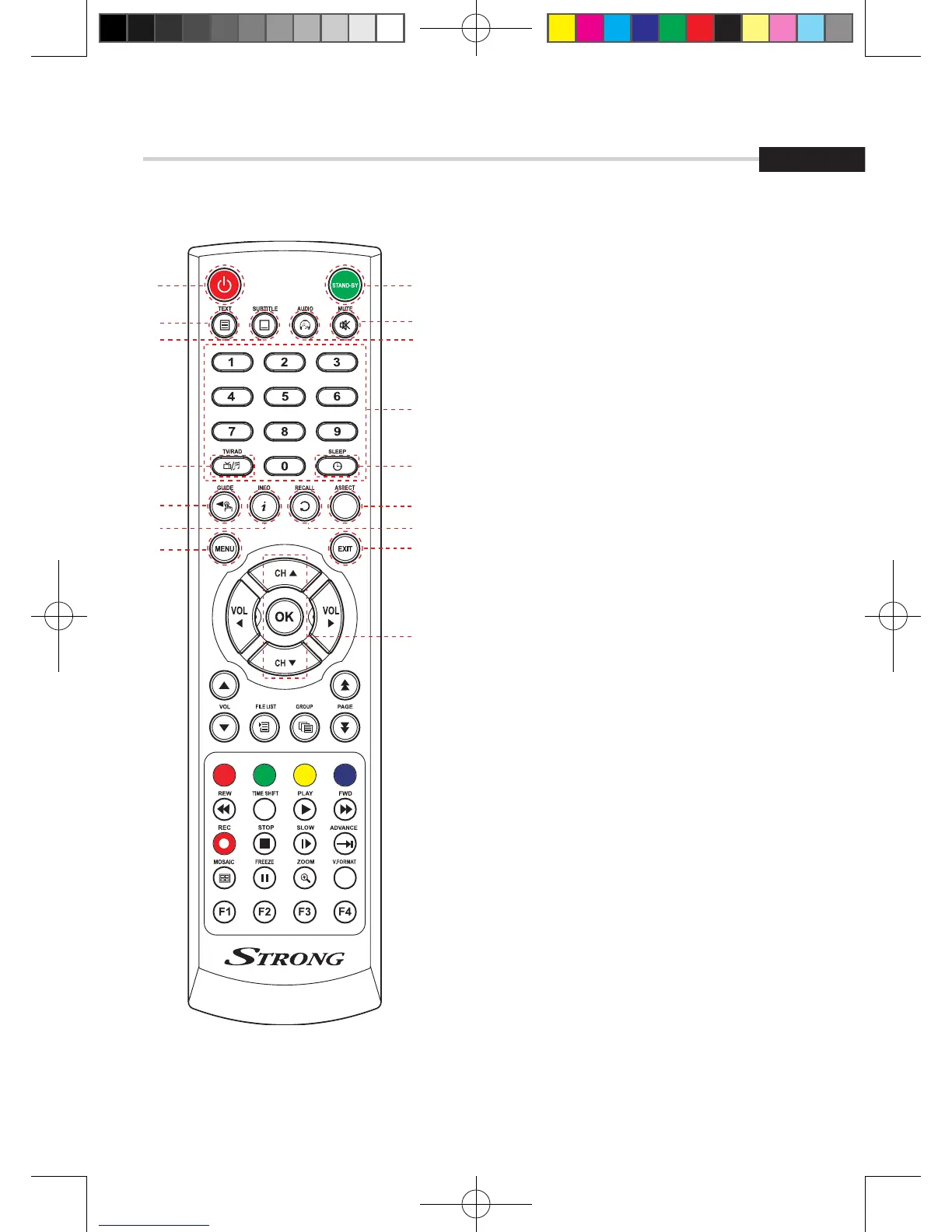
❶ POWER: To turn the receiver On/Off
❷ STAND BY: Just turn the receiver off
❸ TEXT: To show the teletext contents if
teletext is transmitted
❹ SUBTITLE: To turn closed captions on or off
❺ AUDIO: To show the Multi-language
audio track, the stereo-mono mode and
subtitle information
❻ MUTE: To turn the sound On/Off
❼ Numeric Keys (0-9): To enter numerical
settings (such as channel numbers) directly
❽ TV/RADIO: To switch between TV and Radio
❾ SLEEP: To set the STB off after minutes
❿ GUIDE: To show the TV/Radio program guide
⓫ INFO: To show information about the
current program. Press twice to show detail
⓬ RECALL: To move to the previous channel
Used for special functions in menu mode
⓭ ASPECT: To select a TV aspect ratio
with Pan Scan or Letter-Box(4:3)
(Full screen or pillar box(16:9)
⓮ MENU: To enter or exit the main menu
⓯ EXIT: To exit from the present menu and
move to the previous menu
⓰ Up & Down: To switch channels in
non-menu mode and move the cursor
up/down in menu mode
❶
❸
❹
❼
❿
⓭
❺
❷
❻
❽
❾
⓫ ⓬
⓮ ⓯
⓰
[2013.01.04]SRT4922A 매뉴얼_english_AUS.indd 9 2013-01-04 오후 4:49:43


 To Next Page