30
6. Operation
6.3 Channels
➊
Set Favorites
This submenu allows you to set up favorite groups of channels. You can select TV or Radio
channels in an alternative way by pressing the TV/RADIO button.
The receiver supports 16 favorite groups.
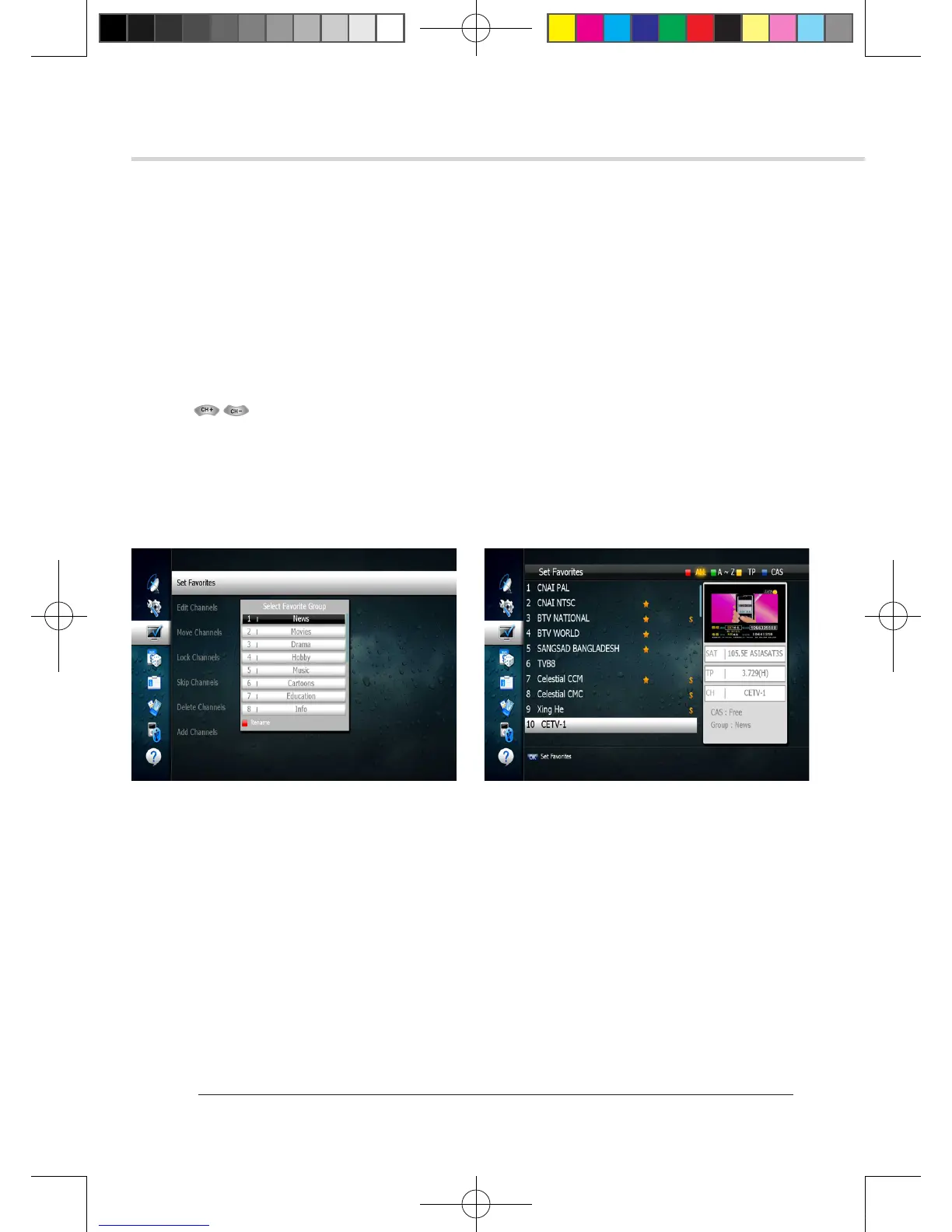
1. Press on OK ‘Set Favorites’. The list of groups will be displayed. <Figure 6.3.1>
2. Press and OK to choose a group. The following menu will be displayed.
<Figure 6.3.2> If you want to change the name of a favorite group, press the RED button.
3. Press to OK add (or remove if previously added) the selected channel to/from the favorite
channel group.
4. Press the EXIT button to return to the previous menu.
➋
Edit Channels
This submenu allows you to rename channels and input user PID. You can select TV or Radio
channels in an alternative way by pressing the TV/RADIO button. You can choose a channel list
group by pressing the GROUP button.
1. Press OK on ‘Edit Channels’. The following menu will be displayed. <Figure 6.3.3>
2. Press OK on the channel that you want to edit.
3. Press OK on ‘Edit Name’ to rename the channel; the keypad will be displayed.
4. Similarly, you can edit the PID data using the NUMERIC keys.
✽ Note: The VIDEO PID, AUDIO PID and PCR PID are very important for optimal satellite signal
reception. We recommend you get professional advice where available.
Figure 6.3.1 Figure 6.3.2
[2013.01.04]SRT4922A 매뉴얼_english_AUS.indd 30 2013-01-04 오후 4:49:53



 To Next Page