29
English
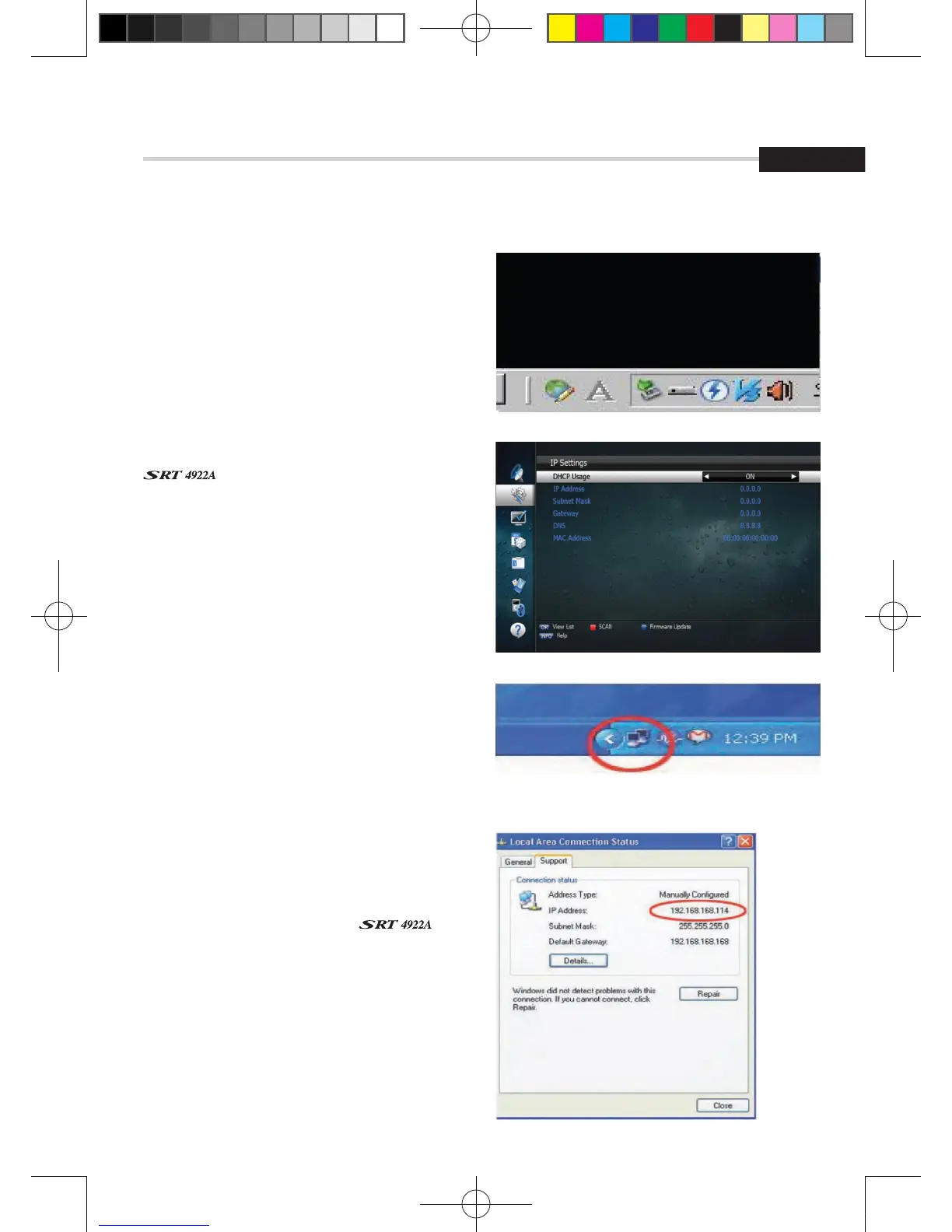
c) Press 'OK' then select STB Daemon and
the window will be hidden. You can see
the icon on bottom right of the window
screen.
2. Connect an Ethernet cable from your
to your PC.
3. Press menu, Select System Settings, Select
IP Settings: DHCP Usage 'ON' and pressing the
RED Key
6. Operation
6.2 System Setting
b) If your Network does not support DHCP,
the IP Address must be entered manually
(Static IP)
c) Click the network icon on bottom of
your PC's Windows
a) If your Network supports DHCP, IP settings
can be allocated automatically by turning
DHCP Usage 'ON' and pressing the RED Key
d) Now select the Support Tap, you can
allocate your iP address.
4. Go to File Manager on your
and press the YELLOW Key to type the IP
address of PC which is running STB Daemon.
[2013.01.04]SRT4922A 매뉴얼_english_AUS.indd 29 2013-01-04 오후 4:49:52



 To Next Page