27
English
➏
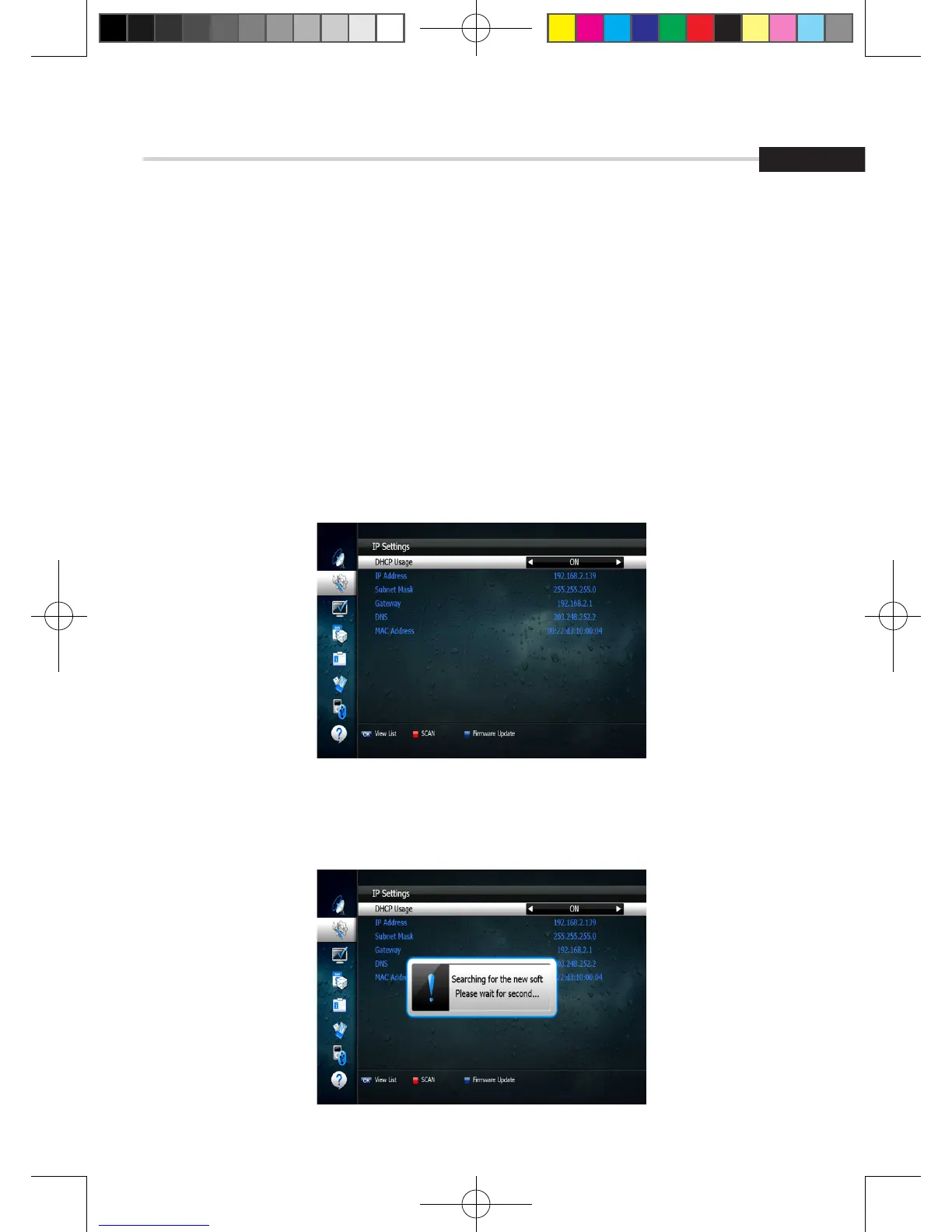
IP Setting
If the Network supports DHCP, IP settings can be allocated automatiocally. If the Network
does not support DHCP, the Addresses must enter manually(Static IP). <Figure 6.2.6>
▪ DHCP Usage: On/Off to receive IP settings automatically.
▪ IP Address: Enter the IP address.
▪ Subnet Mask: Enter Subnet Mask Number from your Network.
▪ Gateway: Enter IP address of Gateway (e.g.router).
▪ DNS: Enter IP address of main DNS server.
▪ MAC Address: MAC address display.
6. Operation
6.2 System Setting
Figure 6.2.6
Figure 6.2.7
▪ Firmware update: Support download from a LAN.
1. Press BLUE button.
[2013.01.04]SRT4922A 매뉴얼_english_AUS.indd 27 2013-01-04 오후 4:49:52



 To Next Page