14
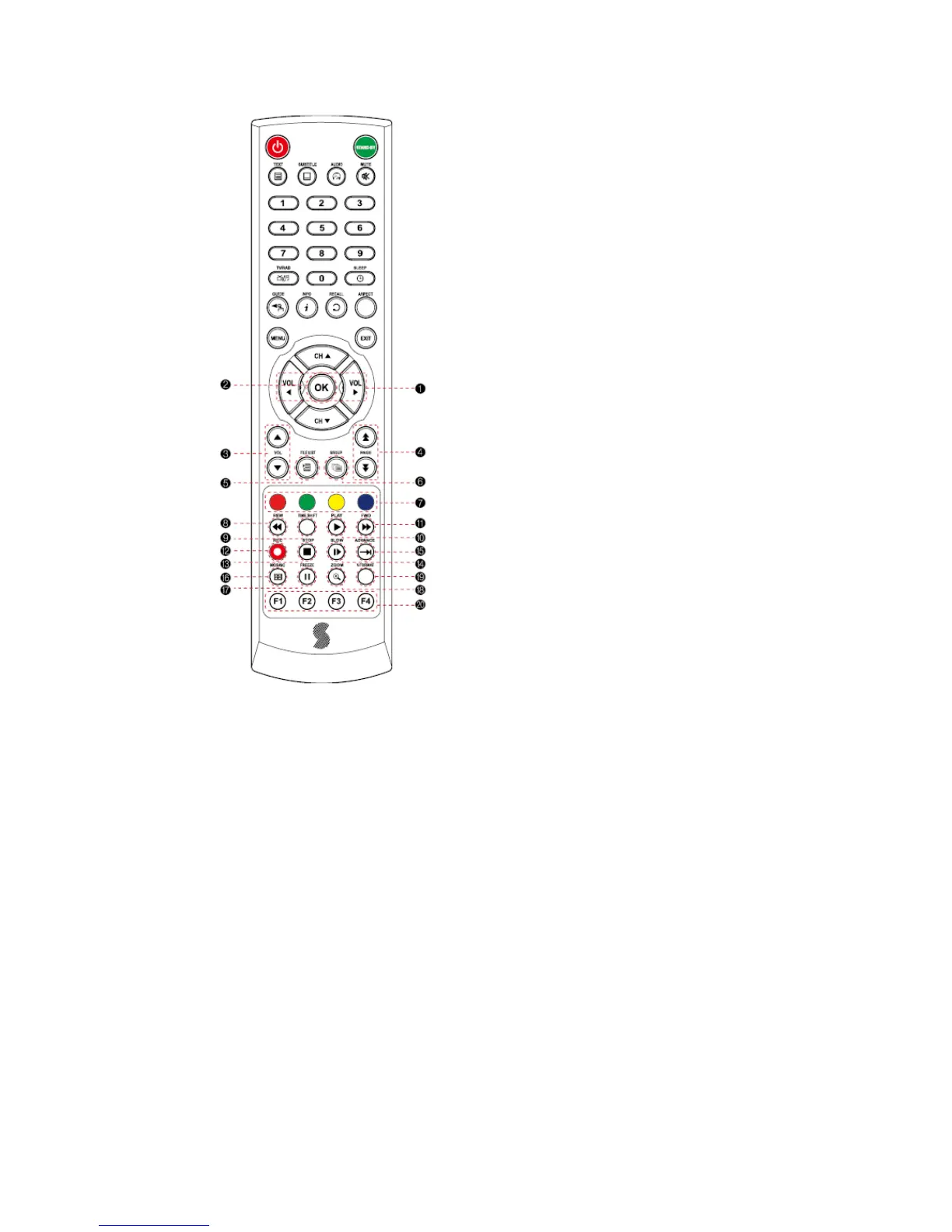
4.3 Remote
Controller
❶ Vol Up & Down: To change the volume
level
in non-menu mode
❷ OK: To show the Channel List in
nonmenu mode and select an item or
confirm in menu mode
❸ Vol Up & Down: To change the volume
level
in non-menu mode
❹ Double arrow Up/Down: To move to the
next or previous page when many pages
are available
❺ FILELIST: To display the filelist
❻ GROUP: To change the channel groups
(Satellites or favorite groups)
❼ Color Key: Select the option such
as View List,
Select Disk, Rename
❽ REW: Playback in rewind
mode
❾ Time Shift: Play
Content
❿ PLAY: Play Content
FWD: Playback in forward mode
REC: Start recording
STOP: Stop Playback
SLOW: Playback in slow mode
ADVANCE: Go to live channel



 To Next Page