58
6.6 External Device
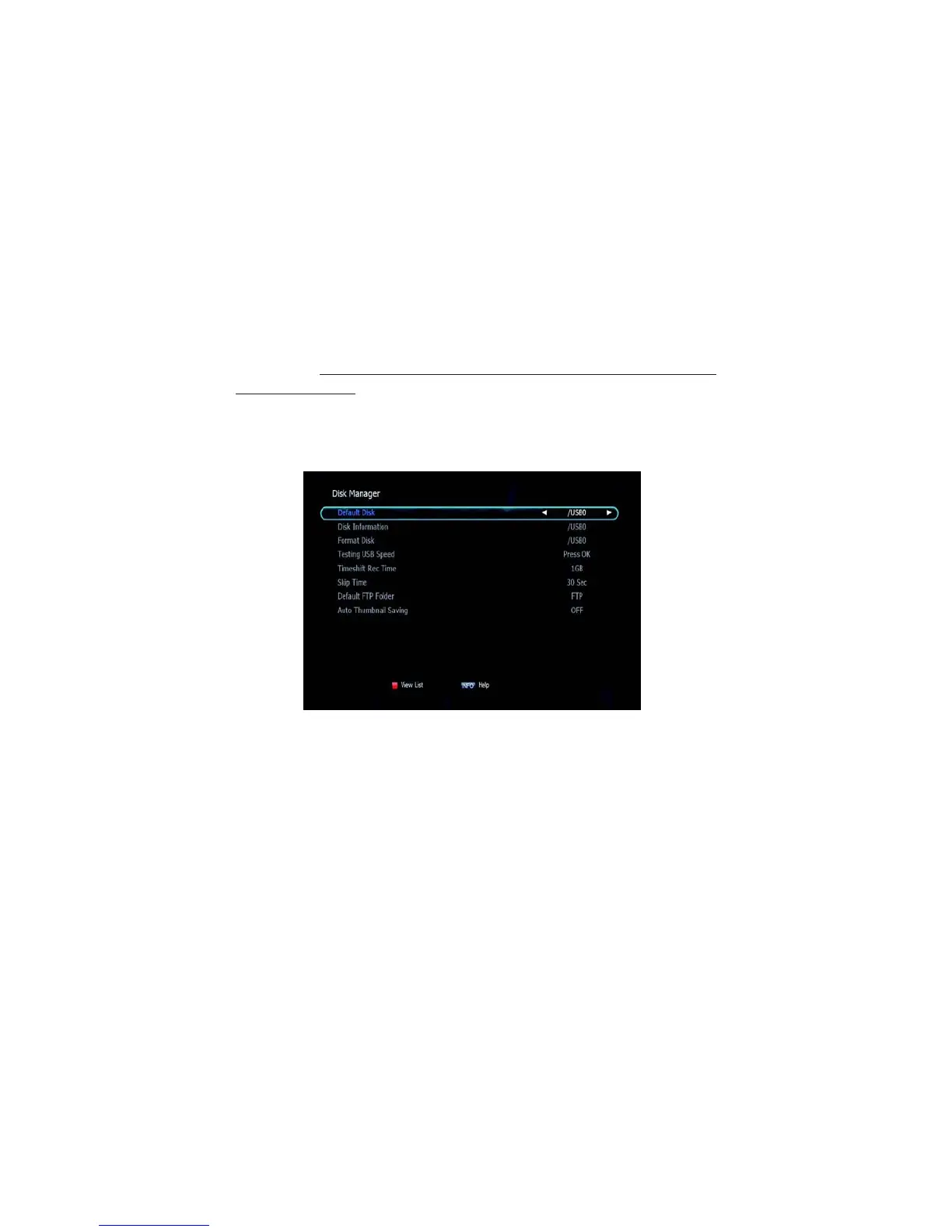
➊ Disk Manager
Use the cursor keys to activate the desired functions from this menu.
▪ Default Disk: If you have additional Storage devices connected to
your receiver
(i.e. USB HDD) you can select which storage device is
to be the default drive for playback and recording.
▪ Disk Information: Select the Hard disk volume, USB device.
Information of the storage devices will be displayed
(i.e. used size, total
size, free size)
▪ Format Disk: Format disk enables you to delete all information stored
on the selected storage device
✽ Warning: If you select Format Disk all data on the storage device
will be deleted.
▪ Testing USB Speed: Press to test USB speed for DVR.
▪ Timeshift Rec Time: Set the preferred Timeshift Recording Time.
(10Min/30Min/60Min/90min/120min)
▪ Skip Time:
Set the
preferred
amount of Skip
Forward and Back
time during
playback
(30sec/1Min/2Min/3Min/5Min/10Min20Min/30Min)
Figure 6.6.1



 To Next Page