64
6.6 External Device
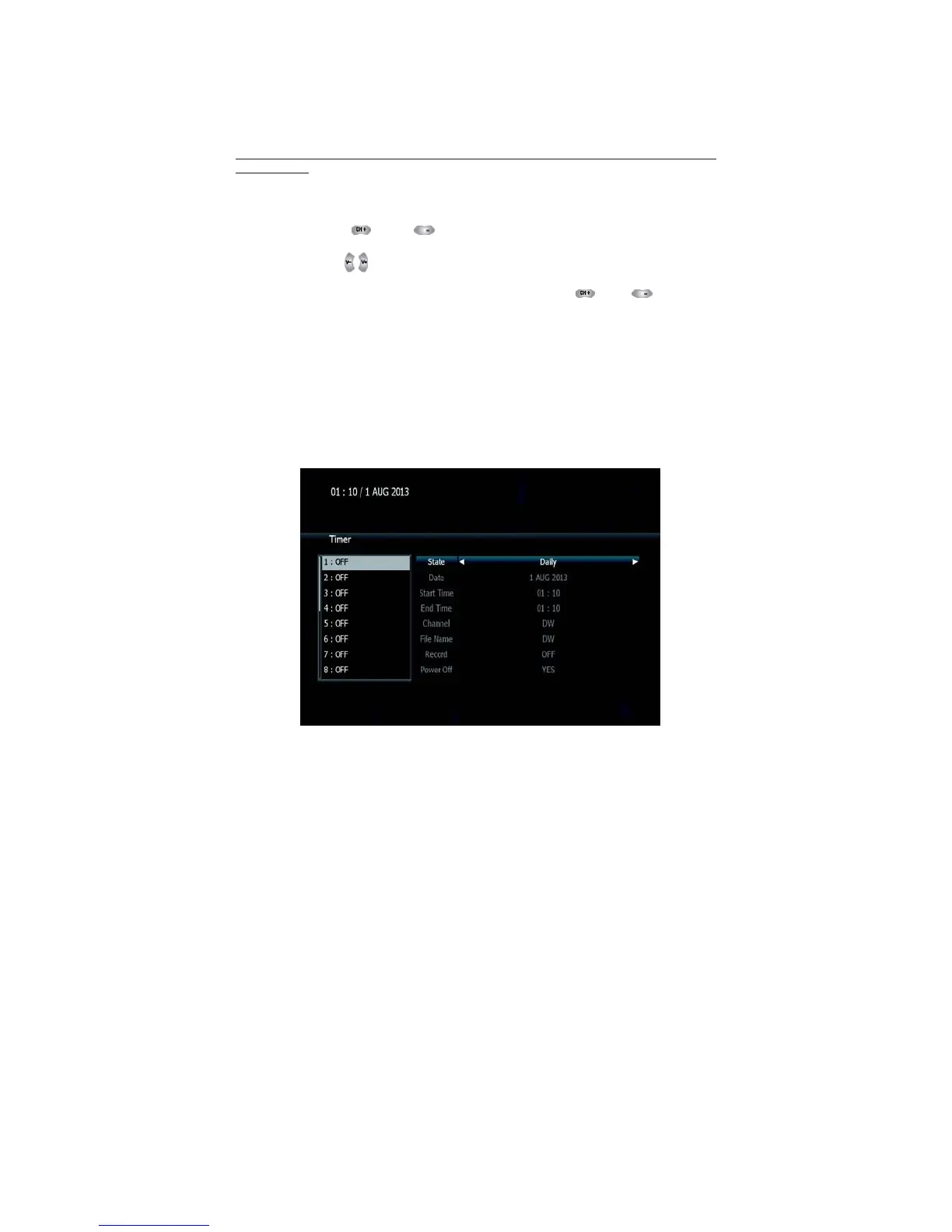
➌ Timer Manager
(Manage Existing or Add Manual Timers for Reserving or Recording of
Programs)
1. Press the OK button on the desired timer number to access and
modify the timers’ parameters
2. Press the and arrow buttons to select timer
parameters
3. Press the arrow buttons to change parameters
▪ Timer No: choose the desired timer using and Arrows
buttons (1-32)
▪ State: Select timer frequency (off/daily/Mon-Fri/Weekly)
▪ Date: Press the OK button to display the calendar and select the
desired date
▪ Start Time: Using the NUMERIC buttons input the required start time
▪ End Time: Using the Numeric buttons input the required end time
▪ Channel: Press the OK button to display the channel list and select
a channel
▪ File Name:
Press
the OK
button
and enter File
Name using
keypad.
▪ Record:
Set the
record mode
(ON/OFF) by using
the left and
right arrow
button
▪ Power Off:
Select
Power Off should
you wish the
receiver to turn
to standby
after recording has finished <Figure 6.6.12>



 To Next Page