Home
Strong
Receiver
SRT 6500
Page 28 (Electronic Program Guide (EPG))
Strong SRT 6500 - Electronic Program Guide (EPG); EPG: Vertical Display Mode; EPG Navigation and Reminders
62 pages
Manual
Save Page as PDF
To Next Page
To Next Page
To Previous Page
To Previous Page
Loading...
26
DVR Sto
ra
ge F
ilter F
unctio
n
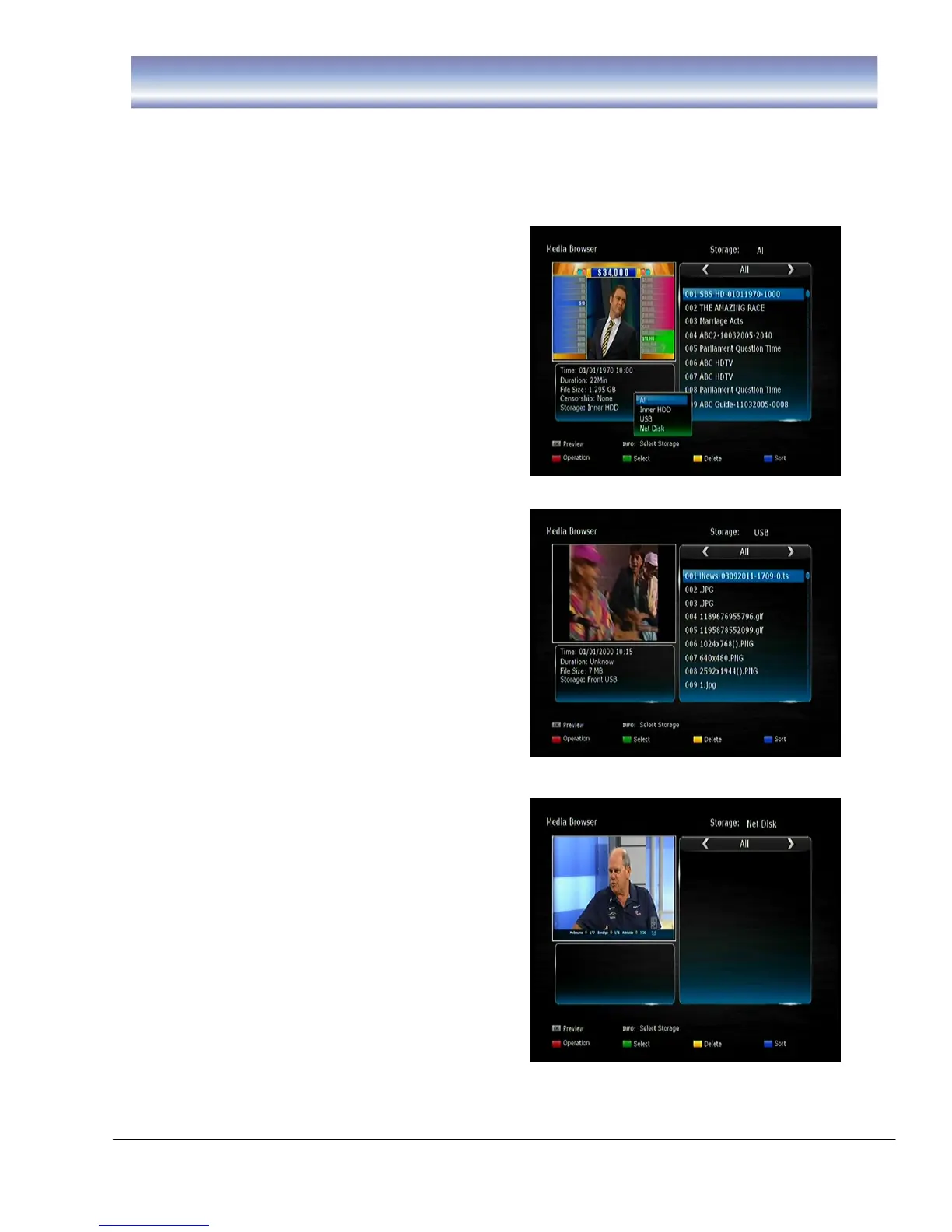
1.
Ope
n DVR M
e
nu by p
r
e
ssi
ng
[DVR
]
in
L
ive
TV Mod
e
.
2.
Pre
ss
[I
NF
O]
to
pop
the
stora
ge
filte
r
opt
i
ons
list
an
d
pre
ss
[O
K
]
se
lect
one
you
wish
t
o
vie
w
(Such
as :
Inne
r HDD
, U
SB
an
d Ne
t
D
i
sk
).
27
29
Table of Contents
Main Page
Table of Contents
3
Safety Instructions
4
About the Twin Tuner DVR
5
Front Panel and Rear Panel
6
Front Panel
6
Rear Panel
6
Remote Control
7
Installing the Batteries
9
Using the Remote Control
9
Connecting to Equipment
10
Dvr Menu
13
M a I N M E N
13
Network Menu
15
Installation Menu
15
Settings Menu
15
Scanning for Channels
18
Changing Channels
18
Basic Operation
18
Changing Volume
19
Time Shift Function
21
Standby Modes
21
Firmware Update
22
Factory Default
22
Parental Control
22
Instant Recording
23
Recording Function
23
Epg Recording
26
Series Recording
26
DVR Storage Filter Function
28
Electronic Program Guide (EPG)
29
EPG Search(EPG)
31
Network
32
Blu-Ray Player
45
Troubleshooting
56
Technical Specification
59
Warranty Information
61
Related product manuals
Strong SRT 6020
26 pages
Strong SRT 6126
33 pages
Strong SRT 6155
22 pages
Strong SRT 6201
17 pages
Strong SRT 6200
17 pages
Strong SRT 6005
52 pages
Strong SRT 6006
26 pages
Strong SRT 6365 PDR
33 pages
Strong SRT 8209
25 pages
Strong SRT 8222
26 pages
Strong SRT 4600
88 pages
Strong SRT 4300
36 pages



 To Next Page