5
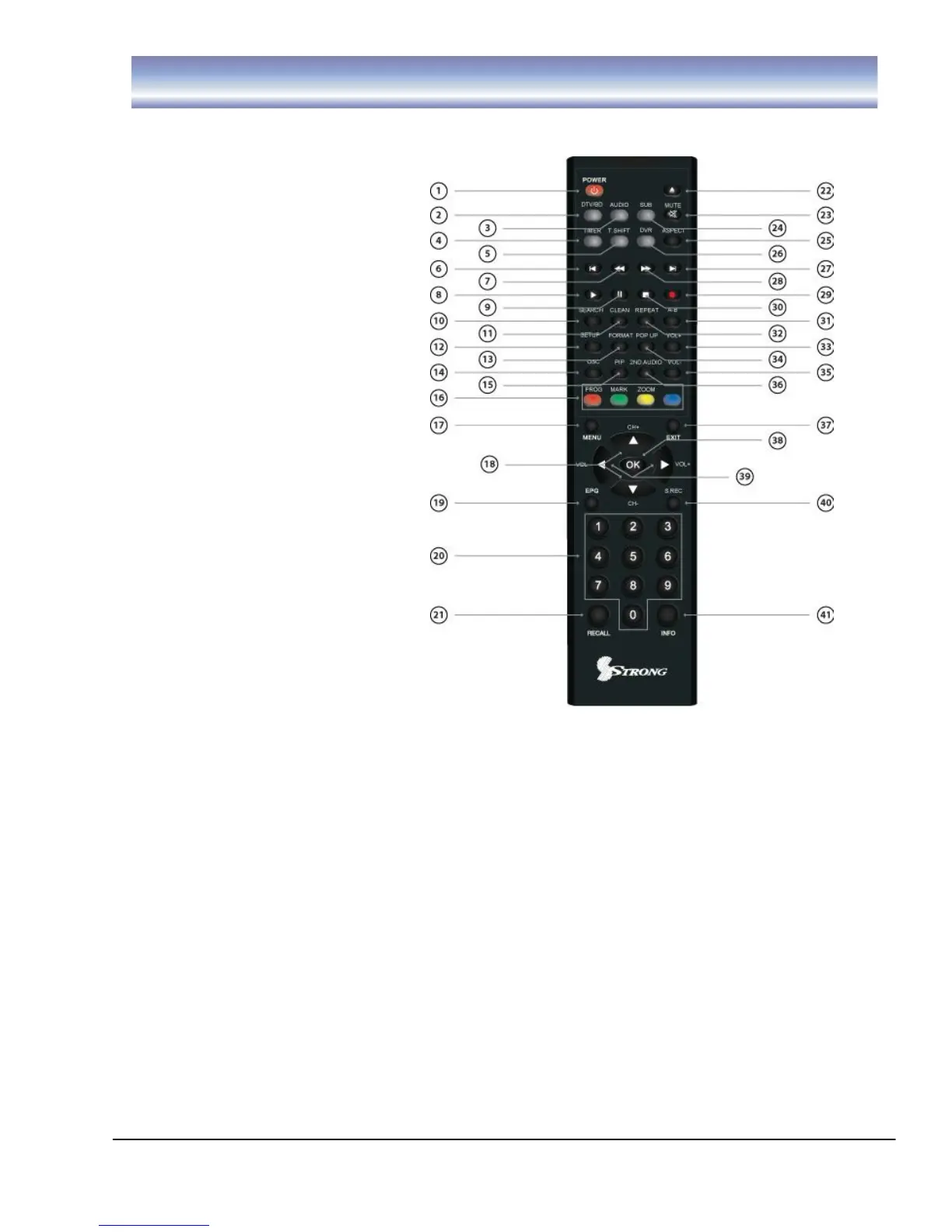
Remote Control
Remote key functions:
1. POWER: To turn the
standby mode ON/OFF.
2. DTV/BD: To switch
between the DTV and BD
mode.
3. AUDIO: To display the
Audio info of the selected
program.
4. TIMER: To add a new timer
for recording.
5. T.SHIFT: To activate and
cancel time shift feature.
6. SKIP BACK: To skip back
30 seconds of a recorded
program during playback (in
time shift or DVR mode).
7. REW: To rewind a recorded
program during playback or
time shift (supported 2X, 4X,
8X, 16X, 32X, 64X).
8. PLAY: To play a recorded
program or to resume time
shift.
9. PAUSE:To pause the
current program and
activate Timeshift or recorded program during playback. Press again to resume
program or playback.
10. SEARCH:Select the Search's time or catagories etc. Procedure: Press the
Search key to enter the page of Search. Then press left/ right key to select the
time or catagories. When you find the right time or catagories, press OK key.
Then enter the number of chapter or press the up/down key to select the one you
want to search. Press OK to confirm your input and it will jump to the chapter you
want to search.
11. CLEAN:Delete the incorrect input
12. SETUP:Display the Setup menu
13. FORMAT:To switch between the different video resolution options (1080p,
1080i, 720P, 576i supported).
14. OSC:Enter or exit the DVD menu
15. PIP:On/off the picture in picture feature
16. 4 COLOR KEYS: Used in DVR function.
17. MENU:To enter into the main menu, Press again to return to previous menu.



 To Next Page