1.8 Setpoint setting
Cell temperature setpoint setting
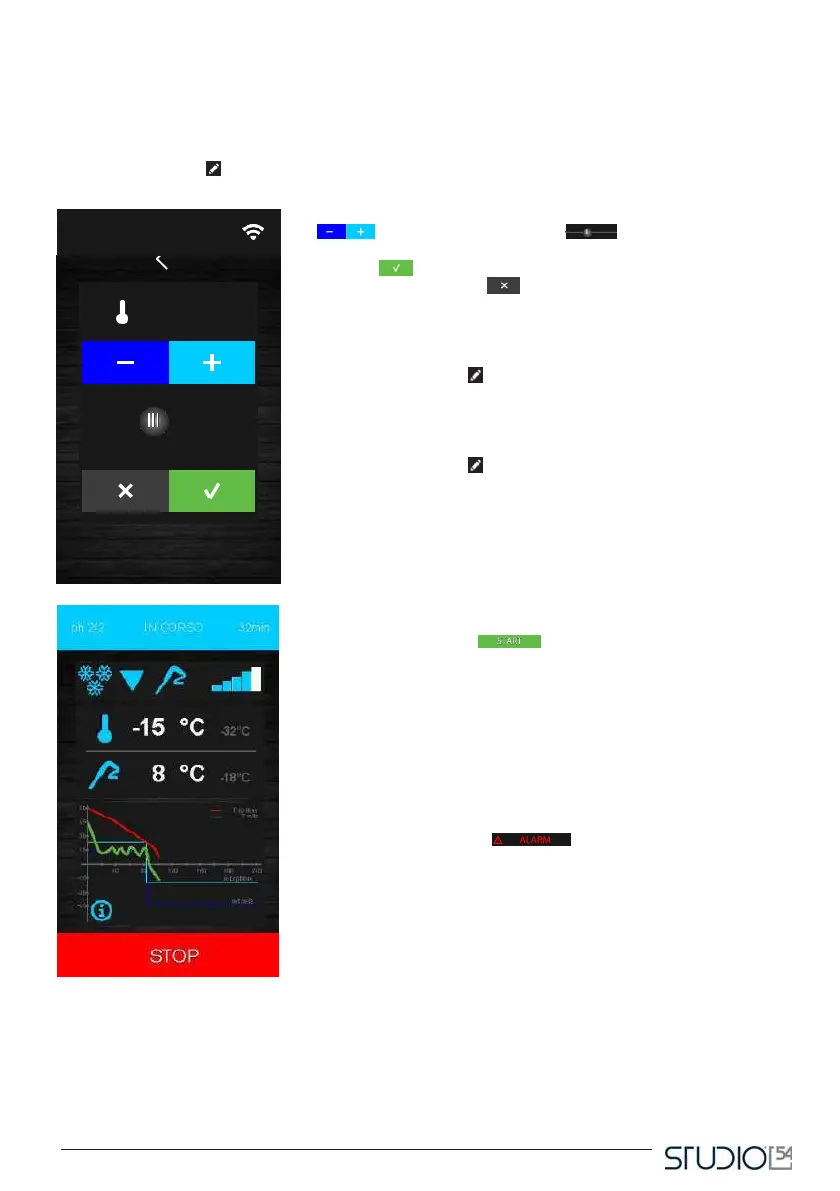
When a blast chilling/deep freezing cycle (continuous or customized) is selected, the device upload the
following default values: cell temperature, product temperature, time and fan speed (attention, the rotation
speed of the ventilation can’t be adjust in the model 66350025). The user can modify these values by
pressing the icon Edit : the following screen will appear.
Set up the needed value by pressing the icon Increase/Decrease
or the slider Configuration . Once the operation is
complete, press the icon
Confirm to confirm the value and return to the previous screen,
or press the icon Cancel to go back to the saved settings and
back to the previous screen.
Product temperature setpoint regulation
Follow the same steps as explained for the cell temperature after
pressing the icon Edit concerning the product temperature (which
means the temperature measured by the probe).
Cycle duration settings
Follow the same steps as explained for the cell temperature after
pressing the icon Edit concerning the cycle duration.
1.9 Cycle implementation
Pressing the icon Start to start the cycle as set up. If it is a
temperature-based cycle, the blast chilling/deep freezing phases will
end when the probe reaches the set up temperature. If it is a time-
based cycle, the blast chilling/deep freezing phases will end when
the set up timer (or the timers) runs out.
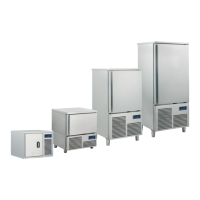
During the cycle, you will see the following screen:
The screen above is a recap of the features of the running cycle,
with a graph of the trend of the set up values (cell temperatures
and product temperature for the temperature-based cycles; cell
temperature and time for the time-based cycles).
Pressing the icon Allarm , operating only when an allarm
is on, you can see the type of allarm going on.
1.10 Probe insertion check test
Before a temperature-based cycle you must run a two-phased test to check the correct insertion of the
probe. The test includes 5 comparisons between the cell probe temperature and temperature measured
by the spike probe. If the second one is 5°C higher the first one on 3 samplings out of 5, the power unit will
register the correct insertion of the spike probe. If this first phase fails, a second check will take place. If there



 To Next Page